-
The local/remote file dichotomy.
Some of the applications in Knoppix can open any file. Others can only open so called "local" ones and reject "remote" ones.
In some instances I can cheat the aplication by copying the remote file to the desktop, thus converting it to local.
But for K3b, that I want to use to burn my Knoppix DVD, the desktop can't hold the 3.1 GB. Is there a way to change some attribute in this file for it to be regarded as "local"?
I fail to see why a file, downloaded and saved by Knoppix, is subsequently branded as "remote".
What is the exact meaning of local/remote in this context?
-
Senior Member
registered user
Re: The local/remote file dichotomy.

Originally Posted by
Jorge Martínez
Some of the applications in Knoppix can open any file. Others can only open so called "local" ones and reject "remote" ones.
Admittedly, I have never seen this. Can you give a specific example when this happens?
BTW, 3 GB is a very big file for a distro that runs as a LiveCD. It's entirely possible that you may be running out of RAM. What version of Knoppix are you using? What kind of hardware are you running it on?
Regards,
- Robert
http://www.cwelug.org
-
Thank you.
rwcitek wrote:
Admittedly, I have never seen this. Can you give a specific example when this happens?
Generally speaking, one of the beauties of Knoppix is that it can read from and write to FAT 32 partitions, therefore it understands Windows files, which makes the migration from the latter to the former easy for the newcomer. But this is not workable for all the applications.
The case in hand is my desire to use K3b to burn a Knoppix 4.0.2 DVD from the 3.1 GB ISO image file that I had downloaded from one of the mirrors in the US by using the Knoppix 4.0.2 CD. I could readily start K3b but when pointed to that file, it rejected it because it was "remote". I'm using a Pentium 4 2.26 Intel processor and have 1 GB RAM.
Regards
JM
-
Fat32 only does 2GB files!
The file size is too big for a DOS file system, this may or may not be your problem.
I've found in Win98se which uses fat32 that Win will make a > 2 GB file, BUT most of the apps. can't use it.
2 GB is the largest file size allowed ( bummer ), I think a burner won't burn bigger files.
If this IS the problem ( I think so ), using a HD partition formated with ext2 or ext3 will allow > 2 GB files, & Knoppix of course uses Linux file systems like these, so make a new partition, format it ext2.
Then hopefully you can copy the file to the new partition, if it won't allow you to, you'll have to download it again as the one on the fat32 is crap & can't be used ( BIG bummer ).
-
Administrator
Site Admin-
Re: Fat32 only does 2GB files!
Originally Posted by
sunburnt
Fat32 only does 2GB files!
The file size is too big for a DOS file system, this may or may not be your problem.
I've found in Win98se which uses fat32 that Win will make a > 2 GB file, BUT most of the apps. can't use it.
2 GB is the largest file size allowed ( bummer ), I think a burner won't burn bigger files.
You're not quite giving proper information.
As you said, Win98se can make and use largerfiles (up to 4 gig) just fine on a FAT32 file system. So can Xp. An, in fact, so can Linux. The only application that I know of that doesn't deal with files between 2 and 4 gigs in size is Microsoft's own Networking. They certainly may be others, but I have not run across them. You can burn files larger than 2 gig. However, there is a restriction in the definition of ISO 9660 that limits files saved to a ISO 9660 format disc to 2 gigs in size. So clearly any burning software that is ISO 9660 compliant will not burn larger files to an ISO 9660 disk. That's not to say that there is anything wrong with the file, or the application, or the hardware. It's just a limitation of ISO 9660 format.
-
I downloaded the ISO file with Knoppix 3.9 to a FAT32 partition, but K3b saw this as a remote file and could not read it.
I took the hard disk to a Windows 98 se environment, autenticated it there and could burn easily the DVD.
My doubt as to what is a "local" file versus a "remote" one and how to convert one into the other is still otstanding. This prevents me from using some of the applications.
-
I've found a number of Win apps. that won't work with >2gb files or behave so poorly that they're unusable.
Linux apps. probably don't have these problems, a damn good reason to be using Linux.
Obviously burning a full 4.3gb DVD with one file would be out of the question on a Fat32 drive.
Similar Threads
-
By Jorge Martínez in forum General Support
Replies: 9
Last Post: 10-30-2005, 08:51 PM
-
By Jorge Martínez in forum General Support
Replies: 5
Last Post: 09-07-2005, 02:48 AM
-
By vi2004 in forum General Support
Replies: 0
Last Post: 02-13-2004, 11:04 AM
-
By jrsath0me in forum General Support
Replies: 3
Last Post: 12-30-2003, 08:24 PM
-
By warwick in forum General Support
Replies: 1
Last Post: 01-01-2003, 02:30 AM
 Posting Permissions
- You may not post new threads
- You may not post replies
- You may not post attachments
- You may not edit your posts
-
Forum Rules


(New) AMD Ryzen 7 5700X 8 Core 16 Thread AM4 Unlocked 3.4 GHz CPU OEM Tray
$174.99

AMD Ryzen 7 PRO 8700GE 8-Core/16-Thread Up to 5.1GHz AM5 (FL1)
$175.00
HP EliteBook 840 G8 Laptop i7-1185G7 3.0GHz 8GB 512GB SSD Win 11 COA Grade C
$209.99
Dell Latitude 7200 Touch Tablet Laptop 12� Core i5 8GB RAM 256GB SSD Win 11 Pro
$239.99
Lenovo ThinkCentre M720Q Core i5-8500T 2.10GHz 8GB 128GB SDD W11 Mini PC (Z3675)
$125.96

AMD Ryzen 7 9850X3D 8-Core 16-Thread 5.6GHz 120W AM5 CPU 100-100001973WOF
$435.99
AMD Ryzen 7 5800X3D 8-Core 3.4GHz Socket AM4 CPU Processor….
$309.99
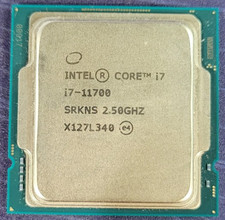
Intel Core i7-11700 2.50GHz 8 Core SRKNS CPU Processor
$149.00
Grade A Dell OptiPlex 3050 Mini PC Core i5 8GB RAM 256GB SSD Desktop
$189.99
LCD Issues HP EliteBook 850 G8 Laptop Intel Core i7-1185G7 3GHz 16GB 256GB SSD
$177.00



 Reply With Quote