-
KDE not starting + installation/removing problem
HI !
I installed K3.9 EN into my machine.
In live CD the KDE is working good, but after installation (HDD boot!) the KDE is not started...
The kdm is started, the login is ok, but when the splash screen is flashing on "Starting system services", the progress is halted.
I don't know what is the problem (IceWM is working good).
So I thinking about to I install KDE in correct way.
Then I tried to remove KDE, apt-get said "KDE is not installed"... Hmmm...
Then I try to install it, but 4 packages was probelmatic.
When I try to remove KDE, it is say "Try to fix it with -f".
When I try to fix it with "-f", it show error messages...
What I do wrong ? How to force the installation or removing ?
The messages are:
apt-get remove kde
****************
Reading Package Lists...
Building Dependency Tree...
You might want to run `apt-get -f install' to correct these:
The following packages have unmet dependencies:
kdeartwork: Depends: kdeartwork-style (>= 4:3.3.2-1) but it is not going to be installed
Depends: kdeartwork-theme-window (>= 4:3.3.2-1) but it is not going to be installed
kdeedu: Depends: kdeedu-data (>= 4:3.3.2-3.sarge.1) but it is not going to be installed
kdegraphics: Depends: ksvg (>= 4:3.3.2-2sarge1) but it is not going to be installed
E: Unmet dependencies. Try 'apt-get -f install' with no packages (or specify a solution).
****************
apt-get -f install
****************
Reading Package Lists...
Building Dependency Tree...
Correcting dependencies... Done
The following extra packages will be installed:
kdeartwork-style kdeartwork-theme-window kdeedu-data ksvg
The following NEW packages will be installed:
kdeartwork-style kdeartwork-theme-window kdeedu-data ksvg
0 upgraded, 4 newly installed, 0 to remove and 4 not upgraded.
164 not fully installed or removed.
Need to get 0B/1687kB of archives.
After unpacking 6681kB of additional disk space will be used.
(Reading database ... 127211 files and directories currently installed.)
Unpacking kdeedu-data (from .../kdeedu-data_4%3a3.3.2-3.sarge.1_all.deb) ...
Unpacking kdeartwork-style (from .../kdeartwork-style_4%3a3.3.2-1_i386.deb) ...
Unpacking kdeartwork-theme-window (from .../kdeartwork-theme-window_4%3a3.3.2-1_i386.deb) ...
Unpacking ksvg (from .../ksvg_4%3a3.3.2-2sarge1_i386.deb) ...
dpkg: error processing /var/cache/apt/archives/kdeedu-data_4%3a3.3.2-3.sarge.1_all.deb (--unpack):
trying to overwrite `/usr/share/icons/crystalsvg/16x16/apps/edu_languages.png', which is also in package kdebase-data
dpkg: error processing /var/cache/apt/archives/kdeartwork-style_4%3a3.3.2-1_i386.deb (--unpack):
trying to overwrite `/usr/lib/kde3/plugins/styles/plastik.so', which is also in package kdelibs4
dpkg: error processing /var/cache/apt/archives/kdeartwork-theme-window_4%3a3.3.2-1_i386.deb (--unpack):
trying to overwrite `/usr/lib/kde3/kwin3_plastik.la', which is also in package kwin
dpkg-deb: subprocess paste killed by signal (Broken pipe)
dpkg: error processing /var/cache/apt/archives/ksvg_4%3a3.3.2-2sarge1_i386.deb (--unpack):
trying to overwrite `/usr/share/mimelnk/image/svg-xml.desktop', which is also in package kdelibs-data
Errors were encountered while processing:
/var/cache/apt/archives/kdeedu-data_4%3a3.3.2-3.sarge.1_all.deb
/var/cache/apt/archives/kdeartwork-style_4%3a3.3.2-1_i386.deb
/var/cache/apt/archives/kdeartwork-theme-window_4%3a3.3.2-1_i386.deb
/var/cache/apt/archives/ksvg_4%3a3.3.2-2sarge1_i386.deb
E: Sub-process /usr/bin/dpkg returned an error code (1)
****************
HELP ME !!!!!
In this state I cannot installing and removing any packages !!!
Thanks you for help: dd
-
Senior Member
registered user
We have cautioned new users from installing Knoppix to the HD without first being aware that it might not work for them http://www.knoppix.net/wiki/Hd_Install_HowTo. You have run into a known issue with Knoppix 3.9 HD Installs in that it breaks networking. You do not need to remove/reinstall KDE to fix this problem.
The bug is documented as #15 http://www.knoppix.net/wiki/Bugs/3.9-2005-05-27 and can be resolved by entering the command as root user:
ln -s /etc/init.d/ifupdown-clean /etc/rcS.d/S18ifupdown-clean
Then reboot the PC.
Let us know if this is successful.
Similar Threads
-
By wachusfleish in forum Customising & Remastering
Replies: 0
Last Post: 08-27-2008, 03:59 PM
-
By hcs in forum Customising & Remastering
Replies: 1
Last Post: 06-29-2005, 04:40 AM
-
By Linsane in forum Hardware & Booting
Replies: 0
Last Post: 10-14-2004, 11:09 PM
-
By dopetroep in forum General Support
Replies: 2
Last Post: 09-13-2003, 11:56 PM
-
By mikeypants in forum Customising & Remastering
Replies: 15
Last Post: 07-29-2003, 06:50 PM
 Posting Permissions
- You may not post new threads
- You may not post replies
- You may not post attachments
- You may not edit your posts
-
Forum Rules


(New) AMD Ryzen 7 5700X 8 Core 16 Thread AM4 Unlocked 3.4 GHz CPU OEM Tray
$174.99
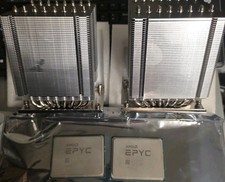
Pair ID-COOLING A8-SP3 CPU Heatsink Coolers and AMD EPYC 7601 32 Core Processors
$290.00

AMD Ryzen 7 PRO 8700GE 8-Core/16-Thread Up to 5.1GHz AM5 (FL1)
$189.00

Dell OptiPlex 5070 SFF i7-9700 (8-Core) 3.0GHz 16GB 256 SSD Windows 11
$250.00

AMD Ryzen 7 7800X3D 4.20GHz Quad Core 100-000000510 8 Thread AM4
$279.99

AMD Ryzen 7 9800X3D 8-Core 16-Thread AM5 Zen 5 Desktop Processor NEW
$399.00

Apple Macbook Pro 13" M1 8-Core 16GB 512GB - Good
$464.99

Intel Xeon E5 - 2667V2 / SR19W 3.30GHz 25MB 8-Core CPU Socket LGA2011
$30.00

SGIN 17.3" Laptop Intel Quad-Core Up to 2.4 GHZ 8GB RAM 256GB SSD HD
$229.99

Dell T7810 Workstation 8-Core 2.40GHz E5-2630 v3 No RAM GPU HDD OS
$259.98



 Reply With Quote