

 Reply With Quote
- 1) Plug router into ethernet connection
2) Plug computer into router
3) Configure router as required
4) Boot Knoppix, it just works.


Hi i am new to linux...and i have no clue how to configure my broadband connection.
Can somebody please help me out from the scratch..
i am using knoppix3.3 and broadband via ethernet
thank you
- 1) Plug router into ethernet connection
2) Plug computer into router
3) Configure router as required
4) Boot Knoppix, it just works.
thanx a lot...net is working...properly
OH? What part had you missed that my above technical instructions made clear?Originally Posted by amrith100
---
Verifying of md5 checksum and burning a CD at slow speed are important.
 Posting Permissions


Crucial MX500 1TB 2.5" SATA III Internal SSD CT1000MX500SSD1
$102.99

Samsung 860 EVO 250GB SSD MZ-76E250 2.5" SATA III Solid State Drive -
$39.99

Netac 2TB 1TB 512GB 256GB Internal SSD 2.5inch SATAIII Solid State Drive lot
$549.00

SANDISK ULTRA 3D NAND 1TB SSD SATA III 6 GB/S 2.5" /7 (SDSSDH3-1T02)
$138.56

Samsung 256 GB Internal SATA SSD Fully Tested 50%-79% Health
$24.00

Fanxiang 256GB 512GB 1TB 2TB 4TB SSD Lot 2.5'' SATA Internal Solid State Drive
$42.99

2 PACK 128 GB SSD M.2 2280 SATA Solid State Drive Major Brands, Samsung, LiteON
$28.00

Fanxiang 1/2/5/10Pcs 2.5'' SATA SSD Lot 1TB 2TB 4TB 512GB 256GB TLC Internal SSD
$129.99

Micron MTFDDAK256TBN 256 GB, Internal ,2.5" SSD
$23.00
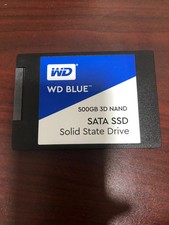
WD Blue 500GB 3D NAND 2.5” SATA III SSD
$40.00