-
Junior Member
registered user
Noobie Install Question
Hi all,
I tried Knoppix CD and was so intrigued I want to install Linux on my Windows machine. I have a 80 gig HD with 4 NTFS partitions. I chose Mandrake 9.1 because it has a partition resizer. I decided not to install LILO into MBR but in root and boot from floppy. Mandrake does not let you stop the install at the bootloading section. It skips right by and puts LILO in MBR. The option is in there but you can't get to it. With 8 tries I managed to get to that window once but it was too late.
I decided to let it install in MBR and then reconfigure the setup at the review stage and later repair MBR with fdisk. Next Mandrake then hangs while making boot disk. In text mode it lets me know there was an error making boot disk and continue to end of setup. Now I have no boot disk.
So now I think I will use Mandrake install to resize the partition and then install Debian.
Question 1: Can I install Linux at the end (around 65 or 70 gigs in) of my 80 gig HD? Seems I've read about 1024 cylinder bios recognition limits for booting.
Question 2: Is Debian a good choice for Newbie or am I better off with something else like RH maybe?
Thanks.................BB
-
Senior Member
registered user
Can you revert one of the NTFS back to VFAT ?
I am doing it this way(mine is a inspiron with only a 10G HD) :
C:\---->FAT 32, 3G(with ME installed)
D:\---->NTFS,6G(with XP installed)
I just put KNOPPIX on C:\(and now on D:\ after some customization of KNOPPIX), a simple file copy from CD-ROM and everything works(basically). If you want to be more exotic, install lilo and chain boot from the XP boot loader to it and boot from there. I have finally deviced a non-intrusive way of having lilo living happily with M$, in fact none of the MBR/boot sector of the hard disk is ever touched by lilo.
The reason I choose KNOPPIX is that it doesn't require its own partition and there is lots of application already in there for me to play around
-
Junior Member
registered user
I don't really want to mess with my windows partition. I have XP on C, a small partition for paging file on D, apps installed on E, and data storage on F. It's easiest to just resize F and partition the free space for Linux. Just not sure if I can install Linux past the 1024 cylinders.
I'm not sure what you mean by "chain boot", bu my plan was to install LILO in root (dev/hda and make boot floppy. I would then copy bootsect.lin to my windows boot.ini file so I can choose it at bootup from XP boot loader.
-
Senior Member
registered user

Originally Posted by
binarybum
Just not sure if I can install Linux past the 1024 cylinders.
Sure you can- you must lose the windows mentality my friend!
I'm not sure what you mean by "chain boot",
When you install Knoppix choose to put LILO into the ROOT directory. (/dev/hda
Chainbooting is using more than one boot loader. For example, you install LILO to the MBR, you boot, a menu appears that allows you to choose the OS you'd like to boot. Now you select 'Knoppix' which is on /dev/hda8 and LILO points to /dev/hda8 which also has LILO on it(in the ROOT directory) and it proceeds to load Linux. Does that make sense or did I make it even MORE coonfusing??
bu my plan was to install LILO in root (dev/hda
and make boot floppy. I would then copy bootsect.lin to my windows boot.ini file so I can choose it at bootup from XP boot loader.
If you want to use NTLDR I can't help you there since I can't for the life of me come up with even one good reason to use windows, but there are much better boot loaders out there. You could do a search on google.com/linux for 'bootloader' or even search right here on this site.
Just my 2 bits
-
Junior Member
registered user
Thanks rickenbacherus,
I'm learning. Maybe someday I'll give up windows also. Right now it's what I know and it runs all my stuff and I have it tweaked, etc,etc. I'm not familiar with Linux but so far I like what I see. Looks like there is a bit of a learning curve though.
I'll be glad to get it living in peace with windows so I can learn more. Mandrake would not let me skip loading LILO in MBR. Maybe I'll try Debian next. Since this is a Knoppix forum maybe I should ask if I should HD install Knoppix instead.
-
Senior Member
registered user
Originally Posted by
binarybum
Maybe I'll try Debian next. Since this is a Knoppix forum maybe I should ask if I should HD install Knoppix instead.
It is generally advised not to make Debian your first Linux experience. Not that it can't be done but I imagine it would be very frustrating. You can simply boot the Knoppix cd and install it after you boot it. Are you aware that you can surf the web WHILE YOU INSTALL!?!?!?! Try that with wimpdoze. Obviously if you have any questions about the install you can get online and find the answer. I have a 550Mhz w/ 256M ram. It takes about 20 minutes to install it on my machine. You could install and reinstall Knoppix repeatedly in the time it takes to install wimpdoze once.
editcan't spell anymore 
-
Junior Member
registered user
I like the Knop. Any disadvantages to Knoppix HD install as opposed to other distros?
-
Senior Member
registered user
Originally Posted by
binarybum
I like the Knop. Any disadvantages to Knoppix HD install as opposed to other distros?
Only one that I can see, it throws everything into one partition so you have to move things around if you want seperate partitions.
-
Senior Member
registered user
Originally Posted by
rickenbacherus
Are you aware that you can surf the web WHILE YOU INSTALL!?!?!?! Try that with wimpdoze. <snip> You could install and reinstall Knoppix repeatedly in the time it takes to install wimpdoze once.
Hmm, you beat 'me' this time. Yes, this impossible under Windows. Though I'm not really sure about this browsing while installing. Windows PE (Preinstallation Environment) is a cut down, *cough* 120MB, bootable windows XP env. used for installing Windows XP.
Never used it. But anyways, that one could have IE onboard (*secure* this time  ).
).
-
Senior Member
registered user
Originally Posted by
"Henk Poley
Though I'm not really sure about this browsing while installing.
It works great it does.
Windows PE (Preinstallation Environment) is a cut down, *cough* 120MB, bootable windows XP env. used for installing Windows XP.
Never used it. But anyways, that one could have IE onboard (*secure* this time
).
Now that I did not know. I have forgotten most of what I knew about windows and never had the pleasure (torture?) of using XP although I have heard quite a few good things about it. Still I wonder, do you have to reboot 16 times during the course of an installation? 
Similar Threads
-
By agilley007 in forum Hdd Install / Debian / Apt
Replies: 0
Last Post: 09-30-2004, 10:50 PM
-
By whablow in forum Hdd Install / Debian / Apt
Replies: 3
Last Post: 06-06-2004, 12:22 PM
-
By Cuddles in forum General Support
Replies: 6
Last Post: 12-27-2003, 02:01 AM
-
By binarybum in forum Hdd Install / Debian / Apt
Replies: 7
Last Post: 05-15-2003, 05:54 AM
-
By neo in forum General Support
Replies: 0
Last Post: 05-07-2003, 07:35 AM
 Posting Permissions
- You may not post new threads
- You may not post replies
- You may not post attachments
- You may not edit your posts
-
Forum Rules

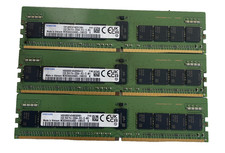
*LOT OF 3* Samsung 32GB DDR4-3200 ECC RDIMM 2Rx8 PC4-25600 M393A4G43AB3-CWECO
$799.99
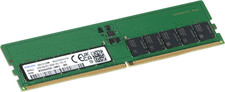
Dell 32GB 2Rx8 DDR5 ECC UDIMM 5600 MT/s
$1199.99
Samsung 32GBX2 1Rx4 PC4-3200AA DDR4 ECC Server Memory M393A4G40AB3-CWEBQ 64GB EC
$370.00
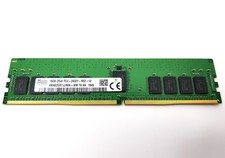
Hynix 16GB PC4-2933Y 288pin DDR4 SDRAM ECC Reg Server Memory HMA82GR7JJR8N-WM
$79.95
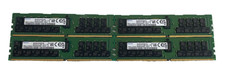
*LOT OF 4* Samsung 32GB DDR4-3200 ECC RDIMM 2Rx4 PC4-25600 M393A4K40DB3-CWEGY
$1249.99
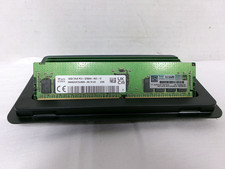
SK Hynix HMA82GR7DJR8N-XN 128GB (8x16GB) 2Rx8 PC4-3200AA HPE Server Memory RAM
$880.00

Kingston 32GB 64GB 128GB 256GB USB 3.0 Flash Drive Thumb Memory Stick Pen lot
$285.90

USB 3.0 Flash Drive 32GB 64GB 128GB Memory Stick Thumb Stick Lot Pack
$826.09
RDIMM MICRON DDR5 SERVER MEMORY 1x16 Sticks 5600 RAM
$449.00
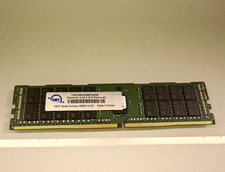
OWC 32GB DDR4 PC4-23400 DDR4-2933 288-Pin ECC RDIMM RAM
$200.00



 Reply With Quote