-
Knoppix on Dell Inspiron 1100, n00b questions
I have a Dell Inspiron 1100 with a Linksys wireless card.
Knoppix recognizes my ethernet connection, but only if I ther myself to my hub with a cord--it won't recognize my wireless card nor the wireless network.
My display is only recognized as a VGA 640X480. Any commands I use after pressing F2, such as fb1024x768, does nothing to help this--when it starts booting, it stops and asks me for a refresh rate or to press the spacebar to continue.
I wouldn't mind the 640X480, if it weren't just a tiny blob in the middle of an otherwise black screen.
Is there any way to make use of the entire display, and not simply a tiny part in the middle?
If I need to download drivers, how do I handle drivers on a hard drive or flash drive while booting from a DVD?
This program has made me feel very, very stupid. And here I thought I knew a thing or two about my laptop. 
Help!
-
Senior Member
registered user
Welcome to Knoppix.net.
This program has made me feel very, very stupid. And here I thought I knew a thing or two about my laptop
No need for desperation. Learning Linux is like eating an elephant. You need to do it one byte at a time. (No pun intended) It just takes time and a little effort and determination. The learning process stops when you give up.
Now to address a few of your issues. There are many, so if you can resolve them one at a time, you should do just fine. Just be persistent. I'll help with what I can and then hope that others may have the missing pieces to offer you.
The wireless network. I don't like them and rarely use them, even in windows. That said, look for something called ndiswrapper at sourceforge.net. Possibly HTTP://ndiswrapper.sourceforge.net Look for references or documentation. They will have downloads and such available and they have the documentation to provide instructions. I have done it successfully a few times, but never for the linksys card, so I hesitate to outline the process. It basically just runs your windows driver in ndiswrapper. You can usually download the windows driver right from linksys or even Dell if they supplied it.
The screen resolution is probably the main issue for you, since if you cannot read the screen, it's virtually useless. I would try looking at the following link: http://www.knoppix.net/wiki/Cheat_Codes I would start out with the "knoppix screen=1024x768" cheatcode (Use whatever resolution setting that applies to your screen's native resolution) and experiment from there. If I can remember correctly, the Dell I 1100 or other Dell laptop, maybe the C600 or similar unit, may have had some setting in the bios that affected the screen resolution. Don't remember much about it, or what effect it really had. It just appeared to change the screen size while booting windows, before windows started up. I just hesitate to recommend that anyone adjust the bios settings unless they are familiar with the process. Look through the posts in the "Laptop" category from the forum index. Try a search for screen resolution, etc. and see what you can find. Remember to look through to some of the older pages in the results also. Trying different cheatcodes or combinations might yield the results you seek. Look for anything that relates to the graphics and read the descriptions to see if it is pertinent. Since I belive your notebook uses the 845G chipset, it probably has "Integrated" Intel Graphics. Those are sometimes known to be troublesome in Linux. You might try adding the "xmodule=i810" cheatcode also. That tells Knoppix to load a driver for Intel integrated graphics. It may or may not work with your system.
Drivers ar usually included in the Knoppix DVD, for most compatible hardware. I am certainly not the expert on using or configuring other drivers, so some other poster might be better able to answer that question once you determine what it is that you need. If you need information concerning the hardware in your system, go to the following link and enter your service tag number: http://support.dell.com/support/topi...n&s=dhs&~tab=2
One thing that may be important, is what type of file system(s) you are using on the hard drive. If it is NTFS, it is strongly reccomended that you do not attempt to write to it with Knoppix, since there is a possibility of corrupting the drive by doing so. Knoppix is set by default to be unable to write to basically ANY drive in the system. You would have to reset a few things to enable it to write. If you are not sure what file system you are using, try to tell us what operating system you have installed on it or what version of windows it has. (Win XP, 2000 Pro, Win 98, Win ME, etc.) That might give us a clue as to what file system it COULD be using.
Any commands I use after pressing F2
I don't think you need to press F2. Try to type in the cheatcodes at the command prompt (Boot:_) when the first splash screen appears and then press enter after typing the cheatcodes. Look at the section located at the link I provided above. It shows pretty much the syntax and process used. A picture of the screen is located on the Home page of this forum. The screen I refer to is the first on the left. :http://www.knoppix.net/ or here: http://shots.osdir.com/slideshows/sl...se=376&slide=1 Sorry it is in German, but it is a great representation.
Let us know how you make out and please post back if you find the solution, so we may share it with others in the future.
-
Thank you so much--I went to Dell's site and updated my BIOS. The display then loaded perfectly, full screen, without any command line tweaks.
Now, on to the wireless network issue!
-
Senior Member
registered user
You are very Welcome! I usually don't recommend a bios update unless someone is technologically capable. It's a good call on your part and I'm glad to see that it worked out for you.
Now, on to the wireless network issue
I would probably search for information in the Networking section from the forum index. If there is nothing pertinent in this or the Networking heading, then I would go ahead and post something there. I noticed that you also posted in another thread referring to the Linksys wireless card. Underscore did provide some links and information there, that might be relevant in your case. He appears to know much more about networking than I do and is a good source for information. The first thing that you need to do is to note the exact model number of your card and any version or revision numbers, if applicable. It does make a big difference, since one manufacturer can use many different chipsets in their different models. I would then go over to: http://ndiswrapper.sourceforge.net/m....php/Main_Page They have information and instructions for setting it up and getting it working. Knoppix is based on the Debian Distribution, so much of the information given for Debian, might also apply to Knoppix. They have Card Specific details and notes, so you might want to look through the information there.
Thank you for posting your success with the display and I hope you resolve your networking issue just as easily!
Similar Threads
-
By candtalan in forum Laptops
Replies: 4
Last Post: 08-20-2006, 08:57 AM
-
By jimeee in forum General Support
Replies: 0
Last Post: 11-03-2004, 10:04 PM
-
By linuxprince in forum General Support
Replies: 6
Last Post: 08-31-2004, 07:43 PM
-
By Billabong9305 in forum Hardware & Booting
Replies: 0
Last Post: 08-03-2004, 07:40 PM
-
By melknin in forum Laptops
Replies: 1
Last Post: 07-09-2004, 04:18 PM
 Posting Permissions
- You may not post new threads
- You may not post replies
- You may not post attachments
- You may not edit your posts
-
Forum Rules


Dell Poweredge R720 8SFF 2.5" 2x Xeon E5-2680 v2 2.8GHz 20-Cores 64gb 4x Trays
$259.99

Dell EMC PowerEdge R440 Xeon silver 4215 2.5GHz 16 GB ram 2x 550W PSU No HDD
$275.00

Dell PowerEdge R730XD Server 2x E5-2695 V4 = 36 Cores H730p 32GB RAM 4x trays
$649.99

Dell PowerEdge R530 2x E5-2630v4 H330 iDRAC8 Port Card Riser No PSU/RAM/HDD
$99.99

Dell PowerEdge R620 2x Xeon E5-2630 v2 3.1GHz 2.5" 4-BAY 32GB RAM No OS 2x 495w
$174.95

Dell Poweredge R630 2x Xeon E5-2680 v3 2.5ghz 24-Cores / 64gb / Raid / 2x 1Tb
$374.99
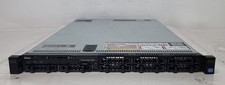
Dell PowerEdge R620 Dual Intel Xeon E5-2640 v2 @2.00GHz 192GB RAM No HDD H710P
$250.00

Dell Poweredge T420 SFF 2x E5-2430 v2 2.5Ghz / 64gb / H710 / 8x Trays / 2x 495w
$394.99

Dell PowerVault DL2200 2x Xeon E5620 24GB RAM H700 2x500GB SAS RAID1
$230.00

Dell R640 Diskless Servers 2x Gold 18-Cores 6254 3.10GHz CPU, 32gb RAM, No Raid
$699.00



 Reply With Quote