

 Reply With Quote
sudo su to become root
mount -a to mount everything rw, check with mount. You can also remount to writable with for example:
sudo mount -o remount,rw /dev/hdXn /mnt/hdXn


I'm trying to access a damaged lilo.conf. I started the machine with my Knoppix CD, but when I attempted to access lilo.conf I got a "permission denied" message. The file is owned by root (which I'm not, at the moment) and has permissions -rw-r-----. I have the root password for this machine, but I don't see how to use it to gain access to lilo.conf.
Any suggestions would be much appreciated.
kj
sudo su to become root
mount -a to mount everything rw, check with mount. You can also remount to writable with for example:
sudo mount -o remount,rw /dev/hdXn /mnt/hdXn
 Posting Permissions


RAM-HOL-SAM52CPU RAM USB-C Powered Dock Samsung Tab Active4 Pro & Tab Active Pro
$81.99

Samsung 2.5" 870 EVO SSD SATA III 250GB 500GB 1TB Internet Solid State Drive Lot
$90.00
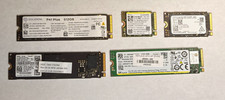
LOT OF 5 512GB PCIe NVMe SSD M.2 SATA NVME MIXED LOTS Major Brands
$250.00

Samsung 24" S3 Essential IPS 100Hz Monitor | Sealed | Fast shipping
$50.00

RAM-HOL-SAM60CPU RAM USB-C Powered Dock for Samsung Tab Active5 - 3 - 2
$81.99
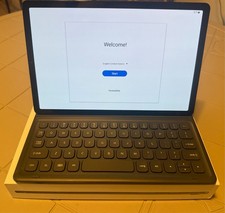
Samsung Galaxy Tab S5e 10.5 Screen 128GB Storage and a Samsung KEY BOARD
$150.00

Samsung Galaxy Tab SCH-1800 7" 4GB Wi-Fi + Verizon Tablet Working
$30.00

RAM-GDS-SKIN-SAM54-NG-1 RAM Mounts IntelliSkin® Next Gen for Samsung Tab Active4
$93.99

NEW Samsung NoteBook NT930QCG touch LCD Full Screen Assembly Blue
$225.77

New Samsung 512GB FIT Plus USB 3.2 Gen 1 Type-A Flash Drive MUF-512AB/AM NEW
$120.00