

 Reply With Quote
I run KNOPPIX on my Dell Dimension 3000, changed the BIOS to 8MB. that doesn't help completely, try the command "knoppix DMA" (W/O the quotation marks of course). Try that, hope it Helps!!!Originally Posted by nishtya


Right, got the resolution up to 1024x768, which is most my monitor can support. Simply changing bios video memory setting to 8mb did it. One thing checked of the list!
So, next real hurdle is getting my Belkin wireless USB adaptor working. How can I do this? I have tried looking through some of the settings, there is somewhere I can choose from a list of drivers to install but I can't find this particular thing. Should I be looking for a more general name, such as something to do with the chip in the USB stick, rather than simply Belkin USB Wireless adaptor?
Any help with this would be great.
Secondly, my soundcard works so far as I can get the test sound in control center to play, but can't get any sound anywhere else. Playing MP3s gives the error that the card may be being used elsewhere...
It's a PCI soundblaster live! 24-Bit card.
Also, Is there any way I can save a config file I can load when I boot from the Live CD? So I don't have to go through the same thing every time I boot? I can't leave it on forever!
I guess getting the internet working is my main priority, so I can type this from Knoppix instead of Windows.
Thanks so much for your help, this forum is incredible!
Rich
I run KNOPPIX on my Dell Dimension 3000, changed the BIOS to 8MB. that doesn't help completely, try the command "knoppix DMA" (W/O the quotation marks of course). Try that, hope it Helps!!!
 Posting Permissions


Dell PowerEdge M630 Blade Server 2x Xeon E5-2680 v4, 2F3MP , 4GDP5 ,R10KJ ,JVFVR
$96.60

Cisco UCS 5108 Blade Server Chassis Enclosure N20-C6508 4x PSU 8x Fans 2x Fabric
$174.99

Dell PowerEdge M640 Blade Barebone Server Dell P/N: HHB006 Tested Working
$149.99
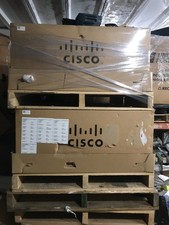
NEW Cisco UCSB-5108-AC2 Blade Server Chassis 8 Slot 6RU Chassis 4 X PSU - DW
$599.40
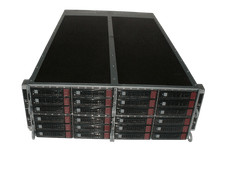
Supermicro 4U 32x 3.5 Bays 4-Nodes | 8x E5-2660 v3 2.6Ghz | 64gb RAM | 9207-8i
$699.99

Dell PowerEdge FX2 FX2s Server 10GbE CMC Blade Enclosure Chassis
$274.99
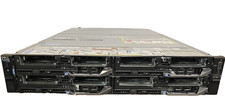
Dell PowerEdge FX2s Chassis 4x FC630 2x FN410S Server | NO CPU / RAM / HDD / PSU
$1999.99
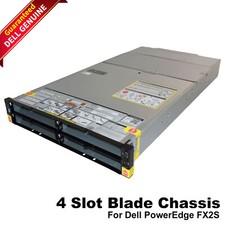
Dell PowerEdge FX2 FX2s Server 10GbE CMC Blade Empty Chassis XJ6VP
$149.99

Lot of 2 IBM blade center Type H chassis 8852
$559.00
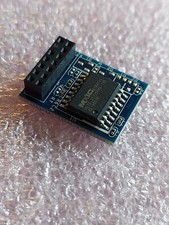
ASUS Blade Server LAN Web Remote Management KVM Module Chip IPMI 2.0 ASMB9-iKVM
$49.99