-
Senior Member
registered user

Originally Posted by
felipe_lopes
Originally Posted by
Stephen
You could mount a partition on the hard drive as /var/www/ and server yourself webpages from there. You would make a directory on the /var/www/ for your web pages and then
sudo chown user:user /var/www/your_directory to change the ownership to your user then you will have read-write access. You would access your web pages by
http://127.0.0.1/your_directory/file.html.
Sorry Stephen, But I gotta be stupid....When I try to create a directory in /var/www/ it returns an error! On your code, what I suppose to put on "user:user"?
Maybe I didn get what you said to do...
thank you and sorry
Felipe Lopes
In a console window after you have booted from CD:
sudo mount /dev/hda1 /var/www/ - to mount first partition on first drive (c: in windows)
sudo mkdir /var/www/mywebpages - make a directory for your webpages (you could have already done this in windows first and already have your web pages there in which case this would be unnecessary)
sudo chown -R knoppix:knoppix /var/www/mywebpages/* - to change ownership of files in all the directories of your web pages (may not be needed use if it gives you a no permission to access files)
You may only need step one to mount the HD as your /var/www/ then when you type http://127.0.0.1/mywebpages/file.php in the browser your web pages will be served from your HD directory.
The user:user part in post above is your username I should have been a little clearer on that.
[edit]
Also if it will not let you add pages to your web page directory sudo chown knoppix:knoppix /var/www/mywebpages (to find the ownership of the directory ls -la /var/www/mywebpages)
[/edit]
Similar Threads
-
By reyn in forum General Support
Replies: 4
Last Post: 08-24-2004, 02:56 AM
-
By drews in forum General Support
Replies: 2
Last Post: 06-25-2004, 09:59 AM
-
By Gencho in forum The Lounge
Replies: 2
Last Post: 06-19-2004, 07:01 PM
-
By sn0wflake in forum General Support
Replies: 4
Last Post: 03-25-2004, 07:08 AM
-
By Idletask in forum General Support
Replies: 0
Last Post: 01-09-2004, 01:03 PM
 Posting Permissions
- You may not post new threads
- You may not post replies
- You may not post attachments
- You may not edit your posts
-
Forum Rules


Atari 800 Home Computer System 800 Untested
$95.00

Vintage Atari 410 Program Recorder CIB Open Box Appears Unused 400 800
$194.99

DEFECTIVE Atari 810 Vintage Computer Disk Drive powers on Unit Only Boo G3D
$55.24
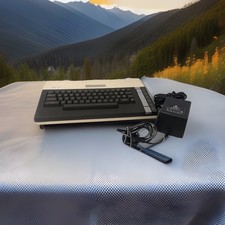
ATARI 800 XL 8-Bit Computer w/ Power Supply
$169.00

Original Atari ST Boot Disk SH, CA026311-003 c. 1985 Made in Japan TESTED
$39.95

Fujinet 1.7.1 Atari 400 800 800XL 130XE 65XE XEGS Assembled, Tested, Working
$99.99
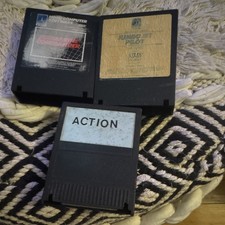
Atari Jumbo Jet Pilot Vintage Floppy Disk Software Lot w/ 2 Disks
$29.99

Vintage Atari 400/800 NOS Computer Parts – Assorted Service & Replacement Parts
$50.00
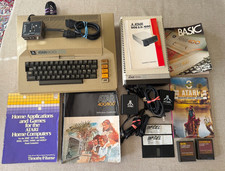
Vintage Atari 800 Computer + 1050 Disk Drive Manuals Games Software Cables Power
$349.00

Atari 1040ST Computer System SM124 Monitor Megafile 60 SLMC804 Bundle W/ Boxes
$849.00



 Reply With Quote