-
How to open . ai or .cdr files?
One of the virtues of Knoppix is that it can open almost any Windows files.
However, I couldn't find how to open some graphic files such as .ai or .cdr. I will appreciate any help.
-
Senior Member
registered user
This is what I have found.
http://www.redhat.com/archives/fedor.../msg00033.html
> One thing. Is there an application in Linux that can edit this file type?
sketech can open and save .ai files
Sketch - > Skencil http://www.nongnu.org/skencil/
http://www.osnews.com/story.php?news_id=9658&page=2
As an example, in Inkscape we have a functionality that allows us to automatically pipe a file through a filter program. We found a script called ill2svg.pl that is able to take an Adobe Illustrator file on STDIN, and emits the corresponding SVG to STDOUT. This AI import feature was a very frequent request by users before we added it, and being able to reuse an existing Open Source tool saved us a *lot* of effort. Similarly, we've been able to leverage Sketch, dia, and other programs by running them from the command-line to convert their native file formats into SVG.
The other way Inkscape handles file formats is through libraries such as libpng. Formal libraries are generally better than command-line tools, and so are preferred, but they're more work to create so are not as common.
More file format converters (either command-line or libraries) and improvements to the existing converters, would be an extremely valuable way to improve interoperability between Open Source drawing applications. There is a dire need for maintainers of the command-line converters; many of the scripts out there are essentially unmaintained, and really need developers to improve them. The ill2svg.pl program mentioned above, for example, needs a number of improvements in order to read in a wider variety of AI files. A Visio(VDX)-to-SVG converter could also be extremely beneficial. Reimplementing the more popular converters as C libraries would give us even more flexibility and power as we move forward.
-
Thank you.
Skencil would certainly do the trick. But I would have two difficulties.
I don't know how to call an external software from Knoppix, in itself a closed universe. There is no Skencil specifically for Knoppix. There is an unofficial version for Debian, that perhaps would be suitable.
Skencil would require a Python interpreter and perhaps an input filter, adding up to my chores in a field I'm not familiar with.
If possible, I would prefer a more straightforward solution.
Regards.
Similar Threads
-
By jrev in forum General Support
Replies: 16
Last Post: 10-13-2005, 04:08 PM
-
By probono in forum Tips and Tricks
Replies: 1
Last Post: 11-19-2004, 06:04 PM
-
By finder in forum The Lounge
Replies: 1
Last Post: 11-17-2004, 08:41 PM
-
By Wrincle in forum General Support
Replies: 1
Last Post: 05-28-2004, 02:23 AM
-
By satyr409 in forum General Support
Replies: 1
Last Post: 01-02-2004, 09:52 AM
 Posting Permissions
- You may not post new threads
- You may not post replies
- You may not post attachments
- You may not edit your posts
-
Forum Rules


Dell PowerEdge FX2s + 8x FC430 Blades 16x E5-2630v4 160 Cores Rails No PSU/RAM
$699.00

Dell PowerEdge FC430 Blade Server 2x Xeon E5-2630v4 20 Cores FX2 FX2s No RAM/HDD
$119.99

Dell PowerEdge M640 Blade Barebone Server Dell P/N: HHB006 Tested Working
$149.99

Dell PowerEdge M630 Blade Server 2x Xeon E5-2680 v4, 2F3MP , 4GDP5 ,R10KJ ,JVFVR
$95.20

Datto S4P10 1U Blade Rack Server Intel Xeon D-2143IT 2.20GHz 48GB DDR4 4-Bay PSU
$197.76
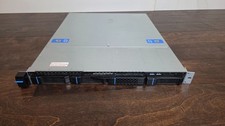
Datto S3P6000 4x 3.5" 1U Blade Rack Server Intel Xeon D-1541 @2.10GHz 48GB DDR4
$128.96

Dell PowerEdge M620 Blade Server 2x Xeon E5-2680v2 2.8ghz 20-Cores | 128GB
$149.99

Dell Poweredge C6400 24x 2.5’’ 2x 2400W 4x C6420 Nodes H330 | 2x SFP | 8x Trays
$799.99

NETAPP HCI NAF-1701 SuperMicro Server 4X BLADE H410C 8X GOLD 5120 4 NODE SERVER
$1499.97

Cisco UCS 5108 Blade Server Chassis Enclosure N20-C6508 4x PSU 8x Fans 2x Fabric
$174.99



 Reply With Quote