

 Reply With Quote
I am also currently having this same problem. Hopefully someone has a solution for us on this as i'd really like to get wireless going on this so I can further my knowledge with knoppix...
-Sean


hi, i've already had experience with configuring wireless cards but this time I am defeated...
i've already installed my WG111 on vectorlinux a distro based on slackware, and it worked just fine, but when i try to install it with knoppix it just doesnt work...
i've got knoppix 4.0 and i am running it from live-cd (i dont actually know if this is the cause of my problems)
here's what happens after the installation:
root@0[knoppix]# ndiswrapper -l
Installed ndis drivers:
netwg111 driver present
now, the wireless card is plugged in but it doesnt recognize it,
i should have read something like:
nerwg111 driver present, hardware present
but there is no way to make this happen, and if i run modprobe ndiswrapper obviously nothing happens, while i know that it should bring it on, and the light should start blinking..
i dont know what to do, since it should just work as always...
thanks for your support
I am also currently having this same problem. Hopefully someone has a solution for us on this as i'd really like to get wireless going on this so I can further my knowledge with knoppix...
-Sean
hiya, i am going to be in the same situation, but am yet to get the ndis driver. can you give me any help on how to do this? i am a total newbie and have only just managed to work out how to install packages!
anyway, i have finally installed unshield, which i read here somewhere that i need to extract the ndis driver from the windows driver file. is that correct? if so, how do i do this?
many thanks,
dan
what i have done, is download the latest wg111v2 driver from the netgear website and run unshield on data1.cab.
then go into the winxp folder and
ndiswrapper -i xxxxx.inf
this has worked for me. just to check, you are talking about a usb device here, yes?
dan
Mine is a PCMCIA card.
Which card do you have? The WG111 is a USB device. Visit http://www.netgear.comOriginally Posted by Internexus
I have a wg511 v2. The reason i monitored this thread is b/c im getting the same problem with this device and there was no solution for this card when i searched ; /
 Posting Permissions

Windows Server 2022 | Intel 18-Core Xeon | 32GB ECC DDR4 | 500GB NVMe | 3TB HDD
$798.00

Dell EMC PowerEdge R440 Xeon silver 4215 2.5GHz 16 GB ram 2x 550W PSU No HDD
$275.00

867959-B21 HPE ProLiant DL360 G10 CTO Server W/ 2x 865414-B21 1x 840140-001
$245.00

Dell Intel X710-DA2 5N7Y5 Dual-Port 10GbE SFP+ PCIe 3.0 x8 Network Adapter
$27.50

Gigabyte 4U AI Server 10x Nvidia GPU 2x Xeon Gold 6150 36 Core 2.7GHz DDR4 RAM
$1625.00

Dell PowerEdge C4130 1U AI GPU Server | 2x E5-2680 v3 | 32gb Ram | 2x 1600W
$409.99
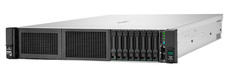
HPE DL385 Gen10 Plus 2x EPYC 7513 1024GB DDR4 RAM 6x 6.4TB 2x 800G SAS 100G RAID
$54229.00

Supermicro 2U GPU Server SYS-2029GP-TR 2x Xeon 6130 32C 6x PCIe 3.0 x16 Slots
$745.00

Dell PowerEdge R530 2x E5-2630v4 H330 iDRAC8 Port Card Riser No PSU/RAM/HDD
$99.99

Dell Poweredge R630 2x Xeon E5-2680 v3 2.5ghz 24-Cores / 64gb / Raid / 2x 1Tb
$374.99