-
Any NTFS friendly distro?
I've got a whopping big new hard drive and want to put Linux on part of it.
Is there any linux distro that can live on a NTFS partition? Red Hat maybe?
If I use Partition Magic, can I make a FAT32 partition for linux, leaving the rest NTFS?
Bill
-
Senior Member
registered user
The default NTFS driver used in KNOPPIX(2.4.20 kernel) does not work well with cloop.
I have compiled a custom kernel using the new NTFS 2.x driver which so far works beautifully with KNOPPIX(cloop) so it is possible.
BTW, I do it the same way as you suggest one VFAT(FAT32) and the rest can be NTFS or whatever your want. I used the FAT to store everything(the linux kernel image, the NT boot loader etc.) This is the only file system that every OS can handle(both read/write), a must have on any HD when multiple OS is anticipated.
-
Re: Any NTFS friendly distro?

Originally Posted by
hatch821
I've got a whopping big new hard drive and want to put Linux on part of it.
...
If I use Partition Magic, can I make a FAT32 partition for linux, leaving the rest NTFS?
Bill
I have done it on a W2K-System and had no problems.
After the creation of a smaller W2K-Partition, I have saved the mbr
with "dd if=/dev/hda1 of=/mnt/floppy/mbr.bin count=1".
For the installation of Linux I have called knx-hdinstall from knoppix 3.1
and wrote lilo in the mbr.
Everything worked fine on the first try, so I hadn't to use my copy of
the original mbr.
rla
-
Topologilinux version 3.0.0 !
Topologilinux has many new features. You can still run it under any version of Windows. Both NTFS and FAT filesystems are supported. No disk partitioning is needed. This version now also includes the Alsa sound drivers which makes almost all soundcard work. This distribution is based on Slackware 9.0 with Gnome 2.2 Kde 3.1 and many other appz.
Topologilinux is very easy to install just insert the cd iso that you downloaded when you are in windows and the installation
starts automatically. Then you boot with the cd in and write "install" and press enter and install your system. After your system is installed just insert this cd and press enter when you want to run
Topologilinux !
Topologilinux site:
http://topologi-linux.sourceforge.net/
Screenshots:
http://topologi-linux.sourceforge.net/
It runs very fast. On my wifes new hp box it runs faster then the pre-installed XP home edition.
Give it a try! 
Have fun,
Paul 
-
Thanks for that suggestion! I'm downloading it now and will try asap.
-
Hatch821,
Once you get it installed and you feel confotable then install Dropline Gnome. It is very good and offer's a lot of font upgrades.
paul
-
Senior Member
registered user
Re: Any NTFS friendly distro?
--I honestly don't know why you wouldn't just make a 2300Meg Linux partition and run it from there...
Example: /dev/hda
hda1: Windoze C: 2-4Gig (OS only)
hda2: Linux type 83, 2300Meg for basic knx-hdinstall
hda3: Extended (rest of disk)
: hda5 Swap type 82, 256Meg or more
: hda6 Windoze D: (for apps and data)
: hda7 Fat32, if you want it
--If you've got plenty of HD space, you can even make a Linux Reiserfs partition for backups.
Originally Posted by
hatch821
I've got a whopping big new hard drive and want to put Linux on part of it.
Is there any linux distro that can live on a NTFS partition? Red Hat maybe?
If I use Partition Magic, can I make a FAT32 partition for linux, leaving the rest NTFS?
Bill
-
Dave,
I have Knoppix, Slack, JAMD, Win2K and Win98 all installed on my computer.
However, on my wifes computer I did not want to take a chance of blowing all her work and turning her off of Linux from the start. That is why Topologilinux version 3.0.0 was such a good choice to introduce her to Linux.
I have tried all the so called Linux for Windows and found them to be extremely slow and limited.
She really likes it.
Like you with all the drive space I would do a hard drive install.
But in my case if anything would have gotten lost on my wifes computer it would be my a**. I know who is the boss and where's the pantys in my family. (LOL) :P
Paul
-
Originally Posted by
qa1433
Hatch821,
Once you get it installed and you feel confotable then install Dropline Gnome. It is very good and offer's a lot of font upgrades.
paul
Installed and working! Doesn't detect network from my office computer; haven't tried at home yet. Knoppix detects network at office, but not at home; Suse connects at home but not at work! Way too mysterious for me to figure out.
If you have a moment, tell me how to install Dropline Gnome (or anything, for that matter!).
This is all great fun, but basically Linux is still a nightmare of wholly unintelligible commands. Just look through all the posts! But I enjoy playing with it & will pickup information a little at a time.
-
Bill,
I had the same problem during the install. After rebooting you will want to do setup again. When you come to the part that asks you if you want to set up you network select cancel <CR>.
When you start startx as root to get to your graphical win Manager (kde, gnome etc.) log in.
Bring up the terminal console.
$SU <cr>
passwd: Enter the password for root <cr>
you schould see the pound (#) symbol.
This means you are now root.
Enter
#netconfig <cr>
This will allow you to configure your broadband network as required by your (mine was DHCP for my cable) ISP.
Once Netconfig is complete you will get a bash (#) prompt
If you are using DHCP which I suspect you are if cable is your broad band connection then do the following.
#killall -9 dhclient
some errors msg's will/may be displayed.
#dhcpcd eth0 <cr>
Note: You may or may not see a pound prompt (#) after you enter the above command.
If not don't fret! Wait about 30 secounds.
If no (#) promt is returned to the termenal console, close the console.
Do a complete shutdown.
Then reboot your box.
You hopefully should have you broadband connection activated.
If not then I don't know what the problem could be.
Try some of the below slak boards. The folks here are very friendly and knowlegable. They know more then I do as I am a noobie to Linux.
http://www.linuxquestions.org/questi...?s=&forumid=14
http://www.linuxpackages.net/forum/
Have fun,
paul
Similar Threads
-
By silian87 in forum Customising & Remastering
Replies: 4
Last Post: 03-15-2004, 06:46 AM
-
By dbojan in forum Customising & Remastering
Replies: 2
Last Post: 11-04-2003, 10:17 AM
-
By Enmity in forum Customising & Remastering
Replies: 1
Last Post: 10-24-2003, 12:51 AM
-
By simon_lim88 in forum Ideas
Replies: 2
Last Post: 08-26-2003, 09:04 PM
-
By senorian in forum The Lounge
Replies: 2
Last Post: 02-22-2003, 01:01 AM
 Posting Permissions
- You may not post new threads
- You may not post replies
- You may not post attachments
- You may not edit your posts
-
Forum Rules

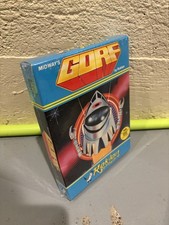
GORF Atari/Roklan 400/800 Cartridge Brand New In Box
$48.00

GreaseWeazle v4 board USB floppy drive adapter Retro All Formats
$35.00

Atari 130 XE/Atari 1050 Bundle W/ Cords And Extras (Powered On)
$300.00
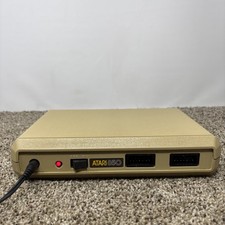
Atari 850 Interface Module For ATARI 400/800 Computer Vintage Tested
$60.00

A8PicoCart Multicart for Atari 800xl /65xe / 130xe / XEGS
$16.95

Fujinet 1.7.1 Atari 400 800 800XL 130XE 65XE XEGS Assembled, Tested, Working
$99.99

ATARI Mouse with Adapter for ST, STE, Mega STE, TT Optical - USA Seller
$29.99
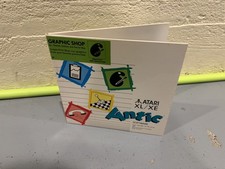
GRAPHIC SHOP - Atari 400/800 XL/XE - Antic
$36.00

DEFECTIVE Atari 810 Vintage Computer Disk Drive powers on Unit Only Boo G3D
$49.29
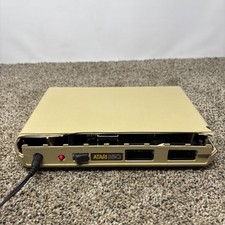
DAMAGED Atari 850 Interface Module For ATARI 400/800 Computer Vintage Tested
$40.00



 Reply With Quote