-
installation
basically manual installation should be the same. Before I realised that it was at debian I installed quanta/koffice manually and it worked more or less the same. If you have a copy of a debian package then make a directory to place the file in. I know that knoppix stores alot in /usr/share e.g. /usr/share/tomcat5. I installed netbeans in /usr/local/netbeans.I think the /usr/ directories are global, but I am not sure but you can google Linux filesystems to find out where to create your installation directory. Then do dpkg -i <package name> and it should install as if you had done it over the net in the directory that debian would usually choose. I think the net connection is only for ease of download. however, when I had to install quanta it didn't tell me that I needed cervisia until I had installed and loaded it. with a manual install this meant trawling through the net to find the package. however with Koffice I found all the support packages there at debian but it was a pain copying them all. If the required support packages are not installed then you will get a broken packages error message with some indication of what packages are needed to get the software to work
If the package is RPM or Slackware or whatever then do alien --to-deb <package name> . then do dpkg -i <package name>
mkdir /mnt/usr/share
cp /mnt/cdrom/tomcat5675687.rpm /usr/share/tomcat5
alien --to-deb /usr/share/tomcat5/tomcat5675687.rpm
dpkg -i /usr/share/tomcat5/tomcat5_9_7.deb
Knoppix has stuff for unzipping zip files e.g. unzip tar.gz, but I am not sure what else (e.g. unzip wapide1.0.zip). The files will unzip to whichever directory you are in at the time.
Netbeans with jdk5 was a bin file and installed by changing permissions and then executing the bin file (instructions were on the download site)e.g.
cp /mnt/cdrom/jdk1.5_67-nb-linux.bin /usr/local/.java
chmod 755 jdk1.5_67-nb-linux.bin
./jdk1.5_67-nb-linux.bin.
So having an internet connection is not essential but makes life alot easier. Could you not take your box to a friends house plug in there and download as you don't need to install software to connect to the internet. (you may have to do KNOPPIX---Network----ADSL/PPPOE and install the relevant driver for your box then do netcardconfiguration)
Similar Threads
-
Replies: 1
Last Post: 09-28-2005, 09:16 PM
-
By jacksonon in forum General Support
Replies: 7
Last Post: 09-05-2005, 10:37 PM
-
By kornface13 in forum General Support
Replies: 1
Last Post: 05-06-2004, 03:16 PM
-
By kessragnell in forum General Support
Replies: 5
Last Post: 04-25-2004, 06:59 AM
-
By Coolnat2004 in forum General Support
Replies: 1
Last Post: 10-12-2003, 06:44 AM
 Posting Permissions
- You may not post new threads
- You may not post replies
- You may not post attachments
- You may not edit your posts
-
Forum Rules


MegaRAID 9580-8i8e 16-port 12G SAS/SATA/NVMe 8GB PCIe RAID - 05-50076-00
$1619.30

Intel VROC Premium RAID Controller Card PCIe Add-On Module VROCPREMMOD
$265.00

Broadcom 9600-24i Tri-Mode RAID Controller 4.0 NVMe SAS SATA NEW 05-50111-01003
$639.69

BROADCOM 05-50077-01 PCI-E 4.0 x8 PCI-Express MegaRAID 9560-8i RAID Controller
$739.99

OWC Mercury Elite Pro Quad 4 Bay RAID Storage Enclosure USB 3.1 Gen 2 No Drives
$149.95

Broadcom LSI 9305-16i 12Gbps SAS-3 PCIe x8 HBA 16-Ports Raid Controller
$64.99

LSI 9260-8i 512MB SAS SATA 8-port PCI-E 6Gb RAID Controller Card US
$29.88

Inspur LSI YZCA-00424-101 12Gbps SAS 3.0 RAID Controller CARD HBA HDD
$14.99

9300-8i LSI SAS3008 8-Port 12Gb PCIe IT mode ZFS FreeNAS unRAID 2*SFF-8643 US
$49.50
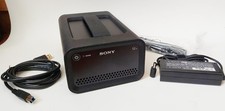
Sony Ruggedized Raid PSZ-RA Thunderbolt 2 Portable RAID Array (12TB)
$419.00



 Reply With Quote