-

Originally Posted by
ckyip
If you in root shell, just enter:
vim /boot/grub/menu.lst
or
nvi /boot/grub/menu.lst
vim or nvi is editor on command prompt
I did this and I get nothing. I now know why I use XP. This is very difficult. All I weant to do is to change the default to saved (last system loaded) or the XP as default system Me and my family use XP all the time but I want to try linux and work with it so I only want it to load when directed not as default. There must be a way to do this. I can see what I have to do but I can not get it done
what my system has:
# menu.lst - See: grub( , info grub, update-grub(
# grub-install(, grub-floppy(,
# grub-md5-crypt, /usr/share/doc/grub
# and /usr/share/doc/grub-doc/.
## default num
# Set the default entry to the entry number NUM. Numbering starts from 0, and
# the entry number 0 is the default if the command is not used.
#
# You can specify 'saved' instead of a number. In this case, the default entry
# is the entry saved with the command 'savedefault'.
default 0
## timeout sec
# Set a timeout, in SEC seconds, before automatically booting the default entry
# (normally the first entry defined).
timeout 5
What I want:
# menu.lst - See: grub(, info grub, update-grub(
# grub-install(, grub-floppy(,
# grub-md5-crypt, /usr/share/doc/grub
# and /usr/share/doc/grub-doc/.
## default num
# Set the default entry to the entry number NUM. Numbering starts from 0, and
# the entry number 0 is the default if the command is not used.
#
# You can specify 'saved' instead of a number. In this case, the default entry
# is the entry saved with the command 'savedefault'.
default saved
## timeout sec
# Set a timeout, in SEC seconds, before automatically booting the default entry
# (normally the first entry defined).
timeout 10
But my system will not allow me to save any changes to the file
-
Quick way: sudo sed -i '/default\t/s/0/saved/' /boot/grub/menu.lst
Or if you are root (prompt ends with # instead of $): sed -i '/default\t/s/0/saved/' /boot/grub/menu.lst
The above assumes you have a tab after default, but quoting it here removed it.
If still doesn't work, post the output of the following commands:
ls -l /boot/grub/menu.lst
mount
whoami
-
Junior Member
registered user
Linux (GNU Linux) is some how different from window XP system.
I guess you want something like window XP control panel.
But linux something like control panel in graphical mode may not include low level setting.
For example the boot loader.
Your have to edit low level setting not in window XP control panel editing way.
I guess you cannot edit the menu.lst because of some reason:
1. file read only permission?
chmod 777 /boot/grub/menu.lst
2. not save your changes after editing because your don't know how to use editor in command prompt?
after editing, to save changes:
press 'Esc', ':wq'
etc...
-
Thanks all. I appreciate your help but I have no idea how to do this. I'll try a few more times then I will have to re install XP if I can not get it to work. I would have liked working with Linux but I guess its not a program for nontech people like myself.
Similar Threads
-
By johnwaynegoodin in forum Hdd Install / Debian / Apt
Replies: 1
Last Post: 08-04-2009, 10:44 AM
-
By Gemu in forum General Support
Replies: 2
Last Post: 01-28-2009, 09:32 AM
-
By boricua in forum Hdd Install / Debian / Apt
Replies: 2
Last Post: 11-30-2007, 06:02 PM
-
By ismanpa in forum Hdd Install / Debian / Apt
Replies: 2
Last Post: 07-24-2006, 11:04 AM
-
By cronex2000 in forum General Support
Replies: 5
Last Post: 05-24-2004, 03:56 PM
 Posting Permissions
- You may not post new threads
- You may not post replies
- You may not post attachments
- You may not edit your posts
-
Forum Rules


Intel Core i7-3770K 3.5 GHz Processor
$39.00
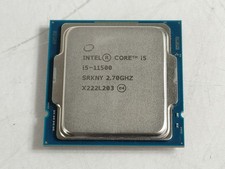
Intel Core i5-11500 2.70 GHz LGA 1200 Desktop CPU Processor SRKNY
$94.99
Intel Core i9-13900K Processor (5.8 GHz, 24 Cores, LGA 1700)
$320.00
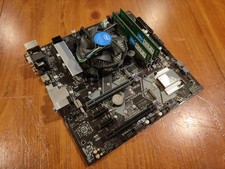
COMBO: ASUS Prime H370M-PLUS MOTHERBOARD + i5-9400F CPU /w Heatsink + 16GB DDR4
$169.95
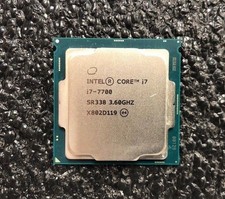
Intel Core i7-7700 Kaby Lake Quad-Core 3.6 GHz Processor LGA 1151
$39.99

Intel i7-8700 Coffee Lake 3.2GHz 6-Core Max Turbo 4.6GHz Processor
$69.99

Intel Core i7-7700T 2.9GHz 8MB Socket LGA1151 Quad Core Processor SR339
$39.99
Intel Core i9-9900 | SRG18 | 3.10 GHz | 8 Cores | LOT OF 10
$1505.77
APPLE MACBOOK PRO A2338 | M1 | 256GB SSD | 8GB | C | BH 85% - 90% | Golden Gate
$399.99

Corsair RM750e 750W Fully Modular 80 Plus Gold ATX 3.1 PSU Certified Refurbished
$44.99



 Reply With Quote