-

Originally Posted by
ckyip
If you in root shell, just enter:
vim /boot/grub/menu.lst
or
nvi /boot/grub/menu.lst
vim or nvi is editor on command prompt
I did this and I get nothing. I now know why I use XP. This is very difficult. All I weant to do is to change the default to saved (last system loaded) or the XP as default system Me and my family use XP all the time but I want to try linux and work with it so I only want it to load when directed not as default. There must be a way to do this. I can see what I have to do but I can not get it done
what my system has:
# menu.lst - See: grub( , info grub, update-grub(
# grub-install(, grub-floppy(,
# grub-md5-crypt, /usr/share/doc/grub
# and /usr/share/doc/grub-doc/.
## default num
# Set the default entry to the entry number NUM. Numbering starts from 0, and
# the entry number 0 is the default if the command is not used.
#
# You can specify 'saved' instead of a number. In this case, the default entry
# is the entry saved with the command 'savedefault'.
default 0
## timeout sec
# Set a timeout, in SEC seconds, before automatically booting the default entry
# (normally the first entry defined).
timeout 5
What I want:
# menu.lst - See: grub(, info grub, update-grub(
# grub-install(, grub-floppy(,
# grub-md5-crypt, /usr/share/doc/grub
# and /usr/share/doc/grub-doc/.
## default num
# Set the default entry to the entry number NUM. Numbering starts from 0, and
# the entry number 0 is the default if the command is not used.
#
# You can specify 'saved' instead of a number. In this case, the default entry
# is the entry saved with the command 'savedefault'.
default saved
## timeout sec
# Set a timeout, in SEC seconds, before automatically booting the default entry
# (normally the first entry defined).
timeout 10
But my system will not allow me to save any changes to the file
Similar Threads
-
By johnwaynegoodin in forum Hdd Install / Debian / Apt
Replies: 1
Last Post: 08-04-2009, 10:44 AM
-
By Gemu in forum General Support
Replies: 2
Last Post: 01-28-2009, 09:32 AM
-
By boricua in forum Hdd Install / Debian / Apt
Replies: 2
Last Post: 11-30-2007, 06:02 PM
-
By ismanpa in forum Hdd Install / Debian / Apt
Replies: 2
Last Post: 07-24-2006, 11:04 AM
-
By cronex2000 in forum General Support
Replies: 5
Last Post: 05-24-2004, 03:56 PM
 Posting Permissions
- You may not post new threads
- You may not post replies
- You may not post attachments
- You may not edit your posts
-
Forum Rules

Major Brand 8 GB PC3L-12800 (DDR3-1600) 2Rx8 DDR3L Laptop Memory RAM
$10.99
Team Group T-Create Expert RAM 32gb (2 x 16gb) 6000 Mhz DDR5 Desktop Memory Modu
$399.95
![[ BULK LOT OF 10 ] UNITS of 8GB DDR4 Laptop RAM SAMSUNG, HYNIX etc. picture](/store/img/g/IKQAAeSwEK9qv9TG/s-l225/-BULK-LOT-OF-10-UNITS-of-8GB-DDR4-Laptop-RAM-SAMSU.jpg)
[ BULK LOT OF 10 ] UNITS of 8GB DDR4 Laptop RAM SAMSUNG, HYNIX etc.
$299.99
G.SKILL RIPJAWS V series 64GB (4x16GB) 288-pin DDR4 SDRAM 3333
$320.00
48GB(6 x 8GB) Mixed Brand PC4-2666V DDR4 Desktop UDIMM RAM - R1051A
$129.95

Corsair CMK32GX4M2B3000C15 Vengeance LPX DDR4 3000mhz Memory Kit - 32GB (2x16GB)
$164.95
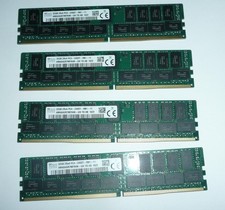
SK Hynix 128GB (4 x 32GB) PC4-2400T DDR4 ECC Server Memory HMA84GR7MFR4N-UH
$649.95
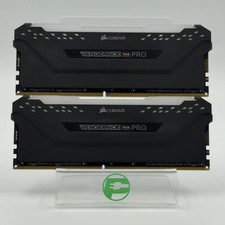
Corsair Vengeance RGB Pro 32GB (2x16GB) RAM DDR4 3200MHz CMW32GX4M2E3200C16
$174.99

LOT OF 23 Ram Sticks-Corsair Vengeance CMZ8GX3M2A1600C9 4GB (4GBx23=92GB Total)
$129.99
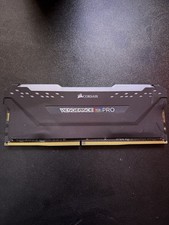
Corsair Vengeance RGB Pro 16GB DDR4 DIMM Memory Module 3600MHz
$80.00



 Reply With Quote