-
Senior Member
registered user
Re: Knoppix 3.9 and USB flash drives
Hello and welcome to Knoppix.net.
We hope that you enjoy your use of Knoppix and hope you become an active member of the community. There's no membership fee. We just ask that you help us and others by becoming familiar with Knoppix, posting questions, and letting the rest of us know how things go. Also, I noticed that you joined recently and so was wondering if you wouldn't mind answering a few questions.
1. - How did you hear about Knoppix?
2. - How did you discover Knoppix.net?
3. - What versions of Knoppix have you tried?
4. - What type of system are you running Knoppix on?
5. - What operating system is currently installed on that system?
6. - How long have you been using computers, or how familiar are you with computers?
7. - Have you used linux before? If so, how long?
8. - What do you hope to do with Knoppix or Linux?
9. - Are you familiar with a wiki? If so, have you used a wiki before, e.g wrote some content?

Originally Posted by
Bucephalus
I have a USB flash drive and when I enter it into the USB drive, dmesg seems to show the system acknowledging the devices' existence. Unfortunately, I am not sure how to mount the drive - I thought it would automount under /mnt, but I have to mount it manually.
...
What steps am I missing? Is my hardware inadequate for the matter? (I plan on using this kind of drive for backup and for transferring files between Linux and non-Linux machines.
It should work just fine. I've used USB drives, USB sticks, and FireWire drives to backup and restore machine (Linux, Windows, and Macs) as well as transfer data.
Try this: boot into KDE under Knoppix. Open a root terminal window and type "dmesg -c". Now, attach the USB drive to the machine and type the following in the root window:
Code:
(set -x
rebuildfstab -r
cat /etc/knoppix-version
dmesg
cat /proc/partitions
cat /etc/fstab
ls -la /mnt/
) >& post.txt
Please post the output from post.txt. The post.txt file will show to which device Knoppix has assigned the drive.
Regards,
- Robert
http://www.cwelug.org
Similar Threads
-
By niblok in forum General Support
Replies: 11
Last Post: 04-20-2006, 11:33 AM
-
By monckywrench in forum Ideas
Replies: 4
Last Post: 04-20-2005, 06:46 PM
-
By plener in forum Hdd Install / Debian / Apt
Replies: 12
Last Post: 01-19-2005, 02:26 PM
-
By Hp Xtreme in forum Hardware & Booting
Replies: 4
Last Post: 02-25-2004, 11:51 AM
-
By tuxweb in forum Customising & Remastering
Replies: 10
Last Post: 10-18-2003, 04:39 PM
 Posting Permissions
- You may not post new threads
- You may not post replies
- You may not post attachments
- You may not edit your posts
-
Forum Rules


16GB (2x8GB) Kingston HyperX blu KHX1600C10D3B1/8G PC3-12800U DDR3 1600
$27.99
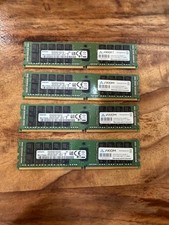
4 x Samsung DDR4 16GB 16GB 2Rx4 PC4-2400T-RA1-11-MC0 M393A2G40EB1-CRC 64G total
$300.00

DDR4 Laptop RAM 4GB 8GB 16GB 32GB 2400 2666 3200 Samsung Hynix
$66.00

NEW Kingston 8GB DDR4 2666MHz Desktop RAM KCP426NS8/8 PC4-21300
$30.00

A-Tech 8GB DDR3 1600 PC3-12800 Laptop SODIMM 204-Pin Memory RAM PC3L DDR3L 1x 8G
$21.68

Samsung W03J0009150379F87A 64GB (2x32GB) RAM DDR4 2400MHz CRC0Y
$179.99
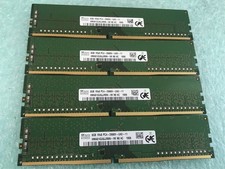
SK hynix 32GB(4 x 8GB) HMA81GU6JJR8N-VK PC4-2666V DDR4 Desktop RAM - CR337A
$89.95

Crucial DDR3L 16GB 2 x 8GB 1600 MHz PC3L-12800 Laptop RAM Sodimm Memory 1.35V
$41.00
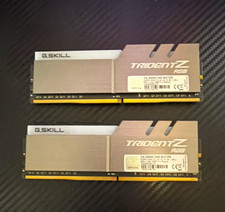
G.SKILL Trident Z RGB 16GB (2x8GB) DDR4-3000 DDR4 DIMM RAM F4-3000C16S
$70.00
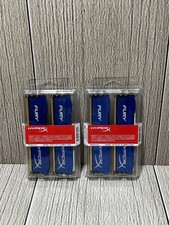
Lot of 2 Kingston Fury 8GB (4x4GB) HX316C10FK2/8 DDR3-1600MHz Ram
$50.35



 Reply With Quote