


 Reply With Quote
if your data is so important that you need 'security updates' from win XP, then go to win 2000.


The noscsi thing works for me....untill I install knoppix to the HD, then it fails and even the mii-tool thing wont save it.
-Zip
....ah-ha!
but the -
ifconfig eth0 up
netcardconfig
thing worked like a charm ... though mii-tool -r (or -R) still complains. Now to reinstall it onthe laptop ... hmmm
if your data is so important that you need 'security updates' from win XP, then go to win 2000.

Try this...
Windows XP takes over the PCI bus in your machine, and essentially "REBOOTS" The pci bridge, after doing this, it assigns a new MAC address to the nic card so:
UNPLUG YOUR ADSL from power......
then plug it back in after 20 seconds or so to reset the MAC lock in the ADSL modem
Same problem with Roadrunner
after resetting the MAC lock, start knoppix
DONOT RUN WINXP before knoppix
but the other way round
then you will find that for 1 session internet will not function in windows XP
I don't know how various cable boxes deal with mac addresses, and would like to have more information on how that works, but it is certainly not what I'm seeing. I connect to my DSL modem through a NAT DSL router. Previously I was using a standard Linksys 4 port router, I'm now using an SMC wireless router(with the Knoppix connection still coming in through a wired port) . Each logs into the ISP via PPoE and then shares the connection to all attached devices. The connection to each fails in the same way. I know I'm not having a MAC address issue for all of the following reasons:Originally Posted by brokenbrainedphil
My MAC address for the failing system has not changed - it is still showing the same MAC address it did before. Yes, I recorded it.
The Router logs into the ISP and it's mac address has not changed.
It's not a problem of getting to the ISP or to the DSL modem; I can't even get to other local computers or to the router itself unless I do one of the work arounds, and if I do the work arounds things work fine with the same MAC address.
All indications are still that the eeprom configuration information has been changed, but not the MAC address. It would be an interesting speculation, but it seems to have been presented more as a fact than speculation, and it is certainly not what is actually happening in my case. If you can really confirm that Windows ever changes a MAC address you should document this and give a good explination of how you know, including old and new settings. If it's just speculation, say so. But I have never seen the MAC address change, and my configuration would catch it. Each new MAC address on my system gets a new internal IP address (DHCP has been set up with a non-expiring lease), and I constantly see the same MAC address and IP address on the noteboot if it boots Xp or Knoppix.
This topic does seem to be going around in circles doesn't it. Are any of the developers behind Knoppix actually investigating this?
I have a cable modem connection with a dynamic ip address. I run XP and have not accepted updates for sometime yet Knoppix wont connect to the internet at all, none of the suggestions posted here work.
If you're certain Microsoft updates are responsible - why haven't you identiified which update is causing the problem?
I think you're chasing shadows here - I'm fed up with waiting for a solution, Morphix and Suse both work fine so I'll use them.
I'm running Knoppix (I downloaded the latest version, so I guess it's 3.2?) from CD. My computer is running Windows XP, set to autoupdate with the Windows Update site. It's a Compaq notebook (which would mean that it's quite similar to a HP, no?) Originally I was having the problem where it would recognize the ethernet card as eth0 just fine, but wouldn't be able to connect via DHCP. So, I got all my information from XP for manual configuration... DNS, gateway, all that stuff. But when I used the workaround that I think Harry suggested where I select expert configuration, and choose no for all the options, I booted up and internet works fine (I'm typing this, aren't I?) So I just wanted to let you know. It might actually be a series of different problems resulting in the same error that everyone is experiencing. My next option if this workaround didn't work was to try and manually get the DHCP working, or else just configure everything manually if need be.
Is there any way I can save this configuration instead of having to go through expert boot and selecting no every time? Thanks.
Hmm, you got me interested but none of the tools you point at compile the way the author suggests on my machine. (Knoppix 3.3 hard disk install)
Got any hints on how you got them compiled ?
My dual boot machine has WIMxP on hda1. I've always been a little leary of all these online update alerts all the time. Couldn't someone hack that so it looks like a M$ Windoze update but its really something more malicious (as if you could get more malicious than M$). I mean, WIMxP security isn't all its cracked-up to be as it is, now I'm supposed to trust their online updates security???
So, I haven't downloaded or installed any of their updates in months. KNOPPIX is still happy on this machine.
Regards,
Sorry for the delay in responding to this, the website didn't e-mail me of the response.
I don't know what the problem in compiling as unstructed is, but I can tell you that I compiled them with Knoppix even without a hard disk install. Of course, I had to remount the target drive as read/write, since CD knoppix mounts it as read only. Other than that I just followed the instructions and I'm very new at Linux so if I can do it you should be able to also. There are a lot of posts about things that no longer seem to work after a hard disk install, and I don't pretend to understand all of the replies. My suggestion would be that, even though you have Knoppix installed on the hard drive, get a copy of the files you need and then reboot knoppix from the CD. Remount the partition as read/write and follow the steps given; it should work fine.
Ok, I'll give it a try later
What version of Knoppix did you use ? (as this thread is pretty old I guess it could have been 3.2 something...)
 Posting Permissions


ASUS PRIME B360M-C MicroATX Intel LGA1151 DDR4 HDMI VGA USB RJ-45 Audio
$34.99
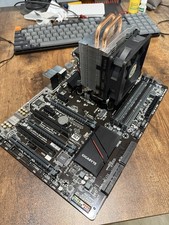
GIGABYTE Motherboard, INTEL CPU, COOLER Combo
$65.00

ASUS ROG STRIX X870E-E GAMING WIFI
$289.99

Intel H310 LGA1151 8-9th Gen DDR4 M.2 NVMe mATX Motherboard IO Shield Battery
$54.99

GIGABYTE A520M DS3H AC AMD AM4 Motherboard mATX
$59.99

Intel H81 Motherboard M.2 NVMe LGA 1150 mATX w/ IO Shield (Random Slot Color)
$29.90

GIGABYTE B365 HD3 LGA1151 Intel 9th Gen motherboard
$59.99

ASRock B550M PRO4 AM4 AMD B550 SATA 6Gb/s Micro ATX AMD Motherboard
$76.49

ASUS B85M-G / B85M-G PLUS LGA1150 DDR3 Micro ATX Motherboard HDMI Support 4thCPU
$45.00

ASUS PRIME Z490-V Motherboard Intel Z490 10th gen DDR4 LGA 1200 ATX w/ IO Shield
$84.99
