-
Junior Member
registered user
copy knoppix.img
It's posible to use knoppix.img in over computers?
If I "Create persistent KNOPPIX home directory" apt-get install some packet and copy knoppix.img to over computer ?
It's work?
-
Senior Member
registered user
Re: copy knoppix.img
Hello and welcome to Knoppix.net.
We hope that you enjoy your use of Knoppix and hope you become an active member of the community. There's no membership fee. We just ask that you help us and others by becoming familiar with Knoppix, posting questions, and letting the rest of us know how things go. Also, I noticed that you joined recently and so was wondering if you wouldn't mind answering a few questions.
1. - How did you hear about Knoppix?
2. - How did you discover Knoppix.net?
3. - What versions of Knoppix have you tried?
4. - What type of system are you running Knoppix on?
5. - What operating system is currently installed on that system?
6. - How long have you been using computers, or how familiar are you with computers?
7. - Have you used linux before? If so, how long?
8. - What do you hope to do with Knoppix or Linux?
9. - Are you familiar with a wiki? If so, have you used a wiki before, e.g wrote some content?

Originally Posted by
mio
It's posible to use knoppix.img in over computers?
If I "Create persistent KNOPPIX home directory" apt-get install some packet and copy knoppix.img to over computer ?
It's work?
Yes, it works quite well. In fact, a common way to use the persistent disk image (PDI) is to put it on a USB stick or external harddrive. That way you can go to another computer, boot with the CD and PDI, and have the exact same seetup. I've used that method quite often myself.
Give it a try and be sure to let us know how it works for you.
Regards,
- Robert
http://www.cwelug.org
-
Junior Member
registered user
Similar Threads
-
By Harry Kuhman in forum The Lounge
Replies: 4
Last Post: 08-25-2005, 10:28 AM
-
By alhavs in forum Customising & Remastering
Replies: 2
Last Post: 06-29-2004, 12:19 PM
-
By Dr Snark in forum Hdd Install / Debian / Apt
Replies: 4
Last Post: 04-29-2004, 08:44 PM
-
By dugstratton in forum General Support
Replies: 10
Last Post: 02-04-2004, 04:59 PM
-
By gadave in forum Customising & Remastering
Replies: 2
Last Post: 07-08-2003, 09:45 AM
 Posting Permissions
- You may not post new threads
- You may not post replies
- You may not post attachments
- You may not edit your posts
-
Forum Rules


Intel Xeon E5-2680 V2 2.8GHz 10-Core 25MB 8GT/s SR1A6 LGA2011 B Grade Server CPU
$7.95

HPE DL360 G10 CTO Server W/ 2x800W 1x LP PCIE RISER 1xFLEXROM 2XHIGH PERF FANS
$200.00

NEW HP Z4 G4 Workstation Xeon W-2123 16GB ECC 256GB NVMe NVIDIA T400 750W Win11
$450.00
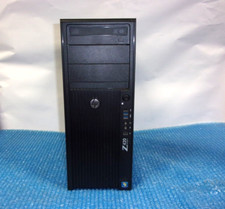
HP Z420 Tower Workstation Xeon E5-1620 3.60GHz, 4GB Ram, NO HDD, NO OS
$140.00
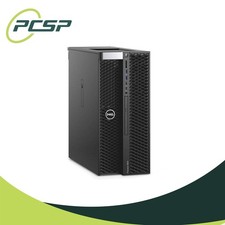
Dell Precision T5820 Workstation 3.70GHz W-2135 No RAM/ GPU/ HDD/ OS
$179.98

Dell Precision T7820 2x Xeon Gold 6130 2.10GHz 950W No RAM GPU HDD 4x SATA
$374.48
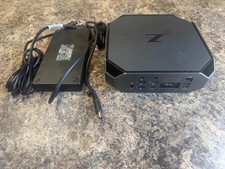
HP Z2 Mini G5 Workstation Xeon W-1270P 3.8GHz/16GB/1TB SSD/ NVIDIA T1000/W11 Pro
$349.00

Lenovo ThinkStation P520c Intel Xeon W-2133 6-Core 3.60GHz -NO RAM/ HDD/ GPU/ OS
$127.54

DELL Precision T3420 | Xeon 1240v6 | 525GB SSD |16GB RAM |Nvidia GPU |Win11
$149.00

Dell EMC PowerEdge R440 Xeon silver 4215 2.5GHz 16 GB ram 2x 550W PSU No HDD
$275.00



 Reply With Quote
 But some times I find help on wiki contents. It's very good idea.