-
USB HDD not mounting in 4.02 live cd
I have an external USB connected hard drive, it is detected during boot, but is not mounted. When I try to mount it, it comes up with a "mount point not found" error message. This is all in live cd mode. Most of my mp3's are on this drive and I need to move it from machine to machine. Is there any cheatcode that might help? Since this drive needs to be moveable, a HD install is not practical.
-
Senior Member
registered user
Re: USB HDD not mounting in 4.02 live cd

Originally Posted by
rph111745
I have an external USB connected hard drive, it is detected during boot, but is not mounted.
That's odd. What version of Knoppix are you using?
Type this code into a root terminal:
Code:
(set -x
cat /etc/knoppix-version
cat /proc/partitions
cat /etc/fstab
ls -la /mnt/
) >& post.txt
Please post the output of post.txt
Regards,
- Robert
http://www.cwelug.org
-
I'm assuming it's a 4.02 live CD (basedon the topic subject line). I have a similar issue.
When I attempt to access /dev/sda1, it can't find the device. When I try to look at the partition table with
cfdisk /dev/sda
It can't find the device.
I suspect that modprobe needs an
alias scsi_hostadapter usb-storage
somewhere, but since I'm more familiar with the 2.4 layouts instead of the 2.6 layouts, I'm not sure which file needs to be modified to do this.
lsmod shows that usb-storage is loaded, but a grep of all modprobe/modules related files in /lib/modules and in /etc does not give me a scsi_hostadapter alias.
Where should the alias line go?
-
Senior Member
registered user
Hello red floyd and welcome to Knoppix.net.
We hope that you enjoy your use of Knoppix and hope you become an active member of the community. There's no membership fee. We just ask that you help us and others by becoming familiar with Knoppix, posting questions, and letting the rest of us know how things go. Also, I noticed that you joined recently and so was wondering if you wouldn't mind answering a few questions.
1. - How did you hear about Knoppix?
2. - How did you discover Knoppix.net?
3. - What versions of Knoppix have you tried?
4. - What type of system are you running Knoppix on?
5. - What operating system is currently installed on that system?
6. - How long have you been using computers, or how familiar are you with computers?
7. - Have you used linux before? If so, how long?
8. - What do you hope to do with Knoppix or Linux?
9. - Are you familiar with a wiki? If so, have you used a wiki before, e.g wrote some content?
Originally Posted by
red floyd
I'm assuming it's a 4.02 live CD (basedon the topic subject line). I have a similar issue.
D'oh! My bad. OK, so 4.0.2 CD it is.
Originally Posted by
red floyd
Where should the alias line go?
Before doing that are you sure Knoppix hasn't detected it? What does dmesg say? In fact, try this: boot knoppix with the USB drive unplugged from the machine. Then type this into a root terminal:
Code:
dmesg -c >& /dev/null
Now plug in the USB drive and type these commands:
Code:
(set -x
dmesg
cat /proc/partitions
cat /etc/fstab
ls -la /mnt/
) >& post.txt
Pleast post the contents of post.txt.
Regards,
- Robert
http://www.cwelug.org
-
USB key not detected
I wrote your commands and:
+ ls --color=auto -la /mnt/
total 36
drwxr-xr-x 10 root root 4096 Nov 1 14:55 .
drwxr-xr-x 23 root root 4096 Nov 1 14:57 ..
drwxr-xr-x 2 root root 0 Nov 2 11:01 auto
lrwxrwxrwx 1 root root 15 Nov 1 14:55 cdrom -> /mnt/auto/cdrom
lrwxrwxrwx 1 root root 16 Nov 1 14:55 floppy -> /mnt/auto/floppy
drwxr-xr-x 2 root root 4096 Nov 1 14:55 hda1
drwxr-xr-x 2 root root 4096 Nov 1 14:55 hda2
drwxr-xr-x 2 root root 4096 Nov 1 14:55 hda5
drwxr-xr-x 2 root root 4096 Nov 1 14:55 hda6
drwxr-xr-x 2 root root 4096 Nov 1 14:55 hdc1
dr-xr-xr-x 2 root root 4096 Sep 23 10:12 test
dr-xr-xr-x 2 root root 4096 Sep 23 10:12 uba1
this is what you want? Also I have problems detecting camera.
-
Senior Member
registered user
Re: USB key not detected
Originally Posted by
Emil
this is what you want? Also I have problems detecting camera.
Almost. It would be nice to see the output from the all the commands, not just the ls.
But from the limited info you've provided, it looks as though your camera is at /mnt/uba1.
Regards,
- Robert
http://www.cwelug.org
-
The usb memory is from the stick not camera.
now dmesg:
+ dmesg
usb 5-4: new high speed USB device using ehci_hcd and address 3
scsi0 : SCSI emulation for USB Mass Storage devices
usb-storage: device found at 3
usb-storage: waiting for device to settle before scanning
Vendor: STF Model: Flash Drive 2.0 Rev: 1.00
Type: Direct-Access ANSI SCSI revision: 02
SCSI device sda: 512000 512-byte hdwr sectors (262 MB)
sda: Write Protect is off
sda: Mode Sense: 0b 00 00 08
sda: assuming drive cache: write through
SCSI device sda: 512000 512-byte hdwr sectors (262 MB)
sda: Write Protect is off
sda: Mode Sense: 0b 00 00 08
sda: assuming drive cache: write through
sda: sda1 sda2
Attached scsi removable disk sda at scsi0, channel 0, id 0, lun 0
Attached scsi generic sg0 at scsi0, channel 0, id 0, lun 0, type 0
usb-storage: device scan complete
scsi: unknown opcode 0x01
ISO 9660 Extensions: Microsoft Joliet Level 3
ISO 9660 Extensions: RRIP_1991A
and
+ cat /proc/partitions
major minor #blocks name
3 0 78150744 hda
3 1 5735173 hda1
3 2 67183830 hda2
3 3 1 hda3
3 4 1028160 hda4
3 5 104391 hda5
3 6 4096543 hda6
22 0 4209408 hdc
22 1 40131 hdc1
22 2 506047 hdc2
22 3 3662820 hdc3
8 0 256000 sda
8 1 184184 sda1
8 2 71568 sda2
and
+ cat /etc/fstab
# /etc/fstab: filesystem table.
#
# filesystem mountpoint type options dump pass
/dev/hdc3 / ext3 defaults,errors=remount-ro 0 1
proc /proc proc defaults 0 0
/dev/fd0 /floppy vfat defaults,user,noauto,showexec,umask=022 0 0
usbfs /proc/bus/usb usbfs devmode=0666 0 0
sysfs /sys sysfs defaults 0 0
tmpfs /dev/shm tmpfs defaults 0 0
/dev/cdrom /cdrom iso9660 defaults,ro,users,noexec,noauto 0 0
/dev/dvd /dvd iso9660 defaults,ro,users,noexec,noauto 0 0
# Added by KNOPPIX
/dev/hda1 /mnt/hda1 ntfs noauto,users,exec,ro,umask=000 0 0
# Added by KNOPPIX
/dev/hda2 /mnt/hda2 auto noauto,users,exec 0 0
# Added by KNOPPIX
/dev/hda4 none swap defaults 0 0
# Added by KNOPPIX
/dev/hda5 /mnt/hda5 ext2 noauto,users,exec 0 0
# Added by KNOPPIX
/dev/hda6 /mnt/hda6 reiserfs noauto,users,exec 0 0
# Added by KNOPPIX
/dev/hdc1 /mnt/hdc1 ext3 noauto,users,exec 0 0
# Added by KNOPPIX
/dev/hdc2 none swap defaults 0 0
Thanks!
-
Senior Member
registered user
Originally Posted by
Emil
The usb memory is from the stick not camera.
now dmesg:
+ dmesg
...
sda: assuming drive cache: write through
sda: sda1 sda2
Attached scsi removable disk sda at scsi0, channel 0, id 0, lun 0
Attached scsi generic sg0 at scsi0, channel 0, id 0, lun 0, type 0
usb-storage: device scan complete
and
+ cat /proc/partitions
major minor #blocks name
...
8 0 256000 sda
8 1 184184 sda1
8 2 71568 sda2
Whatever you plugged in to the USB port is being recognized as device /dev/sda with two partitions: sda1 and sda2. Unfortunately, /etc/fstab is not being updated for whatever reason. To update /etc/fstab, open up a terminal window (K> System > Konsole) after you've plugged in your USB device and type the following:
Code:
( set -x
sudo rebuildfstab -r
cat /etc/fstab
mount /mnt/sda1
df -HT /mnt/sda1
) >& post.txt
Please post the contents of post.txt.
Regards,
- Robert
http://www.cwelug.org
-
Same problem
Hello, I'm having the same problem. I can't mount an external usb hardrive.
I ran your command and here's the post.txt
(set -x
dmesg
cat /proc/partitions
cat /etc/fstab
ls -la /mnt/
) >& post.txt
+ dmesg
Linux version 2.6.12 (root@Knoppix) (gcc-Version 3.3.6 (Debian 1:3.3.6-7)) #2 SMP Tue Aug 9 23:20:52 CEST 2005
BIOS-provided physical RAM map:
BIOS-e820: 0000000000000000 - 000000000009f800 (usable)
BIOS-e820: 000000000009f800 - 00000000000a0000 (reserved)
BIOS-e820: 00000000000dc000 - 0000000000100000 (reserved)
BIOS-e820: 0000000000100000 - 000000002eee0000 (usable)
BIOS-e820: 000000002eee0000 - 000000002eeeb000 (ACPI data)
BIOS-e820: 000000002eeeb000 - 000000002ef00000 (ACPI NVS)
BIOS-e820: 000000002ef00000 - 0000000030000000 (reserved)
BIOS-e820: 00000000ff800000 - 00000000ffc00000 (reserved)
BIOS-e820: 00000000fffffc00 - 0000000100000000 (reserved)
0MB HIGHMEM available.
750MB LOWMEM available.
On node 0 totalpages: 192224
DMA zone: 4096 pages, LIFO batch:1
Normal zone: 188128 pages, LIFO batch:31
HighMem zone: 0 pages, LIFO batch:1
DMI 2.3 present.
ACPI: RSDP (v000 PTLTD ) @ 0x000f6cd0
ACPI: RSDT (v001 PTLTD Montara 0x06040000 LTP 0x00000000) @ 0x2eee5c9b
ACPI: FADT (v001 INTEL MONTARAG 0x06040000 PTL 0x00000050) @ 0x2eeeaa2d
ACPI: SSDT (v001 INTEL GV3Ref 0x06040000 MSFT 0x0100000e) @ 0x2eeeaaa1
ACPI: BOOT (v001 PTLTD $SBFTBL$ 0x06040000 LTP 0x00000001) @ 0x2eeeafd8
ACPI: DSDT (v001 INTEL MONTARAG 0x06040000 MSFT 0x0100000e) @ 0x00000000
ACPI: PM-Timer IO Port: 0x1008
Allocating PCI resources starting at 30000000 (gap: 30000000:cf800000)
Built 1 zonelists
Kernel command line: ramdisk_size=100000 init=/etc/init lang=us apm=power-off vga=791 nomce quiet bootfrom=/dev/hda3/knoppix/*.iso noprompt dma screen=1280x800 lang=us
Local APIC disabled by BIOS -- you can enable it with "lapic"
mapped APIC to ffffd000 (016e3000)
Initializing CPU#0
PID hash table entries: 4096 (order: 12, 65536 bytes)
Detected 1994.099 MHz processor.
Using pmtmr for high-res timesource
Console: colour dummy device 80x25
Dentry cache hash table entries: 131072 (order: 7, 524288 bytes)
Inode-cache hash table entries: 65536 (order: 6, 262144 bytes)
Memory: 754648k/768896k available (1882k kernel code, 13612k reserved, 999k data, 296k init, 0k highmem)
Checking if this processor honours the WP bit even in supervisor mode... Ok.
Calibrating delay loop... 3956.73 BogoMIPS (lpj=197836
Security Framework v1.0.0 initialized
SELinux: Disabled at boot.
Mount-cache hash table entries: 512
CPU: After generic identify, caps: afe9f9bf 00000000 00000000 00000000 00000180 00000000 00000000
CPU: After vendor identify, caps: afe9f9bf 00000000 00000000 00000000 00000180 00000000 00000000
CPU: L1 I cache: 32K, L1 D cache: 32K
CPU: L2 cache: 2048K
CPU: After all inits, caps: afe9f9bf 00000000 00000000 00000040 00000180 00000000 00000000
Enabling fast FPU save and restore... done.
Enabling unmasked SIMD FPU exception support... done.
Checking 'hlt' instruction... OK.
Checking for popad bug... OK.
ACPI: setting ELCR to 0200 (from 0c00)
CPU0: Intel(R) Pentium(R) M processor 2.00GHz stepping 06
SMP motherboard not detected.
Local APIC not detected. Using dummy APIC emulation.
Brought up 1 CPUs
CPU0 attaching sched-domain:
domain 0: span 00000001
groups: 00000001
checking if image is initramfs...it isn't (no cpio magic); looks like an initrd
Freeing initrd memory: 2246k freed
NET: Registered protocol family 16
EISA bus registered
PCI: PCI BIOS revision 2.10 entry at 0xfd812, last bus=2
PCI: Using configuration type 1
mtrr: v2.0 (20020519)
ACPI: Subsystem revision 20050309
ACPI: Interpreter enabled
ACPI: Using PIC for interrupt routing
ACPI: PCI Root Bridge [PCI0] (0000:00)
PCI: Probing PCI hardware (bus 00)
Boot video device is 0000:00:02.0
PCI: Ignoring BAR0-3 of IDE controller 0000:00:1f.1
PCI: Transparent bridge - 0000:00:1e.0
ACPI: PCI Interrupt Routing Table [\_SB_.PCI0._PRT]
ACPI: PCI Interrupt Routing Table [\_SB_.PCI0.PCIB._PRT]
ACPI: PCI Interrupt Link [LNKA] (IRQs 10 *11)
ACPI: PCI Interrupt Link [LNKB] (IRQs *10 11)
ACPI: PCI Interrupt Link [LNKC] (IRQs *10 11)
ACPI: PCI Interrupt Link [LNKD] (IRQs *10 11)
ACPI: PCI Interrupt Link [LNKE] (IRQs *10 11)
ACPI: PCI Interrupt Link [LNKF] (IRQs *10 11)
ACPI: PCI Interrupt Link [LNKG] (IRQs 10 11) *0, disabled.
ACPI: PCI Interrupt Link [LNKH] (IRQs 10 *11)
ACPI: Embedded Controller [EC0] (gpe 2
Linux Plug and Play Support v0.97 (c) Adam Belay
pnp: PnP ACPI init
pnp: PnP ACPI: found 8 devices
PnPBIOS: Disabled by ACPI PNP
SCSI subsystem initialized
PCI: Using ACPI for IRQ routing
PCI: If a device doesn't work, try "pci=routeirq". If it helps, post a report
Simple Boot Flag at 0x36 set to 0x1
audit: initializing netlink socket (disabled)
audit(1131869988.113:0): initialized
Total HugeTLB memory allocated, 0
VFS: Disk quotas dquot_6.5.1
Dquot-cache hash table entries: 1024 (order 0, 4096 bytes)
Initializing Cryptographic API
vesafb: framebuffer at 0xe8000000, mapped to 0xef880000, using 3072k, total 16192k
vesafb: mode is 1024x768x16, linelength=2048, pages=9
vesafb: protected mode interface info at 00ff:44f0
vesafb: scrolling: redraw
vesafb: Truecolor: size=0:5:6:5, shift=0:11:5:0
Console: switching to colour frame buffer device 128x48
fb0: VESA VGA frame buffer device
isapnp: Scanning for PnP cards...
isapnp: No Plug & Play device found
PNP: PS/2 Controller [PNP0303:KBC0,PNP0f13:PS2M] at 0x60,0x64 irq 1,12
serio: i8042 AUX port at 0x60,0x64 irq 12
serio: i8042 KBD port at 0x60,0x64 irq 1
io scheduler noop registered
io scheduler anticipatory registered
io scheduler deadline registered
io scheduler cfq registered
floppy0: no floppy controllers found
RAMDISK driver initialized: 16 RAM disks of 100000K size 1024 blocksize
Uniform Multi-Platform E-IDE driver Revision: 7.00alpha2
ide: Assuming 33MHz system bus speed for PIO modes; override with idebus=xx
ICH4: IDE controller at PCI slot 0000:00:1f.1
PCI: Enabling device 0000:00:1f.1 (0005 -> 0007)
ACPI: PCI Interrupt Link [LNKC] enabled at IRQ 10
PCI: setting IRQ 10 as level-triggered
ACPI: PCI Interrupt 0000:00:1f.1[A] -> Link [LNKC] -> GSI 10 (level, low) -> IRQ 10
ICH4: chipset revision 3
ICH4: not 100% native mode: will probe irqs later
ide0: BM-DMA at 0x1810-0x1817, BIOS settings: hda MA, hdb
 io
io
ide1: BM-DMA at 0x1818-0x181f, BIOS settings: hdcMA, hddio
Probing IDE interface ide0...
hda: FUJITSU MHT2040AH, ATA DISK drive
ide0 at 0x1f0-0x1f7,0x3f6 on irq 14
Probing IDE interface ide1...
hdc: TOSHIBA DVD-ROM SD-R2102, ATAPI CD/DVD-ROM drive
ide1 at 0x170-0x177,0x376 on irq 15
Probing IDE interface ide2...
Probing IDE interface ide3...
Probing IDE interface ide4...
Probing IDE interface ide5...
hda: max request size: 128KiB
hda: 78140160 sectors (40007 MB) w/8192KiB Cache, CHS=65535/16/63
hda: cache flushes supported
hda: hda1 hda2 hda3
hdc: ATAPI 24X DVD-ROM CD-R/RW drive, 2048kB Cache
Uniform CD-ROM driver Revision: 3.20
libata version 1.11 loaded.
mice: PS/2 mouse device common for all mice
EISA: Probing bus 0 at eisa.0
Cannot allocate resource for EISA slot 1
Cannot allocate resource for EISA slot 2
EISA: Detected 0 cards.
NET: Registered protocol family 2
IP: routing cache hash table of 4096 buckets, 64Kbytes
TCP established hash table entries: 131072 (order: 9, 2097152 bytes)
TCP bind hash table entries: 65536 (order: 7, 786432 bytes)
TCP: Hash tables configured (established 131072 bind 65536)
NET: Registered protocol family 1
NET: Registered protocol family 15
ACPI wakeup devices:
LID0 SLPB LANC MODM
ACPI: (supports S0 S3 S4 S5)
RAMDISK: Compressed image found at block 0
EXT2-fs warning: checktime reached, running e2fsck is recommended
VFS: Mounted root (ext2 filesystem).
input: AT Translated Set 2 keyboard on isa0060/serio0
seagate: ST0x/TMC-8xx not detected.
Failed initialization of WD-7000 SCSI card!
usbcore: registered new driver usbfs
usbcore: registered new driver hub
USB Universal Host Controller Interface driver v2.2
ACPI: PCI Interrupt Link [LNKA] enabled at IRQ 11
PCI: setting IRQ 11 as level-triggered
ACPI: PCI Interrupt 0000:00:1d.0[A] -> Link [LNKA] -> GSI 11 (level, low) -> IRQ 11
PCI: Setting latency timer of device 0000:00:1d.0 to 64
uhci_hcd 0000:00:1d.0: Intel Corporation 82801DB/DBL/DBM (ICH4/ICH4-L/ICH4-M) USB UHCI Controller #1
uhci_hcd 0000:00:1d.0: new USB bus registered, assigned bus number 1
uhci_hcd 0000:00:1d.0: irq 11, io base 0x00001820
hub 1-0:1.0: USB hub found
hub 1-0:1.0: 2 ports detected
ACPI: PCI Interrupt Link [LNKD] enabled at IRQ 10
ACPI: PCI Interrupt 0000:00:1d.1[B] -> Link [LNKD] -> GSI 10 (level, low) -> IRQ 10
PCI: Setting latency timer of device 0000:00:1d.1 to 64
uhci_hcd 0000:00:1d.1: Intel Corporation 82801DB/DBL/DBM (ICH4/ICH4-L/ICH4-M) USB UHCI Controller #2
uhci_hcd 0000:00:1d.1: new USB bus registered, assigned bus number 2
uhci_hcd 0000:00:1d.1: irq 10, io base 0x00001840
hub 2-0:1.0: USB hub found
hub 2-0:1.0: 2 ports detected
ACPI: PCI Interrupt 0000:00:1d.2[C] -> Link [LNKC] -> GSI 10 (level, low) -> IRQ 10
PCI: Setting latency timer of device 0000:00:1d.2 to 64
uhci_hcd 0000:00:1d.2: Intel Corporation 82801DB/DBL/DBM (ICH4/ICH4-L/ICH4-M) USB UHCI Controller #3
uhci_hcd 0000:00:1d.2: new USB bus registered, assigned bus number 3
uhci_hcd 0000:00:1d.2: irq 10, io base 0x00001860
hub 3-0:1.0: USB hub found
hub 3-0:1.0: 2 ports detected
ohci_hcd: 2004 Nov 08 USB 1.1 'Open' Host Controller (OHCI) Driver (PCI)
Initializing USB Mass Storage driver...
usbcore: registered new driver usb-storage
USB Mass Storage support registered.
ieee1394: Initialized config rom entry `ip1394'
ohci1394: $Rev: 1250 $ Ben Collins <[email protected]>
PCI: Enabling device 0000:02:04.2 (0000 -> 0002)
ACPI: PCI Interrupt Link [LNKF] enabled at IRQ 10
ACPI: PCI Interrupt 0000:02:04.2[C] -> Link [LNKF] -> GSI 10 (level, low) -> IRQ 10
ohci1394: fw-host0: OHCI-1394 1.1 (PCI): IRQ=[10] MMIO=[e0208000-e02087ff] Max Packet=[2048]
sbp2: $Rev: 1219 $ Ben Collins <[email protected]>
ieee1394: sbp2: Driver forced to serialize I/O (serialize_io = 1)
Synaptics Touchpad, model: 1, fw: 6.2, id: 0xa560b1, caps: 0xa04713/0x0
input: SynPS/2 Synaptics TouchPad on isa0060/serio1
ieee1394: Host added: ID:BUS[0-00:1023] GUID[811f0f00f18bb000]
Warning: /proc/ide/hd?/settings interface is obsolete, and will be removed soon!
NTFS driver 2.1.22 [Flags: R/W MODULE].
Unable to identify CD-ROM format.
VFS: Can't find an ext2 filesystem on dev hda.
NTFS-fs warning (device hda): parse_options(): Option iocharset is deprecated. Please use option nls=<charsetname> in the future.
NTFS-fs error (device hda): read_ntfs_boot_sector(): Primary boot sector is invalid.
NTFS-fs error (device hda): read_ntfs_boot_sector(): Mount option errors=recover not used. Aborting without trying to recover.
NTFS-fs error (device hda): ntfs_fill_super(): Not an NTFS volume.
ReiserFS: hda: warning: sh-2021: reiserfs_fill_super: can not find reiserfs on hda
FAT: invalid media value (0xb9)
VFS: Can't find a valid FAT filesystem on dev hda.
cdrom: open failed.
cdrom: open failed.
cdrom: open failed.
cdrom: open failed.
cdrom: open failed.
Unable to identify CD-ROM format.
VFS: Can't find an ext2 filesystem on dev hda1.
NTFS-fs warning (device hda1): parse_options(): Option iocharset is deprecated. Please use option nls=<charsetname> in the future.
NTFS volume version 3.1.
Unable to identify CD-ROM format.
VFS: Can't find an ext2 filesystem on dev hda2.
NTFS-fs warning (device hda2): parse_options(): Option iocharset is deprecated. Please use option nls=<charsetname> in the future.
NTFS-fs error (device hda2): read_ntfs_boot_sector(): Primary boot sector is invalid.
NTFS-fs error (device hda2): read_ntfs_boot_sector(): Mount option errors=recover not used. Aborting without trying to recover.
NTFS-fs error (device hda2): ntfs_fill_super(): Not an NTFS volume.
ReiserFS: hda2: warning: sh-2021: reiserfs_fill_super: can not find reiserfs on hda2
Unable to identify CD-ROM format.
VFS: Can't find an ext2 filesystem on dev hda3.
NTFS-fs warning (device hda3): parse_options(): Option iocharset is deprecated. Please use option nls=<charsetname> in the future.
ReiserFS: hda3: warning: sh-2021: reiserfs_fill_super: can not find reiserfs on hda3
loop: loaded (max 8 devices)
Unable to identify CD-ROM format.
VFS: Can't find an ext2 filesystem on dev hda3.
ReiserFS: hda3: warning: sh-2021: reiserfs_fill_super: can not find reiserfs on hda3
VFS: Can't find an ext2 filesystem on dev loop0.
ISO 9660 Extensions: Microsoft Joliet Level 3
ISO 9660 Extensions: RRIP_1991A
cloop: Initializing cloop v2.02
cloop: loaded (max 8 devices)
cloop: /cdrom2/KNOPPIX/KNOPPIX: 82346 blocks, 65536 bytes/block, largest block is 65562 bytes.
ISO 9660 Extensions: RRIP_1991A
cloop: losetup_file: 29269 blocks, 65536 bytes/block, largest block is 65562 bytes.
ISO 9660 Extensions: RRIP_1991A
Registering unionfs 20050921-1517
Freeing unused kernel memory: 296k freed
Real Time Clock Driver v1.12
ACPI: AC Adapter [ADP1] (on-line)
ACPI: Battery Slot [BAT0] (battery present)
ACPI: Power Button (FF) [PWRF]
ACPI: Lid Switch [LID0]
ACPI: Sleep Button (CM) [SLPB]
ACPI: CPU0 (power states: C1[C1] C2[C2] C3[C3] C4[C3])
ACPI: Processor [CPU0] (supports 8 throttling states)
ACPI: Thermal Zone [THRC] (55 C)
ACPI: Thermal Zone [THRS] (49 C)
ACPI: Video Device [GFX0] (multi-head: yes rom: yes post: no)
Linux Kernel Card Services
options: [pci] [cardbus] [pm]
ACPI: PCI Interrupt Link [LNKB] enabled at IRQ 10
ACPI: PCI Interrupt 0000:02:04.0[A] -> Link [LNKB] -> GSI 10 (level, low) -> IRQ 10
Yenta: CardBus bridge found at 0000:02:04.0 [1028:018d]
Yenta: ISA IRQ mask 0x00f8, PCI irq 10
Socket status: 30000006
ACPI: PCI Interrupt 0000:02:04.1[B] -> Link [LNKC] -> GSI 10 (level, low) -> IRQ 10
Yenta: CardBus bridge found at 0000:02:04.1 [1028:018d]
Yenta: ISA IRQ mask 0x00f8, PCI irq 10
Socket status: 30000006
cs: IO port probe 0xc00-0xcff: clean.
cs: IO port probe 0xc00-0xcff: clean.
cs: IO port probe 0x820-0x8ff: clean.
cs: IO port probe 0x820-0x8ff: clean.
cs: IO port probe 0x800-0x80f: clean.
cs: IO port probe 0x800-0x80f: clean.
cs: IO port probe 0x100-0x4ff: excluding 0x4d0-0x4d7
cs: IO port probe 0x100-0x4ff: excluding 0x4d0-0x4d7
cs: IO port probe 0xa00-0xaff: clean.
cs: IO port probe 0xa00-0xaff: clean.
usbcore: registered new driver hiddev
usbcore: registered new driver usbhid
drivers/usb/input/hid-core.c: v2.01:USB HID core driver
Serial: 8250/16550 driver $Revision: 1.90 $ 14 ports, IRQ sharing disabled
pnp: Device 00:05 activated.
parport: PnPBIOS parport detected.
pnp: Device 00:05 disabled.
ieee80211_crypt: registered algorithm 'NULL'
ipw2200: Intel(R) PRO/Wireless 2200/2915 Network Driver, 1.0.1
ipw2200: Copyright(c) 2003-2004 Intel Corporation
ACPI: PCI Interrupt Link [LNKE] enabled at IRQ 10
ACPI: PCI Interrupt 0000:02:01.0[A] -> Link [LNKE] -> GSI 10 (level, low) -> IRQ 10
ipw2200: Detected Intel PRO/Wireless 2200BG Network Connection
hw_random hardware driver 1.0.0 loaded
Linux agpgart interface v0.101 (c) Dave Jones
agpgart: Detected an Intel 855 Chipset.
agpgart: Detected 16252K stolen memory.
agpgart: AGP aperture is 128M @ 0xe8000000
b44.c:v0.95 (Aug 3, 2004)
ACPI: PCI Interrupt 0000:02:05.0[A] -> Link [LNKD] -> GSI 10 (level, low) -> IRQ 10
eth1: Broadcom 4400 10/100BaseT Ethernet 00:0f:1f:b0:8b:f1
Intel 810 + AC97 Audio, version 1.01, 22:38:37 Aug 9 2005
ACPI: PCI Interrupt 0000:00:1f.5[B] -> Link [LNKB] -> GSI 10 (level, low) -> IRQ 10
PCI: Setting latency timer of device 0000:00:1f.5 to 64
i810: Intel ICH4 found at IO 0x18c0 and 0x1c00, MEM 0xe0100c00 and 0xe0100800, IRQ 10
i810: Intel ICH4 mmio at 0xefeb6c00 and 0xefecc800
i810_audio: Primary codec has ID 0
i810_audio: Audio Controller supports 6 channels.
i810_audio: Defaulting to base 2 channel mode.
i810_audio: Resetting connection 0
i810_audio: Connection 0 with codec id 0
ac97_codec: AC97 Audio codec, id: 0x8384:0x7650 (Unknown)
i810_audio: AC'97 codec 0 supports AMAP, total channels = 2
NTFS volume version 3.1.
NET: Registered protocol family 17
b44: eth1: Link is down.
apm: BIOS version 1.2 Flags 0x03 (Driver version 1.16ac)
apm: overridden by ACPI.
cdrom: open failed.
cdrom: open failed.
NET: Registered protocol family 10
Disabled Privacy Extensions on device c0381d00(lo)
IPv6 over IPv4 tunneling driver
eth0: no IPv6 routers present
NTFS volume version 3.1.
cdrom: open failed.
cdrom: open failed.
+ cat /proc/partitions
major minor #blocks name
3 0 39070080 hda
3 1 10136983 hda1
3 2 21093345 hda2
3 3 7831687 hda3
7 0 3266250 loop0
240 0 5270144 cloop0
240 2 1873216 cloop2
+ cat /etc/fstab
/proc /proc proc defaults 0 0
/sys /sys sysfs noauto 0 0
/dev/pts /dev/pts devpts mode=0622 0 0
/dev/fd0 /mnt/auto/floppy auto user,noauto,exec,umask=000 0 0
/dev/cdrom /mnt/auto/cdrom auto user,noauto,exec,ro 0 0
# Added by KNOPPIX
/dev/hda1 /mnt/hda1 ntfs noauto,users,exec,ro,umask=000 0 0
# Added by KNOPPIX
/dev/hda2 /mnt/hda2 vfat noauto,users,exec,umask=000 0 0
# Added by KNOPPIX
/dev/hda3 /mnt/hda3 vfat noauto,users,exec,umask=000 0 0
+ ls --color=auto -la /mnt/
total 58
drwxr-xr-x 6 root root 1024 Nov 13 08:20 .
drwxr-xr-x 12 root root 1024 Nov 13 03:20 ..
drwxr-xr-x 2 root root 0 Nov 13 08:20 auto
lrwxrwxrwx 1 root root 15 Nov 13 08:20 cdrom -> /mnt/auto/cdrom
lrwxrwxrwx 1 root root 16 Nov 13 08:20 floppy -> /mnt/auto/floppy
dr-xr-xr-x 1 root root 4096 Nov 13 08:09 hda1
drwxrwxrwx 12 knoppix knoppix 16384 Dec 31 1969 hda2
drwxr-xr-x 7 root root 36864 Dec 31 1969 hda3
-
Senior Member
registered user
Dear folks on this thread,
So that we can make some progress resolving this issue, I ask for three favors:
1) please answer the questions that I've asked.
2) please follow the instructions that I've taken the time to write.
3) please post back the results of your efforts: what you tried, what worked, and what didn't.
If my questions or instructions are unclear (which is quite possible), please ask for clarification. Feel free to even send me a personal message if you are uncomforatble asking for clarification in a forum.
Regards,
- Robert
http://www.cwelug.org
Similar Threads
-
By newKnoppix in forum MS Windows & New to Linux
Replies: 2
Last Post: 11-13-2007, 07:36 AM
-
By auser in forum Hardware & Booting
Replies: 1
Last Post: 10-06-2006, 08:17 PM
-
By fwheeler_1 in forum Hardware & Booting
Replies: 1
Last Post: 11-13-2005, 05:58 PM
-
By bokaroseani in forum Hardware & Booting
Replies: 3
Last Post: 10-20-2005, 09:35 PM
-
By emmbec in forum MS Windows & New to Linux
Replies: 5
Last Post: 01-31-2005, 10:02 PM
 Posting Permissions
- You may not post new threads
- You may not post replies
- You may not post attachments
- You may not edit your posts
-
Forum Rules

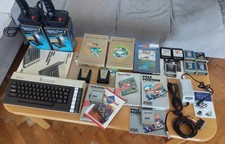
Atari 600XL Ultimate collection, 2xQuickshot1, psu Atari Keelog, 13x cart
$699.00
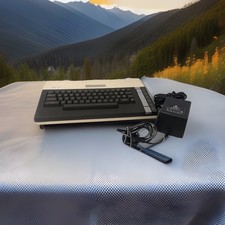
ATARI 800 XL 8-Bit Computer w/ Power Supply
$169.00

DEFECTIVE Atari 810 Vintage Computer Disk Drive powers on Unit Only Boo G3D
$55.24

Atari 400 Computer System console with Power Supply TESTED and Working
$160.00
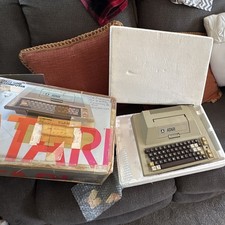
Atari 400 Vintage Home Computer System w/ Original Box MPN Atari 400
$175.00
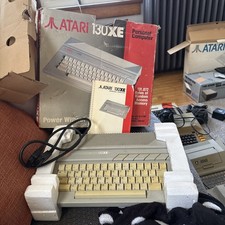
Atari 130XE Personal Computer Desktop w original box/cable/manual
$350.00

Fujinet 1.7.1 Atari 400 800 800XL 130XE 65XE XEGS Assembled, Tested, Working
$99.99
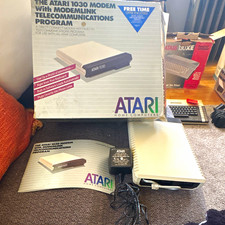
Atari 1030 External Dial-Up Modem 300 bps w/ ModemLink Box Manual Guide
$110.00
VTG Atari 1200XL Home Computer System 1200 XL ** Tested ** Parts or Repair
$248.75
Vintage Atari 1200XL Home Computer System - NO Power Supply - UNTESTED
$224.98



 Reply With Quote