

 Reply With Quote
What does ifconfig tell you?
Oh and I have never heard of 'netconfig' but I have heard of netcardconfig
I am fairly certain that I have heard of someone using Shaw cable before so that shouldn't be an issue.


I live in canada and I have the Shaw high speed cable internet....
I use it trough enthernetcard
I can't seems to get my internet connection to work on k3.2 live cd...
I have read about the netconfig but nothing really worked does anyone have any sort of other way to get it working?
Thanx
What does ifconfig tell you?
Oh and I have never heard of 'netconfig' but I have heard of netcardconfig
I am fairly certain that I have heard of someone using Shaw cable before so that shouldn't be an issue.
Hi all-
Brand new member & user of Linux.
Just wanted to say that although during the boot up, my ethernet appeared to be OK, I did not have internet at desktop.
I went to "Knoppix" in the programs list & followed out the menu there. I'm in Windows right now but I believe it was under internet or net. I basically followed directions to get it going- didn't type any commands...
Hope this is helpful?
T
surely your cablemodem has an intgrated dhcp. (meaning it distributes ip adresses to client pc's). But...
With most of cablemodem companies you MUST use their proxy server.
So you may have to alter the proxy settings in Konqueror or netscape (mozilla) to get your webpages. (especially if you're working trough a router).
You can do this in 2 ways :
-directly enter the proxy settings in your application (konq. / mozilla)
in this case you'd better enter also in the exeption list the last part of the adress as an exeption)
-or use a pac file location
greetzzzzz...
Really?? Never seen a cable modem that could do that. But I have a router than does.Originally Posted by ktheking
most of the do ,but the intgrated soft only distributes one ip.
So you're saying that with a firmware flash a cable modem should be capable of NAT?
it is performing as transparant nat (meaning also PAT)
never wondered why you didn't have to 'dialup' with a cablemodem ?
my .02
Really should have legacy support disabled in bios it maybe preventing dhcp from activating your nic card.I am only saying this from past experience with my nic card.
 Posting Permissions


🔀 Juniper Networks EX2300-C-12P 12× Gigabit PoE+ • 2× 10G SFP+ Compact Switch ⚡
$119.00

Juniper EX2300 12-Port Gigabit PoE+ Managed Network Switch P/N: EX2300-C-12P
$149.99

JUNIPER NETWORKS MIST AI AP63-US HIGH PERFORMANCE OUTDOOR ACCESS POINT - WHITE
$59.99

Juniper QFX5100-48S-3AFI 48-Port SFP+ 6 QSFP+ 2x SFP/RJ-45 Management
$249.97
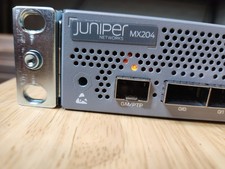
Juniper Networks JNP204/MX204 Universal Edge Router
$8500.00
Juniper JPSU-1600-C-AC-AFO 1600W AC Power Supply EX4400 AFO Airflow
$155.00

Juniper AP47 Mist Wi-Fi 7 802.11 6GHz 4x4 Wireless Access Point (NEW)
$999.99
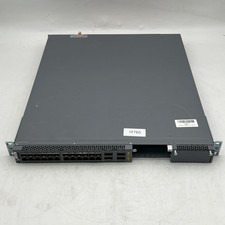
Juniper EX4600-40F-AFO 24-Port Dual PSU Network Switch
$164.99

New Juniper Networks EX3400-48P 48-Port PoE+ 4-Port SFP+ Ethernet Switch Sealed
$466.65

Juniper Networks EX2300-48P 48-Port PoE Gigabit Switch (Renewed)
$345.97