-
hda1 not recognized during boot
Hi!
With Knoppix 4.0.2 the only partition on my IDE-harddrive is not correctly detected. When I click on the icon on the desktop (labeled "Hard Disk [hda]) I get an error message: "Could not mount device. The reported error was: mount: I could not determine the filesystem type, and none was specified".
My fstab looks as follows:
__________________________________________________ ________________
/proc /proc proc defaults 0 0
/sys /sys sysfs noauto 0 0
/dev/pts /dev/pts devpts mode=0622 0 0
/dev/fd0 /mnt/auto/floppy auto user,noauto,exec,umask=000 0 0
/dev/cdrom /mnt/auto/cdrom auto user,noauto,exec,ro 0 0
# Added by KNOPPIX
/dev/hda /mnt/hda auto noauto,users,exec 0 0
__________________________________________________ ________________
The last entry seems wrong to me. Should this not be "hda1"? fdisk shows the following partition table for hda:
__________________________________________________ ________________
Disk /dev/hda: 20.0 GB, 20020396032 bytes
225 heads, 63 sectors/track, 2758 cylinders
Units = cylinders of 14175 * 512 = 7257600 bytes
Device Boot Start End Blocks Id System
/dev/hda1 * 1 2813 19935688+ c W95 FAT32 (LBA)
__________________________________________________ ________________
With "mount -t vfat /dev/hda1 /mnt/hda" I can mount the partition manually and have access to the data, but when I try to create a persistent home directory on hda1 I get the following error message:
"The KNOPPIX configuration could NOT be saved: No suitable partitions could be found." Here is the content of /proc/partitions:
__________________________________________________ ________________
major minor #blocks name
3 0 19551168 hda
3 1 19935688 hda1
240 0 1942016 cloop0
__________________________________________________ ________________
However, in the output from dmesg I found:
[...]
VFS: Can't find an ext2 filesystem on dev hda.
FAT: invalid media value (0xb9)
VFS: Can't find a valid FAT filesystem on dev hda.
ISO 9660 Extensions: Microsoft Joliet Level 3
[...]
As I said before, manually mounting the partition and booting windows from this drive work without problems. Does anybody have a clue what the problem might be?
Thanks,
Matthias
-
Senior Member
registered user
Re: hda1 not recognized during boot
Hello and welcome to Knoppix.net.
We hope that you enjoy your use of Knoppix and hope you become an active member of the community. There's no membership fee. We just ask that you help us and others by becoming familiar with Knoppix, posting questions, and letting the rest of us know how things go. Also, I noticed that you joined recently and so was wondering if you wouldn't mind answering a few questions.
1. - How did you hear about Knoppix?
2. - How did you discover Knoppix.net?
3. - What versions of Knoppix have you tried?
4. - What type of system are you running Knoppix on?
5. - What operating system is currently installed on that system?
6. - How long have you been using computers, or how familiar are you with computers?
7. - Have you used linux before? If so, how long?
8. - What do you hope to do with Knoppix or Linux?
9. - Are you familiar with a wiki? If so, have you used a wiki before, e.g wrote some content?

Originally Posted by
Matthias99
fdisk shows the following partition table for hda:
__________________________________________________ ________________
Disk /dev/hda: 20.0 GB, 20020396032 bytes
225 heads, 63 sectors/track, 2758 cylinders
Units = cylinders of 14175 * 512 = 7257600 bytes
Device Boot Start End Blocks Id System
/dev/hda1 * 1 2813 19935688+ c W95 FAT32 (LBA)
__________________________________________________ ________________
That's odd. Check out the cylinder numbers. The disk reports only 2758 cylinders, but the partition extends to cylinder 2813.
Originally Posted by
Matthias99
Here is the content of /proc/partitions:
__________________________________________________ ________________
major minor #blocks name
3 0 19551168 hda
3 1 19935688 hda1
240 0 1942016 cloop0
__________________________________________________ ________________
Again, check out the size. There are more blocks on the partition than there are on the drive.
Is there anything particularly special about the drive? Have you tried other Knoppix versions? If so, do you see the same results?
Regards,
- Robert
http://www.cwelug.org
-
Thanks for the reply. First to your questions:
1. I think that I first read about it in the c't, a German computer magazine.
2. Following a link from www.knopper.net
3. I cannot remenber exactly. 4.0.2 of course, but then I tried a version that came out one or two years ago.
4. It is a DELL OptiPlex GX1p (Pentium III)
5. MS Windows XP
6. I am using computers since about 20 years.
7. Linux is my main OS since about 11 years.
8. Use it as an alternative to the OS installed on my computer at work without having to change the computer.
9. Only for looking up information (wikipedia).
The drive is a Seagate ST320413A. I have used MS scandisk and the Seagate tools to check the disk and the file system. According to these two tools everything is fine. Could it be that Windows XP has messed with he disk? There is no NTFS partition on it, though.
Regards,
Matthias
Similar Threads
-
By NorthDakotaUser in forum Hardware & Booting
Replies: 1
Last Post: 03-08-2009, 10:28 AM
-
By mpo in forum Hdd Install / Debian / Apt
Replies: 1
Last Post: 08-07-2004, 10:53 PM
-
By jimandjeanette in forum The Lounge
Replies: 1
Last Post: 07-05-2004, 02:50 PM
-
By A. Jorge Garcia in forum General Support
Replies: 2
Last Post: 07-04-2004, 04:29 AM
-
By HalfWalker in forum Hardware & Booting
Replies: 0
Last Post: 06-17-2003, 09:41 PM
 Posting Permissions
- You may not post new threads
- You may not post replies
- You may not post attachments
- You may not edit your posts
-
Forum Rules


SFP TO RJ45 TRANSCEIVER SFP MODULE COPPER SFP OPTICAL PORT TO RJ45 ETHERNET PORT
$7.99

Dell Intel X710-DA2 5N7Y5 Dual-Port 10GbE SFP+ PCIe 3.0 x8 Network Adapter
$27.50

Intel SPTSLP2SLCDE 100G-DR1 QSFP28 500m 1311nm Transceivers - Lot of 10 - New
$180.00

HPE 560SFP 2x 10Gb SFP+ PCIe Both Profile Network Card 669279-001 665247-001
$14.90
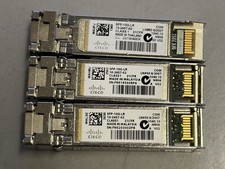
Lot of 3 Genuine Cisco SFP-10G-LR Transceiver Module 10GBASE-LR SFP+ 10-2457-02
$35.00

Genuine Cisco SFP-10G-SR 0-2415-03 10 Gigabit Transceiver
$5.40

HP 560SFP+ 10GB 2-port PCIe NIC Ethernet ADAPTER 669279-001 w/ (2) 10GB SFP+
$16.99
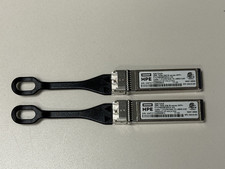
HPE B-series 16Gb SFP+ QK724A Pull Tab Optical Transceiver
$10.00

NEW Sealed Cisco SFP-10G-LR 10GBASE-LR SFP+ 1310nm 10km *US Shipping*
$24.00
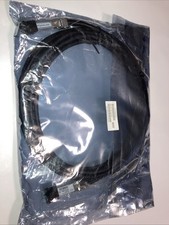
Cisco SFP-H10GB-CU5M 37-0962-03 37-0962-03
$22.99



 Reply With Quote