

 Reply With Quote
You could start by explaining how your mouse connects since there is at least one person in the world who has never heard of a Mouse System Mouse.Always post with details about your hardware.


how to make my Mouse Systems mouse work with knoppix?
You could start by explaining how your mouse connects since there is at least one person in the world who has never heard of a Mouse System Mouse.
from XF86Config
Protocol "MouseSystems"
Device "/dev/mouse"
also
[clfest@localhost clfest]$ ls -l /dev/mouse
lrwxrwxrwx 1 root root 5 Jun 9 2001 /dev/mouse -> ttyS0
[clfest@localhost clfest]$
[clfest@localhost clfest]$ ls -l /dev/ttyS0
crw------- 1 root tty 4, 64 Apr 29 10:26 /dev/ttyS0
hope this helps
Your XF86Config looks right to me but I have never had a serial mouse so I'm not absolutely positive.
OK just to make sure your serial mouse IS connected to ttyS0 (COM1 in DOS) and not ttyS1 (COM2 in DOS) right? ttyS0 is the 9 pin socket, ttyS1 the 25 pin socket.
You have not installed Knoppix to your hard drive right?
You could open a root terminal and do kxconfig and try to change your XF86Config to Device "/dev/ttyS0"
Let us know if it works. Maybe someone else here has a serial mouse and could provide some insight.
I have a P-200 with a mouse system serial mouse and it works fine in knoppix. I would suspect that you are using the wrong serial port.
rock
my mouse works fine with the RedHat system. If I just do the default knoppix setup, the mouse
sends some kind of signals which effect the pointer on the screen, but I responds erratically
(wrong protocol). Is the 'kxconfig' command a GUI tool. If it is I can't use it 'cause I can't
use the mouse (chicken + egg). I'll try it in text mode anyhow...
You might want to check if gpm is installed if this is a HD install see post here.
kxconfig, as I suspected only works with X, hence the chicken+egg problem I alluded to
below. gpm is not on on knoppix, (no gpm.pid file, no gpm process). I think, I need someway
to insert the proper protocol somewhere in the XF86Config-4 file, but I don't know how
to make sense out of that file. Of course, I may be wrong...
Uh..............oops- sorry. Sometimes I don't pay very close attention do I?Originally Posted by clfest
Moving right along.......... I'm unsure of whether you're booting the cd or have Knoppix installed. At any rate, what protocol does your Redhat install use? I would put that in your XF86Config and smoke it.
If you're booting the cd then just boot Knoppix 2 and run /usr/X11R6/bin/XFree86 -configure
(I have not attempted this feat myself but I think it's legit)
-OR-
Maybe edit your XF86Config to read like this:
Option "Protocol" "Auto"
That's pretty self explainatory eh?
I'm outta guesses for now.
 Posting Permissions


LENOVO THINKPAD T14s GEN 2a Ryzen 7 PRO 5850U 1.9GHz 16GB 256GB TOUCH - NO OS
$299.95

Lenovo ThinkPad L14 Gen 3 Laptop 14” FHD Core i5 12th 16GB RAM 512GB SSD Win 11
$359.99
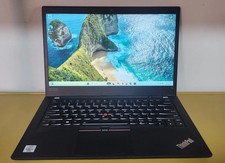
Lenovo ThinkPad T14 Gen 1 Core i5 1.70GHz, 16GB RAM , 256GB SSD
$259.99

Lenovo Thinkpad E15 Gen 2 8GB RAM 256GB SSD Intel Core [email protected] Laptop
$220.36
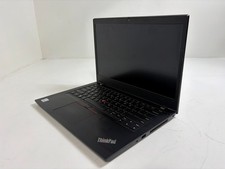
Lenovo ThinkPad L14 Gen 1 Core i5-10310U 1.7GHz 16GB 512GB 14" W11P Laptop
$197.10

Lenovo - Idea Tab Plus - 12.1" 2.5K Tablet - 8GB RAM - 128GB UFS - Luna Grey
$209.99
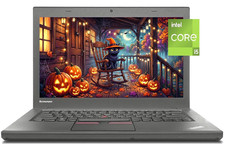
14" Lenovo T460 Laptop PC: Intel i5-6300U (16GB RAM - 256GB SSD) Windows 10
$129.69
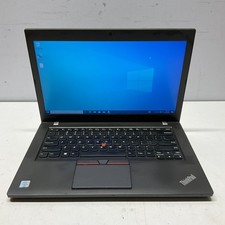
Lenovo ThinkPad T460 Intel Core i5-6300U @ 2.40 GHz 8GB 128GB SSD Windows 10 Pro
$89.95
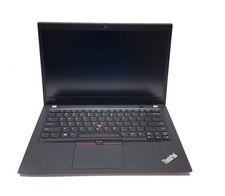
Lenovo ThinkPad T490s 14" FHD i5-8365U 16GB RAM 256GB SSD Windows 11 Pro Laptop
$229.00
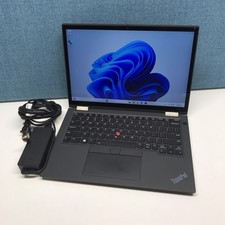
Lenovo Lenovo ThinkPad X13 Yoga Gen 2 i7-1185G7 32GB RAM 512GB NVMe SSD
$449.00
