

 Reply With Quote
I think I have discovered the solution, however, I still need aid. My HD is not HDA1, but SCD0, how do I get Knoppix to recognize the difference?


I am very new to knoppix and cannot get 4.0 to function.
I load the cd, and get the "press return to boot" screen. I press return and it goes to town. However, when it gets to this part:
it just stops working. I am working on a laptop, and i have successfully run Knoppix on two other computers(desktops), I also have been able to run Knoppix 3.7 on the laptop successfully.Scanning for USB/Firewire devices... Done
Looking for CD in: /dev/hda _(blinking underscore)
All suggestions are invited.
Thanks
I think I have discovered the solution, however, I still need aid. My HD is not HDA1, but SCD0, how do I get Knoppix to recognize the difference?
Hello and welcome to Knoppix.net.
We hope that you enjoy your use of Knoppix and hope you become an active member of the community. There's no membership fee. We just ask that you help us and others by becoming familiar with Knoppix, posting questions, and letting the rest of us know how things go. Also, I noticed that you joined recently and so was wondering if you wouldn't mind answering a few questions.
1. - How did you hear about Knoppix?
2. - How did you discover Knoppix.net?
3. - What versions of Knoppix have you tried?
4. - What type of system are you running Knoppix on?
5. - What operating system is currently installed on that system?
6. - How long have you been using computers, or how familiar are you with computers?
7. - Have you used linux before? If so, how long?
8. - What do you hope to do with Knoppix or Linux?
9. - Are you familiar with a wiki? If so, have you used a wiki before, e.g wrote some content?
Your HD is probably not SCD0, which is for cdroms. My suspicions are that you have a bad CD, either because the ISO was bad or the burn was bad. Did you check the MD5 sum of the ISO and did it pass? Did you burn slowly? For help with these topic see the dowloading FAQ.Originally Posted by popper31
You mention that Knoppix 3.7 works. If so, please boot with it, open a root terminal, and type the following commands:
Please post the contents of post.txt here.Code:( set -x cat /proc/partitions cat /etc/fstab ) >& post.txt
Regards,
- Robert
http://www.cwelug.org
I am having the exact same issue with the boot stopping at /hdd and a flashing underscorere. You said you found a solution, but did not say what it was.
Whart was it?
 Posting Permissions


Samsung SCXSTP000, SCX-STP000 (Swingline Staple Cartridge - 3 Refills)
$57.99
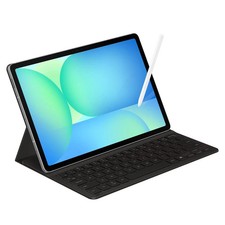
Samsung Galaxy S10 10.9" FE 128GB WiFi Tablet SM-X520NZACXAR S-Pen Keyboard 2025
$299.99

Samsung Galaxy Tab Active 3/ 64 gig/WIFI
$85.00

Samsung Galaxy View Tablet 18.4 SM-T670/677A Digitizer 100% Original Oem
$152.99
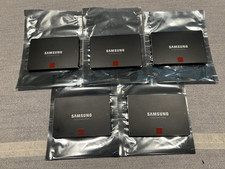
Samsung 850 Pro Series 2TB 2.5inch SATA3 6Gbp Internal SSD MZ-7KE2T0 5 Available
$189.00

Samsung DVI to DVI Cable 6 ft Digital Video Interface Audio Video NEW
$30.89

Kids Case for Samsung Galaxy Tab A9+/A9 plus 11 Inch 2023 Case, with Strap, Shoc
$27.99

Samsung JC95-01514A Cover-Side Roller T2 Compatible
$39.00
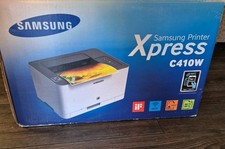
Samsung Xpress C410W Color Wireless Laser Printer - Brand New - Never Out Of Box
$289.00
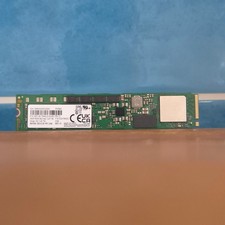
Samsung MZ1LB1T9HALS PM983 1.92TB M.2 22110 PCIe 3.0 NVMe SSD (430 EUR 0% VAT)
$601.98