-
Senior Member
registered user

Originally Posted by
across0the0stars
it's a PS/2 mouse,
I tried the code listed here
Did you type it at the "Boot:_" prompt on the start up splash screen? The syntax is important also. It may very well be that you have one of those Motherboards that does not play well with PS/2 mice and Linux. I might suggest that you try another type/brand of PS/2 mouse, or try using a USB mouse and see what happens.
You might try some of the other "Cheat Codes", such as "failsafe" or "noapm", etc. That would disable certain functions on startup that may have an effect on your concern. Some information and a list of codes can be found at the following link: http://www.knoppix.net/wiki/Cheat_Codes
Originally Posted by
across0the0stars
I see that a BIOS update is suggested if that doesn't work, but (being new to this) I don't know where exactly to get the right update to fix this problem or how to install it.
Support for your system can be found at the following location: http://www.emachines.com/support/pro...es&model=W3050
They do not appear to have a Bios update listed for your system. I would try to contact them and see if they might have a solution. The contact information is provided at the above link. They can instruct you on how to update the bios if it is required. You need to be careful and follow the directions. An incorrect bios flash can render a system unbootable. It is a simple proceedure, but certain precautions should be taken. I plug the systems into an uninteruptable power supply so there will be no interruption of power. Be careful not to shut down the system before it is successful.
I am assuming that you are using the latest version of Knoppix which is 4.0.2. If you are using something quite a bit older, it might be worth trying the current version.
Let us know how you make out. Good Luck!
Similar Threads
-
By wicked_evil36 in forum Hardware & Booting
Replies: 2
Last Post: 07-16-2005, 05:07 AM
-
By ceklock in forum Hardware & Booting
Replies: 3
Last Post: 08-22-2004, 01:26 AM
-
By ghank in forum Hardware & Booting
Replies: 0
Last Post: 03-22-2004, 07:40 PM
-
By LinuxGozer in forum Hardware & Booting
Replies: 3
Last Post: 10-01-2003, 07:46 PM
-
By clfest in forum Hardware & Booting
Replies: 8
Last Post: 04-30-2003, 01:59 AM
 Posting Permissions
- You may not post new threads
- You may not post replies
- You may not post attachments
- You may not edit your posts
-
Forum Rules

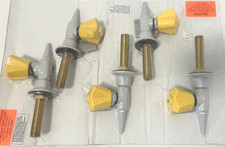
WaterSaver CT4880F-225WSA Vacuum VAC Panel Mount Needle Valve 3/8" IPS 1 Pc
$78.00

LEVOIT Cordless Vacuum Cleaner, Stick Vac with Tangle-Resistant Design, Up to...
$162.04

Cordless Air Duster & Vacuum Cleaner for Keyboard & PC Cleaning - 110000RPM Powe
$53.99

V3 Robot Vacuum and Mop Combo,Self-Charging,5000pa Strong Suction,WiFi/Alexa NIB
$82.00

Mini Computer Vacuum USB Keyboard Cleaner PC Laptop Brush Dust Cleaning Kit NEW
$13.89

US Mini Computer Vacuum USB Keyboard Cleaner PC Laptop Brush Dust Cleaning Kits
$13.89

2-in-1 Compressed Air Duster & Vacuum, Brushless Motor, 320000RPM
$37.99

Compressed Air Duster Rechargeable Computer Vacuum Cleaner for PC Keyboard Toys
$16.99

Mini Computer Vacuum Cleaner & Compressed Air Duster 14500Pa, 110000RPM, Cordles
$53.99
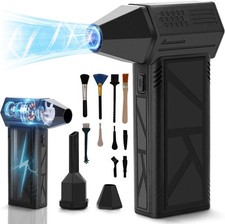
WeePro Compressed Air Duster 180000RPM Cordless Mini Turbo Fan, 3-Speed Vacuum
$149.99



 Reply With Quote