-
I tried it again this morning, entering the knoppix home=scan command into the prompt, and it seemed to work, however, after restarting the computer (after making some changes to the homedir), it once again brought me to a blank screen. Fortunately, I think I now know the cause of the problem.
When the computer starts booting up, my Mp3 player (which is in the Removable Disk mode) says 'Do Not Disconnect!', which, I'm assuming means it is being used. Then, once I enter a command into the boot screen (usually knoppix home=scan), the Mp3 Player stops showing the "Do Not Disconnect" message, and just shows the default message (which is "Removable Disk Mode") .
From what I understand, during the booting process (after the prompt) it loses connection with the Mp3 player, and thus cannot find the image, therefore hanging on the blank screen.
My BIOS finds the Mp3 Player in the USB Devices, thus I think its probably a knoppix-related problem. If anyone has any ideas on how to resovle the issue, please let me know.
Thanks,
illu45
EDIT:
I tried entering knoppix 2 into the prompt, and got the same result. Also, I tried using vga = normal, and it said 'Uncompressing Linux... Ok, booting the kernel" or something of the sort, and then proceeded to hang.
Similar Threads
-
By NorthKnopUser in forum Hardware & Booting
Replies: 0
Last Post: 07-19-2008, 12:32 AM
-
By theagemaway in forum General Support
Replies: 11
Last Post: 07-04-2006, 09:07 PM
-
By illu45 in forum General Support
Replies: 2
Last Post: 01-31-2006, 02:23 PM
-
By jannetta in forum General Support
Replies: 0
Last Post: 10-20-2005, 03:50 PM
-
By nuB71705 in forum Hardware & Booting
Replies: 3
Last Post: 07-18-2005, 06:20 AM
 Posting Permissions
- You may not post new threads
- You may not post replies
- You may not post attachments
- You may not edit your posts
-
Forum Rules


🔀 Juniper Networks EX2300-C-12P 12× Gigabit PoE+ • 2× 10G SFP+ Compact Switch ⚡
$119.00

Juniper EX2300 12-Port Gigabit PoE+ Managed Network Switch P/N: EX2300-C-12P
$149.99

Juniper Networks EX2300-48P 48-Port Gigabit PoE Managed Ethernet Switch
$79.99
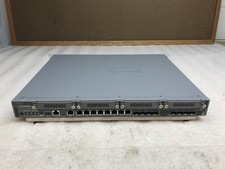
Juniper Networks SRX340 16x1GbE Ports Service Gateway Security Appliance W/ Ears
$79.99

Juniper SRX320 8-Port Security Services Gateway Appliance w/ AC Adapter
$59.99
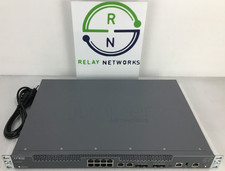
Juniper NFX250-S2 Network Services Platform
$199.89

Juniper EX2300-C 12 Port Compact Gigabit Switch EX2300-C-12p
$99.99

Juniper EX2300-C-12P POE+ Switch 12 x 1GbE & 2 SFP+ 10G uplinks
$149.99
Juniper Networks EX3400-48P 48 Port PoE+ Gigabit Switch
$184.99
Juniper QFX5100-96S-AFI FP+/SFP PORTS 8QSFP+ PORTS REDUNDANT FANS 2x PS
$249.95



 Reply With Quote