

 Reply With Quote
[edited too long just read link below for an article about linux vs windows]


Prestige623-41
If you want to see how it looks:
http://www.zyxel.com/product/model.p...lue=1021873638 (router)
http://www.portforward.com/english/r...23-41index.htm (menus)
Well so far no one has determined the problem. And if someone did it was hidding in a hole bunch of "blah blah blah (hint) blah blah blah you suck blah blah blah". if you know what the problem is and you know how to solve it why not simply put:I don't now if you're just playing troll or if you really are sincere in asking these questions even though you seem to have decided not to listen to the answers
1- run linux
2- enter konquer type : 10.0.0.1 (wich is my router web interface) and check if its online
3- config PPPoA or what ever it is you need
4- Open "x" thing at it will ask you for the ips you gave us.
5- your done you should be fired up and running
Or if i needed some new drivers or soemthing I DONT KNOW !!! and have NO CLUE on whats going on. you could just say go to http://www.driversforlinuxdownloadme...llyourshit.com and download the drivers for "xxx" wich i think should solve it. after that follow the steps above and that should be it.
well my friend here i am to say those "bots" wich you dont know how to mention are called DDoS bots you might recognize some oldies like Sdbot or Agobot wich are AUTOMATICALLY deleted by any crappy anti-virus (wich windows does sugjest you to download as soon as posible) and the way we use is we scan IP ranges and get people and bots scanning for as long as possible looking for a dumbass wich DIDNT FOLLOW windows advice to change and create his own account. so if you kept it as default Admin:Admin or Admin:1234 wich everyone knows those are comon you are likely to get abused. Dont patronize me about security cause if you go online there is not guarantee that you will get a virus unless you are going on to mis-truste d networks ... example go to www.astalavista.box.sk and try to download something or explore a bit and i will guarantee you that you will pick up something bad along your surfing. Now days we do not use old distros for DDoS bots yet we code our own following the same basic principle and we distribute it in a much much simpler and efficient way. Belive me when i say DDoS bots (old distros\commonly known ones) are DEAD.If you want to kid yourself into thinking that without a hardware firewall Internet security is all about the sites that you visit and that hackers never can find and attack you, exploiting weaknesses in the OS (their favorite easy target being Windows), go ahead and think that, but you might want to do some research about the massive networks of "bots" that some hackers build up by exploiting Windows weaknesses; by some very reliable estimates the average unprotected windows system is found and compromised in about 4 minutes of going on-line.
I may not know much about linux but i sure as hell aint no regular newbie. Years and years of hands on experience im sorry i didnt started out on linux but hey shit happends and now that i want to enter the next level of learning i feel like i got a 5million ton drag of user that do not help me start. In other words everytime i try to install *unix and i fail to connect i allways have to go in to some forum and the response is allways the same "NO ONE KNOWS... they only got it working for mear dumb luck or compatibility) And the real people that could actually help me out usually dont really pay attention to every section on the forum because its not possible.
[edited too long just read link below for an article about linux vs windows]
Well, it looks like you have a dsl modem which includes a router. The second link you gave seems to be nonsense though, it sure isn't showing me what the menus look like.
So first of all, I'm back to my question:
What happens when you click on a link in Konquror? Or type a URL into the window?Originally Posted by Harry Kuhman
Next, open a shell and use the command ifconfig to tell us about the IP settings. Tell us what you see.
Then run netcatdconfig (either from a shell or from the menu). Select the DHCP option. Record any error message that you get, or if there is no error try accessing the Internet again. If you do get an error you can try answering no to the DHCP question and manually configuring the setting, but this should not be needed unless there is something wrong with the router.
I honestly have no idea what you are saying about hackers and bots. Sure, one of the things that they are used for is denial of service attacks, but there are many other more evil uses, from collecting private information from your system (including banking or other account information) to sending spam. The main point is that you don't want to be infected by such things, and a hardware firewall is an important part of protecting yourself. If, as it seems, you have a modem with a router and the router is not being bypassed, then you have this protection (some firewalls do extra stuf like stateful packet inspection, but the basic NAT firewall will give you a lot of protection). I assure you that if you depend on following Microsoft's advice you are way behind the pack and very vulnerable. And there is almost no safe way to do some things without a hardware firewall, such as reinstall Windows; you get "owned" before you can even download the security updates. Sure, closing the obvious known ports is important, but that only keeps the youngest of the script kiddies out. There are so many more problems than that. That's why it's important to use a router (and not use the DMZ "feature" of it); that way incoming attacks like that never reach your computer, so they can't get to you, on well known ports or on lesser known ports. Of course, if you visit some hacker's warez site then all bets are off (or even some legitimate site that has been exploited by a hacker), but the NAT firewall will keep all of those hackers searching IP space for vulnerable systems from getting through to your computer.
I'm not clear on what the link to the Linux is not Windows article is about. Sure, they are different. What you found in the long article that you thought others should read was not clear.
When i open konquer basically says im not online. even tho when linux is starting up it acts like its using the router (eth0) and it closes it properly @ the end of each session.
Ahh !!! finally some scenseNext, open a shell and use the command ifconfig to tell us about the IP settings. Tell us what you see.
What is DHCP ive seen that before?Then run netcatdconfig (either from a shell or from the menu). Select the DHCP option. Record any error message that you get, or if there is no error try accessing the Internet again. If you do get an error you can try answering no to the DHCP question and manually configuring the setting, but this should not be needed unless there is something wrong with the router.
And there is one last thing i tried going on knoppix and getting some screenshots for you all and my wild guess is that im not logged in as root, yet it never asked me anything about rootass. How can i get read&write access to my windows hard drives? If i could get those screenshots im sure it will be better since some other people can view them and see if we are talking about the same problem.
And what i was saying on the above post was simply a reply on someone who must of heard about DDoS bots but made a wild post about em...and yeah you can olso get sensitive information using bots and i personally own a small botnet (compared to some botnets ive seen my 800 botnet is a baby) and i dont use it for anything else than just of collecting and playing around with it... i dont harm with it just show off a bit from now and then.
PS: In 3h-26m ill be able to log off windows and run knoppix to check this out... cant really go off now since its a browser based download and its quite heavy (3gigs) 47% so ill get on that asap.
I will not be providing any further help. I do not believe that it is a harmless thing that you have infected other systems.
mine as well deleted the post, ban me and delete my account.
 Posting Permissions


Mixed Lot Of Vintage Software And Drivers - Install Discs - CDs - 94 Pieces
$85.00

Vintage HP Hewlett Packard 2112A 21MX 1000 M-Series 16-Bit Minicomputer
$419.99

Vintage Jetway J-620BF Socket 370 Celeron AT Motherboard SiS 620 Brand New
$75.00

Vintage 1986 Goldenrod Research Corp CP/M Desktop Computer Syste w/Keyboard
$350.00
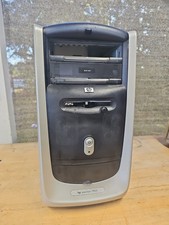
$99.99

Vintage Mainframe Computer Disk Drive Pack Dyson SMD 5 Level Disks
$79.00
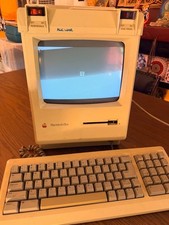
Vintage Apple Macintosh Plus Desktop Computer - M0001A
$155.00
![Apple Macintosh Boot Disk System [1.0 - 8.0] 400/800k/1.4 Floppy for Vintage Mac picture](/store/img/g/EhEAAOSwg7ZnexmU/s-l225/Apple-Macintosh-Boot-Disk-System-1-0-8-0-400-800k-.jpg)
Apple Macintosh Boot Disk System [1.0 - 8.0] 400/800k/1.4 Floppy for Vintage Mac
$14.75

Vintage ECS Micro-ATX Desktop Case | Beige/Dark Grey | *READ*
$80.00

Vintage Toshiba Satellite 4090XDVD Intel Celeron 400Mhz Retro - Powers up Cards
$57.59