View Poll Results: Is it me or having a hard to configure internet is a big turn-off?
- Voters
- 6. You may not vote on this poll
-
Administrator
Site Admin-

Originally Posted by
zer0frost
. "A.D.S.L" a sync digital subscriber line. YOU NEED TO HAVE IP's in order to go online. the basics are
I don't now if you're just playing troll or if you really are sincere in asking these questions even though you seem to have decided not to listen to the answers. Yes, you need all of the things you listed, and DHCP, which I've already given you a link for, will take care of all of that for you. With DSL you also need PPoE (or PPPoA in some parts of Europe), which a router will also take care of for you. If you want to kid yourself into thinking that without a hardware firewall Internet security is all about the sites that you visit and that hackers never can find and attack you, exploiting weaknesses in the OS (their favorite easy target being Windows), go ahead and think that, but you might want to do some research about the massive networks of "bots" that some hackers build up by exploiting Windows weaknesses; by some very reliable estimates the average unprotected windows system is found and compromised in about 4 minutes of going on-line.
I don't know what you are trying to say about your modem. You gave the manufacturer but not the model, so I can't even determine exactly what you have if I was motivated to. Perhaps if the make and model had been given in the first post I would have been, but at this point don't even bother to post expecting me to research what you could and should look up yourself.
And by the way, just in case you are certain that you know all about the subject, ADSL doesn't stand for a sync digital subscriber line or even asynchronous digital subsctriber line. It stands for asymmetrical digital subsctriber line, which is a reference to the fact that with ADSL you have a higher download rate than you have upload rate (there is also symmetrical DSL).
By the way, my original advice still holds, if you think that your modem includes a router (which it very well might), the first step should be to use the web interface to confirm that the router section of the modem is enabled and that the modem is not functioning in "Bridge mode". And one more thing, are you sure that you are not on the Internet when you boot? (Never mind that you know that it can't be that easy because you have to do a lot of setup, just are you sure that you are not?)
Similar Threads
-
By Draztcode in forum Networking
Replies: 1
Last Post: 10-17-2004, 07:27 PM
-
By rickwinters in forum General Support
Replies: 0
Last Post: 09-03-2004, 08:57 PM
-
By ronin1967 in forum Hardware & Booting
Replies: 11
Last Post: 06-11-2004, 03:56 AM
-
By joellord in forum Ideas
Replies: 0
Last Post: 08-30-2003, 03:48 AM
-
By Win95user in forum Hardware & Booting
Replies: 13
Last Post: 02-15-2003, 07:35 PM
 Posting Permissions
- You may not post new threads
- You may not post replies
- You may not post attachments
- You may not edit your posts
-
Forum Rules


Lot of 500 Cisco 10-3145-02 QSFP-100G-CWDM4-S 100G CWDM4 QSFP28 Transceiver
$1500.00

Cisco WS-C3650-12X48UR-L 48-Port Stackable Layer 3 8x10G SFP+ Port Switch
$129.99
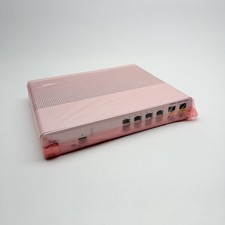
Cisco 8-Port Ethernet Catalyst Switch - WS-C2960C-8TC-L - Brand New
$50.00

Cisco Catalyst C9130AXI-B WiFi 6 802.11ax Wireless Access Point Brand New
$101.99
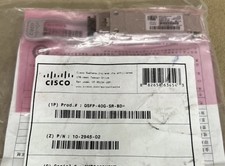
Qty: 30 Cisco QSFP-40G-SR-BD Module 10-2945-02 NEW / SEALED
$500.00

CISCO Services Router C891F-K9, Grade B, SKU 16188
$24.94

Genuine Cisco SFP-10G-SR 0-2415-03 10 Gigabit Transceiver
$5.40
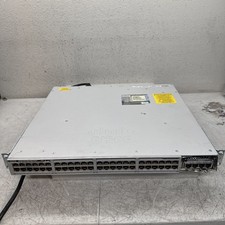
Cisco Catalyst C9300-48P 48-Port PoE+ Managed Network Switch C9300 TEST TO POWER
$369.00
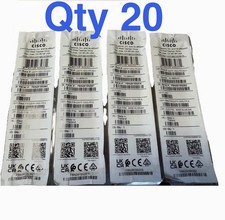
20 X New Cisco QSFP-100G-FR-W2 10-3659-01 Module Hologram Brand New 20 Pack
$299.00

Cisco Catalyst WS-C2960+24TC-S 24-Port Gigabit Managed SFP Switch
$39.99



 Reply With Quote