-
Junior Member
registered user
KPPP Daemon dies / disconnects
I'm new to Knoppix and I'm unable to dial-up to the internet
During set up, I set it at ttyS1 (COM2 - which is what it says on Windows.) But it says "Modem is Busy", then I try ttyS0 and says it works, I try to get the modem to dial out, this is what happens..
"Modem Ready"
.."Initializing Modem..." and it stays like that, nothing else happens
so i have no idea what to do
By the way, when I installed this modem on my crappy Windows 98se, I had to also install an emulator
-
Junior Member
registered user
OK, i've managed to get the modem to work and dial-out
but now whenever I get a connection, a minute or two later the modem disconnects, plus i'm unable to access any webpages.
I've tried pppconfig as root to connect, and still has the same problem 
-
KPPP Daemon dies / disconnects
I'm also new to Knoppix and had the same problem as your first post. After reading info at http://www.tldp.org/HOWTO/Modem-HOWTO.html#toc8 and downloading both the (HSF and HCF) drivers from http://www.linuxant.com/drivers/modemident.php , all is working, I did need both drivers and had to install the HCF first , HSF driver first did not work.
I did try some other methods to connect and get on net but the only one that would let firefox work was KPPP and select connect.
It would be helpful to have more detail on your modem and what you have done.
-
Junior Member
registered user
I downloaded the HSF .DEB package from Linuxant.com went to Root,
typed dpkg -i hsfmodem.deb (i shortened the file name to just hsfmodem)
pressed ENTER when it asked me if i wanted to use the knoppix driver that was already compatible with my modem
entered USA even though i'm in Canada
typed in my email address
used the FREE version
then i was done installing, went to KPPP, checked the modem settings (set at /dev/modem)
dialed-out...logged in. went to Konquerer, google.ca...........waited........the internet connection cuts off. 
-
Not sure how important the Region is, I changed mine for USA to Canada and it still works but sugest running hsfconfig --region typeing in Canada and see if it works. If it sill does not work it is beyond my very limmited knowlege.
This page might give some infor to you, go to "Why... disconnected"
http://modemfaq.home.att.net/faq_a.htm#Disconnections
Similar Threads
-
By hal8000 in forum Hdd Install / Debian / Apt
Replies: 4
Last Post: 05-23-2007, 03:39 AM
-
By phaedral in forum Hdd Install / Debian / Apt
Replies: 3
Last Post: 09-09-2004, 03:06 PM
-
By flatpooks in forum General Support
Replies: 0
Last Post: 06-23-2004, 07:10 PM
-
By tuner in forum Networking
Replies: 0
Last Post: 03-29-2004, 11:42 AM
-
By ducman in forum Hardware & Booting
Replies: 0
Last Post: 10-30-2003, 01:49 AM
 Posting Permissions
- You may not post new threads
- You may not post replies
- You may not post attachments
- You may not edit your posts
-
Forum Rules


Dell 6P85J 4TB ST4000NM0063 7.2k 6Gb/s 3.5” SAS SED Hard Drive with Tray
$39.99

Western Digital HUS726T4TAL5204 4TB 7.2K SAS 12Gb/s 3.5" 512e HDD NetApp X375A
$64.00

Seagate ST8000NM0075 Enterprise Capacity 3.5 HDD 8TB SAS Hard Drive 8TB EXOS
$184.99

Toshiba DT01ACA100 1 TB 3.5" SATA III 3.5 in Desktop Hard Drive
$24.99

Dell ST6000NM0034 1HT27Z-150 NWCCG 6TB SAS 3.5 7.2K ENTERPRISE SERVER DRIVE
$68.99

Seagate Barracuda ST1000DM003 1 TB SATA III 3.5 in Desktop Hard Drive
$23.99

Seagate ST3000NM0005 HDD 3TB SATA 6Gb/s 7.2K 3.5" 512 b/s
$59.00
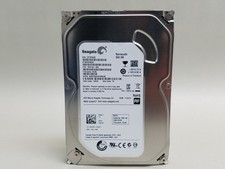
Seagate Barracuda ST500DM002 500 GB SATA III 3.5 in Desktop Hard Drive
$14.99

New Western Digital WD40EFPX 68C6CN0 4TB 3.5" SATA III Internal NAS Red Plus HDD
$137.59

HGST Ultrastar HUS726040AL5210 4TB 7200RPM SAS 12Gb/s Enterprise HDD
$41.00



 Reply With Quote