

 Reply With Quote
this seems odd, i have used several USB externals and all havew worked, any error messages during boot?


Hi all
I am trying to connect a 120GB Western Digital external USB hard drive to my Dell Inspiron 8500 laptop which is running Knoppix 3.7 from CD.
I want to read from and write to this HD which has a FAT32 file system.
After Knoppix finished booting from cd, there were two HD icons corresponding to the two partitions of my internal HD on my desktop. However, there was no icon for my external HD which I had connected before I switched on the laptop.
How do I proceed?
Thanks in advance for any assistance.
Cheers,
birk
this seems odd, i have used several USB externals and all havew worked, any error messages during boot?
I have not seen any error messages during boot.
I have got the following lines after I pluged in the external hard disk and used the dmesg command.
hub.c: new USB device 00:1d.0-1, assigned address 2
scsi2: SCSI emulation for USB Storage devices
usb-uhci.c: interrupt, status 2, frame# 1356
usb-uhci.c: interrupt, status 2, frame# 1228
Any suggestions?
Thanks,
Birk
 Posting Permissions


Intel 4th Gen Core i7-4790 SR1QF 3.60GHz (Turbo 4.00GHz) 8M 4-Core LGA-1150 CPU
$39.99
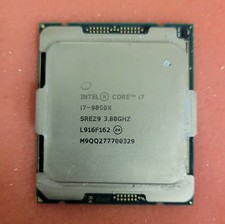
Intel Core i7-9800X 3.80GHz 8-Core 16.50MB LGA-2066 CPU Processor SREZ9
$60.00

Intel Core i7-9700 3.0 GHz Octo-Core (SRG13) Processor
$79.00

Intel Core i7-9700 3.0 GHz 8 Core Processor
$85.00

Intel Core i7-7700T 2.9GHz 8MB Socket LGA1151 Quad Core Processor SR339
$39.99

Intel i7-8700 Coffee Lake 3.2GHz 6-Core Max Turbo 4.6GHz Processor
$69.99
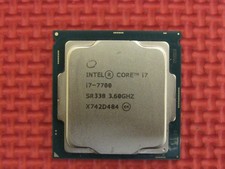
Intel SR338 Core i7-7700 3.60GHz 8M Socket 1151 Quad-Core CPU Processor LGA1151
$38.99
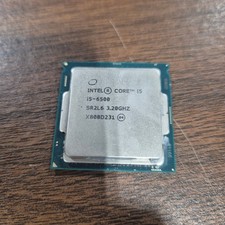
Intel Core i5-6500 Processor (3.2GHz, 4 Core, LGA1151 Socket) - SR2L6
$10.00
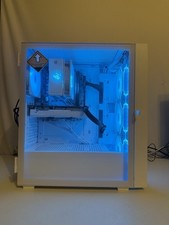
Gaming PC: Ryzen 5 3600XT, 16GB RAM DDR4, 512GB NVME SSD GEN 3, 1660Ti Super
$600.00

Corsair RM750e 750W Fully Modular 80 Plus Gold ATX 3.1 PSU Certified Refurbished
$44.99