

 Reply With Quote
this seems odd, i have used several USB externals and all havew worked, any error messages during boot?


Hi all
I am trying to connect a 120GB Western Digital external USB hard drive to my Dell Inspiron 8500 laptop which is running Knoppix 3.7 from CD.
I want to read from and write to this HD which has a FAT32 file system.
After Knoppix finished booting from cd, there were two HD icons corresponding to the two partitions of my internal HD on my desktop. However, there was no icon for my external HD which I had connected before I switched on the laptop.
How do I proceed?
Thanks in advance for any assistance.
Cheers,
birk
this seems odd, i have used several USB externals and all havew worked, any error messages during boot?
I have not seen any error messages during boot.
I have got the following lines after I pluged in the external hard disk and used the dmesg command.
hub.c: new USB device 00:1d.0-1, assigned address 2
scsi2: SCSI emulation for USB Storage devices
usb-uhci.c: interrupt, status 2, frame# 1356
usb-uhci.c: interrupt, status 2, frame# 1228
Any suggestions?
Thanks,
Birk
 Posting Permissions

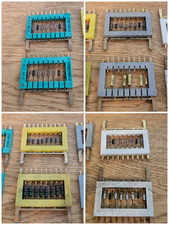
8x Gold Rare Vintage Mainframe Burroughs Transistor Cordwood Modules B2500/B5000
$149.95

Vintage Telex 952003-112 Mechanical Terminal Keyboard IBM 3270 Mainframe DB25
$594.99

HP 13210-60001 Disc Drive Interface PCB HP 7900A 7901A Vintage
$157.93

HP 5060-8359 8K Semiconductor Memory Module 5080-9747 Vintage HP Computer
$157.30

4x Various Brands 8.5" Mainframe 9-Track Reel Computer Data Tape 6250 CPI .5"
$24.99
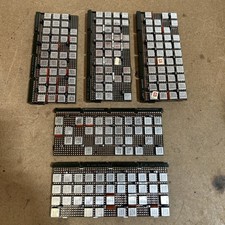
Vintage IBM Syst 370 MST Boards Lot Of 5 Heavily Populated IBM 22 Alu Can Chips
$79.00
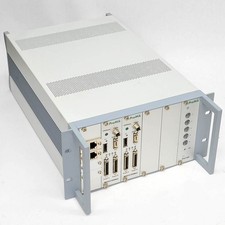
ProMik MSP2100 Rack Mainframe with Dual MSP2100Net Processor Board, PS2100 Card
$399.99
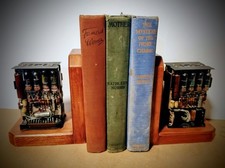
One Of A Kind Homemade Vintage Mainframe Computer, Logic Module Wood Bookends
$149.00

Vintage Intel Mainframe Server MCM CPU Substrate Lot Prototyping PGA Validation
$500.00
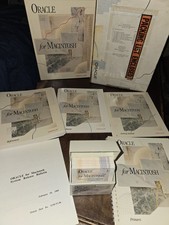
Oracle for Macintosh Developer’s Kit v1.0a (1988–1989) – Complete • UNUSED
$1600.00