-
Junior Member
registered user
HDD Mounted drive oddity
My laptop has one small partition that I have formatted for Knoppix with a mkfs, partly to store the saved configuration files but also to hold the odd program I need installed. The system mounts it as /mnt/hda5.
If I open a terminal session and cd to /mnt/hda5 and do a ls there is nothing there. It seems I have to click the desktop icon and wait for the gui to display the drive and *then* I can cd around in the terminal session and see everything.
??
-
Administrator
Site Admin-
I think the answer is as simple as: Clicking the desktop icon does a mount command for you. If you for some reason don't want to click on the desktop icon, then go to a shell and type man mount and then use the mount command to mout the partition yourself.
-
Junior Member
registered user
I was under the impression that all the hard disk partitions were mounted read only at boot time.
-
Senior Member
registered user
No, they are not. They mount as r/o when you click on them in the GUI, but the default behavior is not to mount anything on the HD unless you have a swapfile/partition or a Poor Man's Install.

Originally Posted by
DB1
I was under the impression that all the hard disk partitions were mounted read only at boot time.
-
Junior Member
registered user
Thanks for thet. Altough I would have thought that it would have mounted the drive it got the config info from with a myconfig=scan at boot.
-
Senior Member
registered user
Staying on this topic I've noticed a strange behavior on my hdinstall. When I save some files on some partition with kde (just to say a wm) I'm unable to see that file/s with others windowmanagers and vice/versa. I think that maybe it is relate to inodes but I can't figure out what exactly happen 
-
Senior Member
registered user
could it not be that you save the files to the desktop? that would be diferent directories for different wm's for the most part...
-
Senior Member
registered user
What I refer to is 'partition'. I've the installation in hda2. If I save from kde a file in /mnt/hda3 and then make 'ls /mnt/hda3' (after mounting it of course) from fluxbox I see nothing, and the same thing vice/versa saving from fluxbox...etc. Every wm see only the file they've saved. This issue seems to me doesn't happen saving files on the same hda2 partition.
Similar Threads
-
By dtherio in forum General Support
Replies: 1
Last Post: 01-18-2008, 10:33 AM
-
By pieboy314 in forum General Support
Replies: 2
Last Post: 08-18-2006, 09:31 AM
-
By eville84 in forum General Support
Replies: 3
Last Post: 05-05-2006, 06:34 AM
-
By jay_kpx in forum General Support
Replies: 5
Last Post: 11-16-2004, 08:34 AM
-
By squeegy in forum Hdd Install / Debian / Apt
Replies: 13
Last Post: 12-12-2003, 12:22 AM
 Posting Permissions
- You may not post new threads
- You may not post replies
- You may not post attachments
- You may not edit your posts
-
Forum Rules


IBM SYSTEM X3500 M3 SERVER 7380AC1 TOWER Server XEON E5620 8GB RAID SEE NOTES
$108.92
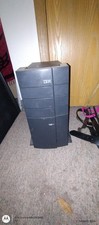
Ibm Computer Tower
$400.00

IBM 7915 AC1 M4 E27R704 Server Intel 2650V2 32GB RAM NO HDD w/ 2x 750w PSU
$200.00

Lot of 2 IBM blade center Type H chassis 8852
$559.00

IBM 4262 SYSTEM x3200 Tower - HDD Wiped, NO OS
$80.00
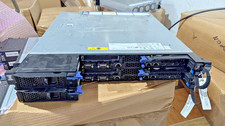
IBM iDataPlex dx360 M4 with 4× Xeon E5-2680 v2, 128 GB RAM, 2× QLogic
$149.00

IBM Power 8 S822L Server 8247-22L POWER8 Enterprise 256GB RAM 2x 00KV626 CPU
$999.99
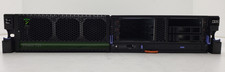
IBM Power 710 Express 8231-E2B POWER7 16GB DDR3 RAM 2U Rack Server No HDD.
$409.99

IBM QRadar xx29 2x Xeon E5-2650v4 2x 900W PSU M5120 12x 3.5" Bay Server No RAM
$149.99

Unused IBM 09P0037 MAINBOARD For RS/6000 7044-170 P-Series
$281.25



 Reply With Quote