

 Reply With Quote
ad 1.: Yes (but bear in mind, that "move to trash" does not necessarily delete it irreversibly).
ad 2.: Wherever you like (you just need to be able to write to and read from that place).


OK. So I klik a program, magic appears and there it is... operational... on my desktop. Now what?
1. I decide not to keep the program. Aside from moving the CMG to the trash, what else needs to be done?
2. I decide I like it but I prefer a clean desktop. Where should I move the CMG (and any other program)?
ron
ad 1.: Yes (but bear in mind, that "move to trash" does not necessarily delete it irreversibly).
ad 2.: Wherever you like (you just need to be able to write to and read from that place).
I store my cmg files on my hard disc then drag them to desktop when I want to run them. Ones I use more often, I just leave them on the desktop where they are saved in my PH.
drb
Being a relative newbie to Knoppix, I am not yet aware of the intricacies of the system. But, with the wonderful from you guys, I am catching on. Old thoughts and habits are hard to get rid of. I have been working with Windows since version 3.1 came out.
Is there a folder(s) that one should never store a CMG in Knoppix?
Of course there are folders where CMG's must *NOT* be stored.
It's /boot and /proc folders.
But a much better idea is to store CMGs in your home directory at $HOME
/opt could be used if you want to keep it for all users, or a subfolder of $HOME if you want it for yourself only...
(Just make sure there are no spaces in the path)
Greetings,
probono
Just got back to this project.
I logged in to the root, changed the permissions of the OPT folder to Read/Write for all and marked the folder as Shared. I then moved all the menu items from the Applications menu to their respective menus.
As a test, I moved the LBreakout2 CMG from the desktop to the OPT folder. Now, I get a couple errors that the tmp file can not be found.
Here is the menu command line: /home/user/.zAppRun /home/user/Desktop/lbreakout2_2.5.2-2.cmg
What changes need to be made to run this application successfully from the menu? I changed /user/Desktop to /opt but that did not seem to do the trick.
Thanks for your patience. Once I get this figured out, I can start selling some used computers with Kanotix installed and generate some interest for you guys. I also hope to add a transparent reminder note to the desktop to make donations.
Ron
Just got back to this project.
I logged in to the root, changed the permissions of the OPT folder to Read/Write for all and marked the folder as Shared. I then moved all the menu items from the Applications menu to their respective menus.
As a test, I moved the LBreakout2 CMG from the desktop to the OPT folder. Now, I get a couple errors that the tmp file can not be found.
Here is the menu command line: /home/user/.zAppRun /home/user/Desktop/lbreakout2_2.5.2-2.cmg
What changes need to be made to run this application successfully from the menu? I changed /user/Desktop to /opt but that did not seem to do the trick.
Thanks for your patience. Once I get this figured out, I can start selling some used computers with Kanotix installed and generate some interest for you guys. I also hope to add a transparent reminder note to the desktop to make donations.
Ron
The menu is automatically refreshed a couple of minutes after you have run and quit the cmg from its new location.
Greetings,
probono
Well I made it work in Kubuntu:
I moved abiword.cmg to /opt/
and made with the menu editor an extra entry
with the command
/home/freerk/.zAppRun /opt/abiword.cmg
once started and stopped, the menu entry has some more capabilies;
add to panel; put starter on desktop and 2 other entries behind 'whole menu'
Freerk Jongsma
 Posting Permissions

![[ BULK LOT OF 10 ] UNITS of 8GB DDR4 Laptop RAM SAMSUNG, HYNIX etc. picture](/store/img/g/IKQAAeSwEK9qv9TG/s-l225/-BULK-LOT-OF-10-UNITS-of-8GB-DDR4-Laptop-RAM-SAMSU.jpg)
[ BULK LOT OF 10 ] UNITS of 8GB DDR4 Laptop RAM SAMSUNG, HYNIX etc.
$299.99
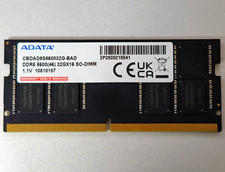
ADATA 32GB DDR5 5600MT/s SO-DIMM RAM CBDAD5S560032G-BAD
$400.00
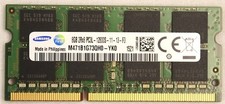
Samsung 8GB M471B1G73Qh0-YK0 PC3L-12800S DDR3 Laptop Ram
$12.99

Netac DDR4 32GB 16GB DDR4 3200MHz UDIMM C16 Desktop Internal Memory RAM Kit
$105.99

Corsair CMK32GX4M2B3000C15 Vengeance LPX DDR4 3000mhz Memory Kit - 32GB (2x16GB)
$169.95

Samsung 96GB LPCAMM2 PC5 9600 FE1 E1 LPDDR5X CAMM2 M561K6LC3CL1-CCV DDR5 Memory
$2150.00
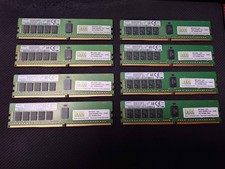
NEMIX RAM 128GB (8x16GB) DDR4 2400MHz PC4-19200 2Rx8 ECC RDIMM Server Memory Kit
$600.00

RAMAXEL Lenovo 32GB LPDDR5X CAMM2 7500MHz Laptop RAM | UNTESTED
$445.00
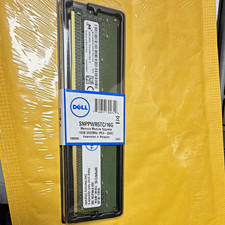
Dell 16GB PC4-21300 (DDR4-2666) ECC server Memory SNPPWR5TC/16G
$129.99
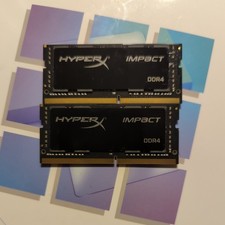
Kingston HyperX Impact RAM 32GB 2x16GB Laptop SO-DIM DDR4-3200 HX432S20IBK2/32
$115.00