-
Cleaned non-working Debian off.How do I re-install properly?
OK, I installed Debian 31r0a -i386 on my computer but couldn't log in properly, so I tried reinstalling it on top of the old version, but funnily enough that messed things up a little, so that GRUB couldn't load properly and all was bad. Luckily this forum exists, so I looked how to "ungoof" my MBR, and all is well again.
So the main question is, what did I do wrong?
I am going to try and reinstall now, hopefully by the time I get back to this page I will know!
Also, should I choose the newest version of the kernel I can? Last time I choose the oldest version for some reason.
Thanks for your help,
Hopefully I will be typing my reply to this in Debian...
Rich
-
Ok, still in windows!
I reinstalled, but evidently choose the wrong xfree driver. Which should I choose, I am using intel integrated graphics... And how do I change this, now that Deb is installed?
Also, when I partition my disk, if i choose 32mb ext2 for boot, 512mb swap, 5 GB ext3 usr, and rest of the drive in fat32, it won't install... I had to choose the recommended for beginners setup...
I would like it to be totally seperate booting, as in normal startup just gpoes into windows, but if i ask my bios to boot from the second drive it goes into GRUB... how do I make this work?
THanks!
-
Administrator
Site Admin-
I'm going to defer to Underscore on questions of installing Debian, hopefully he can guide you soon and it will be better that the blind leading the blind of my trying to help.
As to booting, I personally prefer to use a boot loader like the simple SBM or the beautiful and quite eliquent XOSL. With either of these programs installed to hard disk you can just install the Linux boot loader to the Linux partition rather than to the MBR. Then if you want to install more systems, or change things, or delete and remove Debian altogether, you don't affect the other systems. That's not to say that if you're a grub expert that you can't use grub as a boot loader. But I've seen enough problems posted about it and lilo, I've elected to do things the easy way.
-
I am going to reformat the drive and reinstall again I think! 3rd time lucky!
So, when I install Debian and get prompted to install grub, I shouldn't install it, or lilo, but then when do I install? Surely I won't be able to boot Debian?
Think I need i810 driver for Xfree...
I'm getting there!
Rich
-
Administrator
Site Admin-

Originally Posted by
giant_toaster
So, when I install Debian and get prompted to install grub, I shouldn't install it, or lilo, but then when do I install?
if you choose to do it the way I do, try this approach:
First, Install XOLS (my choice) or SBM.
Next, Install Debian. When you get the prompt about Installing grub, one of your chopices is to install it to the mbr, another is to install it to the same partition that Debian is being installed to that. Take the choice that installs it to the Debian partition. You can install multiple copies of Linux this way, each with it's own copy of grub (or lilo), no need to ever change or recongfigure a boot loader unless you recompile the kernel.
When you reboot, if using XOSL you go into setup and configure another boot option to boot the Debian partition. If using SBM you get a list of all partitions it sees (you may need to force a rescan) and you need to pick the Debian partition from this list. The SBM approach is ugly (IMHO), but it works. The XOSL approach is much cleaner looking, actuasly includes a number of extra features I haven't talked about here, but does take a little more disk space, as XOSL will not fit entirely in the MBR as SBM will.
Similar Threads
-
By mr-roboto in forum Networking
Replies: 1
Last Post: 04-24-2007, 04:00 PM
-
By decalvas in forum Hdd Install / Debian / Apt
Replies: 3
Last Post: 08-27-2005, 02:26 AM
-
By gnukish in forum General Support
Replies: 1
Last Post: 07-21-2005, 04:08 PM
-
By newbie in forum Hdd Install / Debian / Apt
Replies: 3
Last Post: 11-13-2004, 05:36 PM
-
By Masza in forum General Support
Replies: 0
Last Post: 11-29-2003, 10:43 PM
 Posting Permissions
- You may not post new threads
- You may not post replies
- You may not post attachments
- You may not edit your posts
-
Forum Rules

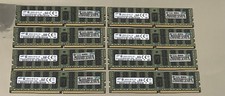
Qty.8 Samsung 16GB 2RX4 Pc4 2133P M393A2G40DB0-CPB0Q Ram Memory
$599.99

Samsung 2.5" 870 EVO SSD SATA III 250GB 500GB 1TB Internet Solid State Drive Lot
$60.00
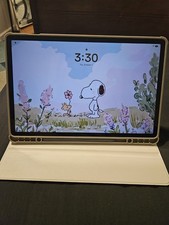
Samsung Galaxy Tab S9 FE+ 12.4" 128GB Gray WiFi Tablet w/ S Pen SM-X610NZACXAR
$399.00
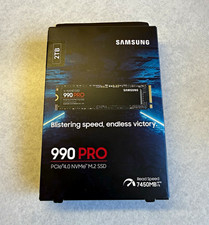
Samsung 990 PRO 2TB M.2 NVMe PCIe 4.0 Internal SSD (MZ-V9P2T0B/AM)
$249.00

RAM-HOL-SAM60CPU RAM USB-C Powered Dock for Samsung Tab Active5 - 3 - 2
$81.99

RAM-HOL-SAM52CPU RAM USB-C Powered Dock Samsung Tab Active4 Pro & Tab Active Pro
$81.99

Cell Phone Smartphone Computer repair banner poster sign iphone Samsung
$89.99

RAM-GDS-SKIN-SAM54-NG-1 RAM Mounts IntelliSkin® Next Gen for Samsung Tab Active4
$93.99

New Samsung 512GB FIT Plus USB 3.2 Gen 1 Type-A Flash Drive MUF-512AB/AM NEW
$120.00

NEW Samsung NoteBook NT930QCG touch LCD Full Screen Assembly Blue
$225.77



 Reply With Quote