

 Reply With Quote
there are several solutions.
either make a directory in /mnt called cd (sudo mkdir/mnt/cd)and replace cdrom with cd in fstab (kedit /etc/fstab),
OR
just remove the link and make a regular dir there.
now things should work.


Hi,
I have installed on the HDD and it worked well - everything works but i cannot mouny my cdrom.
IBM pentium 4 2.4Ghz 40Ghz HDD
I have been through the forum and found various advice. I have edited my /etc/fstab file to use the proer name of the device (seen as hdc by Knoppix), but I get the message shown:
mount: mount point /mnt/cdrom is s symbolic link to nowhere
Any help for this wet-behind-the-ears newbie?
Thanks,
Roger.
there are several solutions.
either make a directory in /mnt called cd (sudo mkdir/mnt/cd)and replace cdrom with cd in fstab (kedit /etc/fstab),
OR
just remove the link and make a regular dir there.
now things should work.
Thanks Oerjan - I have made progress.
It seems the system is not trying to mount the cd, because if I do it with no cd in the drive, I get an error message saying 'no medium found', but I get a new error message when I actually put a cd in the drive:
>>could not mount device
the reported error was:
mount: wrong fs type bad option bad superblock on /dev/hdc,
missing codepage or other error<<
Then the cd drive runs continuously and won't let me open the drive unless I shut down the computer.
progress! At least something is happening.
Thanks,
Fatcharlie
huh, how did you burn that CD? it should work great. atleast if hdc IS your player.
EDIT eh, is that a music disk?
If so they do not need mounting, you just put them in cd and play them, xmms is a good one, you might have to redirect the link /dev/cdrom though. make it point to /dev/hdc /EDIT
Hi OErjan,
no it's a data cd with various files, .bmp's, .doc's etc - all brunt using WinXP Home on my Dell Dimension 4800 Pentium 4 2.26Ghz (so you knwo what system I'm using).
Maybe I'll try bruning one with stuff created on Knoppix - perhaps that will work.
But I need to transfer some files from my Win XP machine to this new Knoppix machine - no network as yet so my only choice is cd's? I can't get onto the internet yet with the Knoppix machine because I need the Speedtouch script - and that's on my WinXP machine!
I feel I'm nearly there - hope you can help.
Cheers,
Fatcharlie.
hmm, what doessay? andCode:cat /etc/fstabplease note that in linux CD and cd, Cd, cD are four diferent things, that is shift/capslock makes a diference.Code:dmesg|grep CD
Hi OErjan,
here's what I have:
Cat /etc/fstab gave quite a lot of text, and since I can't yet get it onto this machine (I am using my Windoze machine to talk to you) I have just grabbed the part I think you're interested in:
/dev/hdc mnt/cd iso9660 defaults,ro,users,noexec, 0 0
I have changed the bit which says /mnt/cd - it was /mnt/auto/cdrom before - but there was no such entry. I created a directory called /cd in /mnt and that is when I started getting a little success.
dmesg | grep CD got:
hdc: LTN486S, ATAPI CD/DVD-ROM drive
hdc: ATAPI 48X CD-ROM drive, 120kB cache
Uniform CD-ROM driver Revision: 3.20
Unable to identify CD-ROM format.
I hope this helps!
Incidentally I have discovered my Floppy works fine - is there any way I could have directed the contents of the 'cat' and the 'dmesg' results into a file on A: drive - i could have just pasted that here then.
I am sure there is a way I just don't know it!
Thanks again,
Fatcharlie.
sure, redirecting output from screen to a file on floppy is a breese, just use a > and point it to some location you want the output.
to put the output on a textfile on the floppy just mount the floppy (rightklick floppy icon on desktop--> choose mount), then type
now umnount the floppy before removing it (rightklick floppy icon on desktop--> choose unmount), otherwise the files may not be written to disk fully.Code:cat /etc/fstab > /mnt/floppy/fstab.txt&&dmesg>/mnt/floppy/dmesg.txt
the > takes the output and redirects it where you point it (in this case a file called fstab.txt in /mnt/floppy) the && makes the two comands happen one after the other.
you can also create a file on the mounted floppy and copy paste the errors there then unmount it...
Hi OErjan,
I have done as you suggested and the results are:
fstab gives:
# /etc/fstab: filesystem table.
#
# filesystem mountpoint type options dump pass
/dev/hda2 / reiserfs defaults 0 1
proc /proc proc defaults 0 0
/dev/fd0 /floppy vfat defaults,user,noauto,showexec,umask=022 0 0
usbfs /proc/bus/usb usbfs devmode=0666 0 0
sysfs /sys sysfs defaults 0 0
tmpfs /dev/shm tmpfs defaults 0 0
/dev/hdc /mnt/cd iso9660 defaults,ro,users,noexec, 0 0
/dev/dvd /dvd iso9660 defaults,ro,users,noexec,noauto 0 0
# Added by KNOPPIX
/dev/hda1 /mnt/hda1 ext3 noauto,users,exec 0 0
and dmesg gives:
hdc: LTN486S, ATAPI CD/DVD-ROM drive
hdc: ATAPI 48X CD-ROM drive, 120kB Cache
Uniform CD-ROM driver Revision: 3.20
Unable to identify CD-ROM format.
I hope this gives you a clue as to why I can't see my cds!
I got the latest version of SuSE today on Linux User magazine - only trouble is it's a DVD! Doh! Maybe I can take the DVD from my windoze machine and install it in the Linux machine?
Anyway, that's another issue really - I just want to be able to get my cds working.
Thanks for all your help,
Fatcharlie.
hmm, it seems like the CDrom canot read the fileformat. weird. have you tried with another disk? and how about another drive? (perhaps in a different computer)
 Posting Permissions


🔀 Juniper Networks EX2300-C-12P 12× Gigabit PoE+ • 2× 10G SFP+ Compact Switch ⚡
$109.99

Juniper EX2300 12-Port Gigabit PoE+ Managed Network Switch P/N: EX2300-C-12P
$149.99

Juniper Networks EX3400-24T 24-Port Ethernet Switch w/Power Cord
$174.99

Juniper EX3400-24P 24-Port PoE+ GbE + 4-Port 1/10Gb SFP Switch
$245.00
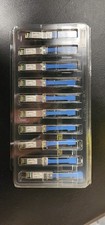
Juniper Networks 25GBASE-LR SMF 25Gbps 10km 1310nm LC SFP 740-071562 Lot 10
$1200.00

JUNIPER QFX5120-48Y-AFO 48x 10/25GbE SFP28 8x 40/100GbE Network Switch Dual PSU
$6998.00

Juniper MX204 +JUNOS and Dual Power Supply
$7299.99

Juniper Networks AP33-US Indoor Wifi6 (US Version) 5GHz: 4x4:4; 2.99
$24.99

Juniper Networks AP33 Wireless Access Point Bluetooth WiFi 6 Cloud Managed NIB
$54.99

Juniper Networks Mist Wireless Access Points, Model AP45
$59.99