-
Can't Get PCI Card to Work
Hello,
I have an IBM Pentium III 663MHz PC (desktop) which I've been trying to get a Linux Distro to work on with Networking successfully. I know it can be done, because this box has been loaded with an early version of Redhat and operated as a web server.
I wanted to start fresh so I wiped the system clean with Redhat 8 - which was able to come up quickly and correctly detect the network card that was installed. However it could not "initialize" the card. I knew that Redhat 8 had some issues, so I installed Redhat 7.2. The results were the same.
So know I've taken out the "big guns" - as it seems that Knoppix (4.0.2 in my case) will work with just about everything. But the results, sadly, are not much different.
PCI is my only choice as the IBM only has PCI slots. I have two NICs that I've tried - and the results are pretty much the same:
Card #1: This was the card that has been in there when the box was a web server -
3Com 10/100 TX Fast Etherlink XL PCI 2 - 3c905B-TX NM
All three distros are able to probe the card correctly and select (what I would guess to be) the correct driver. I've tried to an IP through DHCP and also be assigning it an IP - neither case worked.
Card #2: (Test individually - not at the same time as card #1) -
D-Link DFE-530TX REV-A1
All three distros were also able to select the correct driver for this card. I tried both DHCP and hard-coding an IP. When I assigned the DLink an IP, and tried to ping my router, I could see the transmitt light flash on each "ping".
In both cases when the I assigned the IP, ping reported that the network was un-reachable. When I tried to configure them for DHCP they would time-out.
The router/DHCP server that I'm using is a Linksys Etherfast cable/dsl router - which works great as I'm going through it now to post this message.
While I wait back for some suggestions on how to get either one of these cards to work I am installing Win98 just to veryify that the NICs still work. (There is something wrong with that)
Thanks!
CF
-
Success!
For all those poor souls who happen to stumble across my original post and are curious to know if Iwas ever able to get either of the two network cards installed, the answer is YES. But sadly, if you're having problems I won't be able to give you much help.
It ended up that I had a bad network cable along the way - which I discovered when I tested the line for a second time.
So, yes, Knoppix 4.0.2 can indeed get to the network right off the CD. (The 3com 3c905B-TX card has been validated - have not yet tried the dlink since the line has been fixed).
-CF
Similar Threads
-
By cliffd7 in forum Networking
Replies: 3
Last Post: 12-30-2007, 08:30 PM
-
By Matthew87 in forum Networking
Replies: 0
Last Post: 11-03-2007, 11:33 PM
-
By mduduzi in forum General Support
Replies: 0
Last Post: 04-24-2006, 03:31 PM
-
By gamezealot in forum Networking
Replies: 2
Last Post: 10-10-2005, 12:19 AM
-
By croeiii in forum Hardware & Booting
Replies: 0
Last Post: 05-14-2005, 05:32 AM
 Posting Permissions
- You may not post new threads
- You may not post replies
- You may not post attachments
- You may not edit your posts
-
Forum Rules

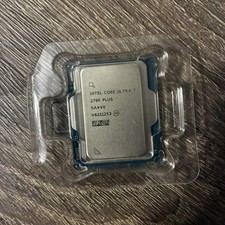
Intel Core Ultra 7 270K Plus 24 cores (8 P-cores + 16 E-cores)
$269.99
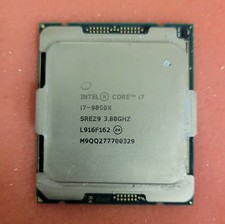
Intel Core i7-9800X 3.80GHz 8-Core 16.50MB LGA-2066 CPU Processor SREZ9
$60.00

Clear Touch Interactive Module CTI PCMOD PC55 ST i5 6core,8GB DDR4,256GB SSD NEW
$225.00

Intel Core i7-9700 3.0 GHz 8 Core Processor
$85.00

Dell - XPS 13.4" 3K Touchscreen Laptop - Intel Core 5 Series 3 320 2026 - 8GB...
$599.99

AMD Ryzen 7 9800X3D 8-Core 16-Thread AM5 Zen 5 Desktop Processor NEW
$395.00
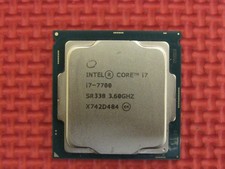
Intel SR338 Core i7-7700 3.60GHz 8M Socket 1151 Quad-Core CPU Processor LGA1151
$38.99

Intel Core i9-9900K Coffee Lake 8-Core, 16-Thread, 3.6 GHz (LGA 1151)
$189.99

HP 2x 10GB OPNsense Quad Core i5-8500 8GB RAM 3Port Gigabit Firewall AES-NI SSD
$199.95

Home Assistant Server | 8GB RAM | 128GB SSD | Intel i5 Quad-Core | Dell OptiPlex
$159.99



 Reply With Quote