

 Reply With Quote
By the way, I downloaded version 4.0.2 and tried to boot it on two different laptops but it just boots up windows instead.


I downloaded knoppix torrent from this site the other day and i put the files on a dvd-rw. I'm very new at this and might seem like a basic question, but i cannot get knoppix to boot from the cd. I've restarted the computer with the cd in the drive, tried to open the files manually, but cannot get any results. I have a Compaq laptop running XP. Thanks
By the way, I downloaded version 4.0.2 and tried to boot it on two different laptops but it just boots up windows instead.
read here, I think you have burned it wrong.
http://www.knoppix.net/wiki/Download...o_be_burned.3F
actually read the whole Downloading FAQ,it most likely has the solution to your problem, if not ask again and i will try to help.
http://www.knoppix.net/wiki/Downloading_FAQ
thanks alot...i looked quickly for the DLing faq, but couldn't find it
thanks again.
I ran the md5 checksum and it checked out alright. I downloaded the isorecorder plugin and burned the iso image to a cd-rw. When I rebooted my computer, the following appeared: isolinux Disk error 80, AX = 427C Drive 9F any suggestions?
Considering that the previous poster gave you a link right to it, that seems a bit strange. But I always give the advice on how to find it the old fashion way, that way you should be able to find other faqs and documentation too without asking for more links. Look near the top of this page for a link to Documentation. Click it. This is the main page of the wiki. There are several links to the Downloading FAQ there, at least one near the top of the main page.Originally Posted by shub902
I meant that I looked for it before I posted the first time.But I'm still having trouble because an error comes up when I try and boot it.
Are you getting to the boot prompt or do you get an error before you get that far? If you get the boot prompt you may be able to boot using one or more of the many cheat codes (see the wiki). If not it is likely that there is still a burning issue, although the ISO linux message indicates that you are certainly on the right track.
I am not getting a boot prompt...do i just need to burn the iso file, or do i need to put all the text files on there as well?
It says boot failed, press a key to retry...
 Posting Permissions


SK Hynix 64B PC4-2933Y Server Memory DDR4 RAM HMAA8GR7MJR4N-WM
$499.99
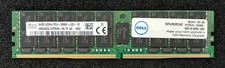
SK Hynix 64GB PC4-2666V RDIMM Server Memory RAM HMAA8GL7CPR4N-VK
$299.99

2 in 1 USB 3.0 Card Reader Micro TF card Reader usb adapter High Speed Cardreder
$3.99
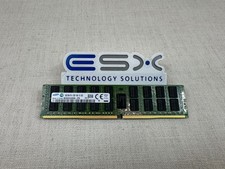
Samsung 16GB 2Rx4 PC4-2133P DDR4 ECC Server Memory RDIMM M393A2G40DB0-CPB
$104.95

SK Hynix Server Memory 32GB (1x32GB) RAM DDR4 2400MHz HMA84GR7MFR4N Lot of 12
$1599.99
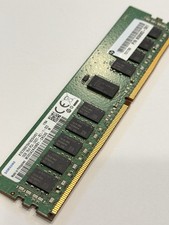
Samsung 16GB PC4-2400T 1Rx4 DDR4 ECC Server Memory RAM M393A2K40BB1-CRC0Q
$79.99

USB 3.0 Flash Drive 32GB 64GB 128GB Memory Stick Thumb Stick Lot Pack
$826.09

Kingston 32GB 64GB 128GB 256GB USB 3.0 Flash Drive Thumb Memory Stick Pen lot
$285.90

MICRON MTA36ASF4G72PZ-2G6E1 | 32GB PC4-2666V ECC RDIMM Server RAM
$184.95
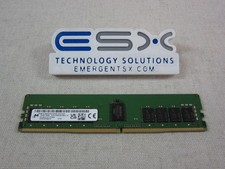
Micron MTA18ASF2G72PDZ-3G2J3 16GB 2Rx8 PC4-3200AA DDR4 ECC Server Memory RDIMM
$114.95