

 Reply With Quote
You may have to wrap the path in quotes " " or use the backslash key to make it ignore the spaces.
cd "Program Files/Common Files/"
or
cd Program\ Files/Common\ Files/


I'm using Knoppix ver. 3.4 CD (specifically the version that comes with the book Knoppix Hacks) but the issue I'm having should be universal between distros. What I'm trying to do is use Captive-NTFS to allow read/write access (working fine BTW) and navigate the file system in a shell. The goal of which is to delete viri/spyware from the volume. I've been able to mount the drive and delete most of what I want but I'm having specific issues with some of the Windows acceptable long file names, specifically ones with spaces in them i.e. C:\Program Files\ (or if you prefer, /mnt/hda1/Program Files). I can see the folder if I use a ls command in the shell but I can't cd to it. Could this be because it has some attribute I didn't check for?
Thanks in advance,
'Goon
You may have to wrap the path in quotes " " or use the backslash key to make it ignore the spaces.
cd "Program Files/Common Files/"
or
cd Program\ Files/Common\ Files/
Okay, I did try the quotes thing (same thing works in DOS) and had no luck; I did not know of the backslash for ignoring spaces in path names, thanks for that!
'Goon
 Posting Permissions


GIGABYTE B365 HD3 LGA1151 Intel 9th Gen motherboard
$59.99
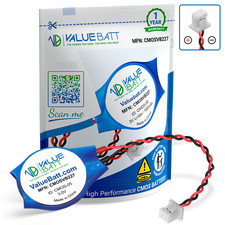
CR2032 Laptop CMOS RTC Battery BIOS
$3.55

Intel H310 LGA1151 8-9th Gen DDR4 M.2 NVMe mATX Motherboard IO Shield Battery
$54.99

GIGABYTE Z890M AORUS ELITE WIFI7 ICE INTEL MOTHERBOARD
$149.99

ASUS PRIME Z370-A II LGA 1151 Intel Z370 DDR4 DIMM USB3.1 DVI ATX RGB
$69.99
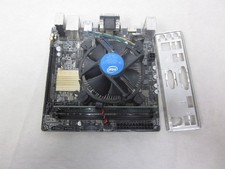
ASUS H110I-PLUS Motherboard LGA1151 w/ I5-7400 CPU, 8GB, Heatsink & I/O Shield
$60.00

ASRock B550M Phantom Gaming 4 AM4 AMD B550 SATA 6Gb/s Micro ATX AMD Motherboard
$101.99

Intel H81 Motherboard M.2 NVMe LGA 1150 mATX w/ IO Shield (Random Slot Color)
$29.99

ASUS PRIME Z490-P LGA 1200 Intel Z490 SATA 6Gb/s ATX Intel Motherboard NEW
$121.45

ASUS PRIME H410M-K LGA 1200 Intel 10th Gen H410 DDR4 USB3.2 Motherboard M-ATX
$59.99