-
[Live 4.0.2] trying to access internet.
Again I felt it was time to give Linux a try and saw the Live 4.0.2.
I created the CD and booted.
I wanted to try out the connection to internet and did a ADSL PPPoE config.
I have a Alcatel Speed Touch Home connected on an ethernet card.
I could run through the configuration panels and have given the neccesary login info.
On the question if I would start the internet session I replied yes andsaw the lights on the modem flicker for a short period.
But I had no connection as trying to go to a website resulted in a message site couldn't connect to the site.
I checked if I could ping the modem (10.0.0.13 and that worked.
How can I diagnose this further or is it not supported on the Live CD?
Then I tried to connect to the internet via the dialup modem.
Again the configuration seemed to be done, but the provider wasn't phoned, hence no intenet access.
Is this supported on the Live CD and how can I diagnose further?
There could be a third possibility for me.
I have two computers connected through Firewire and on the first one a proxy server under Windows is installed.
Under windows I can connect to internet on the second machine via this proxy on the first machine.
Now if the second machine runs the Live CD could I do the same thing and connect to the internet via the proxy server running under Windows?
What would I need for this?
-
Administrator
Site Admin-
Re: [Live 4.0.2] trying to access internet.

Originally Posted by
Béèm
There could be a third possibility for me.
I have two computers connected through Firewire......
There could be even a much better solution: get a router. These things are dirt cheap now. I paid over $100 for a 4 port wired one, but I now often see wireless ones for under $10 after rebate. They are intended for running multiple computers on a single Internet connection and will work fine with your Speedtouch (same modem I'm using). You also get the added benefit of a true hardware firewall, which is very important for Internet security (I would not connect to the Internet at high speed without one). And with a router using Knoppix on the Internet works like this: Boot Knoppix (from the optical disc). You are on the Internet. No setup needed at all. No fooling with PPPoE. It just works. No firewire (which is a lot faster that USB but still slows you down in comparison to Ethernet). No fooling with proxy settings. No worry about needing to leave multiple systems running or loss of connection if the other system is rebooted.
Similar Threads
-
By Black Knight in forum Networking
Replies: 2
Last Post: 03-24-2009, 05:26 PM
-
By MichaelYoung in forum Networking
Replies: 1
Last Post: 09-02-2006, 12:35 PM
-
By Wrincle in forum General Support
Replies: 3
Last Post: 05-02-2004, 07:05 PM
-
By tweety77 in forum Networking
Replies: 1
Last Post: 02-21-2004, 05:11 PM
-
By Krazy in forum General Support
Replies: 5
Last Post: 01-15-2003, 02:53 PM
 Posting Permissions
- You may not post new threads
- You may not post replies
- You may not post attachments
- You may not edit your posts
-
Forum Rules


Intel Core i7-3770K 3.5 GHz Processor
$39.00
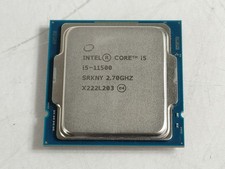
Intel Core i5-11500 2.70 GHz LGA 1200 Desktop CPU Processor SRKNY
$94.99
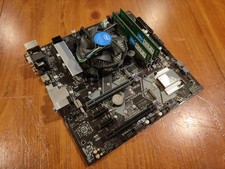
COMBO: ASUS Prime H370M-PLUS MOTHERBOARD + i5-9400F CPU /w Heatsink + 16GB DDR4
$169.95

Corsair RM750e 750W Fully Modular 80 Plus Gold ATX 3.1 PSU Certified Refurbished
$44.99
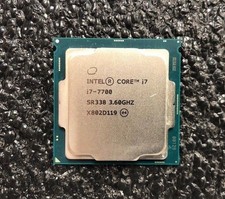
Intel Core i7-7700 Kaby Lake Quad-Core 3.6 GHz Processor LGA 1151
$39.99

Intel i7-8700 Coffee Lake 3.2GHz 6-Core Max Turbo 4.6GHz Processor
$69.99

Intel Core i9-9900 | SRG18 | 3.10 GHz | 8 Cores | LOT OF 10
$1505.77

Intel Core i7-7700T 2.9GHz 8MB Socket LGA1151 Quad Core Processor SR339
$39.99
Intel Core i7-10700K 8-Core 3.80GHz LGA1200 CPU SRH72 i7-10700K
$75.00

GAMING COMBO: ASUS Prime H470M-PLUS MOTHERBOARD + i5-10600KF CPU + 16GB DDR4
$229.95



 Reply With Quote