

Hello. I am working on a boot loader based on grub called Super Grub Disk for using merged into Knoppix.
Super Grub Disk helps you Restoring Grub on MBR automatically, activate partitions and more things but... I do not want to talk about the disk, I want to make a new Knoppix live cd with my system and I need to simulate the isolinux knoppix options such as:
lang=es
xfree=nv
screen=800x600
or so.
So I want to ask you which are the most used options. I suppose that they will be the F1 screen options but if you could tell me what are the most used options and why do you use them... that's... what's the purpose of using them. What didn't work before enabling the option and what it does work after enabling the option.
Thank you.
adrian15
The resultant new version of SGD will let you choose like a Grub Menu (Up Down Arrows and Enter) the many options for booting Knoppix and it will explain what means each of them. This is my idea.
 Posting Permissions


Fanxiang 1/2/5/10Pcs 2.5'' SATA SSD Lot 1TB 2TB 4TB 512GB 256GB TLC Internal SSD
$755.99

Samsung SSD Solid State Drive MZ-VL25120 512GB
$54.99

ON SALE TURBOLINK EVO 4TB V-HAND SSD 2.5 SATA III Internal Solid State Drive
$199.99
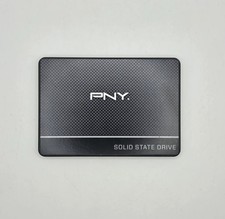
PNY CS900 250GB 2.5" Internal SSD (SSD7CS900-250-RB)
$31.00

Samsung 860 EVO 250GB, SATA III, 2.5" Internal Solid State Drive - Black
$29.00

SAMSUNG SSD 512GB 500GB 480GB 256GB 250GB 240GB SSD 2.5 Solide State Drive 6Gbps
$40.99

Crucial 2TB P3 Plus NVMe PCIe 4.0 M.2 Laptop Desktop Internal SSD CT2000P3PSSD8
$199.00

256GB mSATA SSD DRIVE MIXED BRAND TESTED WORKING
$23.50

Toshiba THNSN81Q92CSE 1920GB SATA 2.5 Solid State Drive
$199.00

Western Digital Blue 3D NAND 250GB 2.5" SATA III Internal SSD - WDS250G2B0A
$29.99


 Reply With Quote