-
Junior Member
registered user
Remaster doesn't boot into KDE
I'm not new to remastering knoppix, I've got a pretty decent process worked out for myself now, but on this particular remaster of 4.0.2, on bootup my remaster finishes the hardware autodetection and switches to runlevel 5, and then halts and gives me a prompt, no booting into KDE.
If I do an whoami, knoppix tells me I'm still root. so if I su - knoppix, then startx my remaster runs fine with all my changes in KDE restored properly.
The only files that I've changed are knoppix-autoconfig in /etc/init.d and 45xsession in /etc/X11/Xsession.d. If I revert back to the orignials of those files from the 4.0.2 distro, and rebuild my remaster, same result, as well the changes that I make to those files has worked in all my past remasters, so I'm confident it's nothing to do with those files....
my question is, what file switches to runlevel 5, and from there, where is KDE loaded? I think I may have deleted something accidently that's causing it to stop booting. Any ideas?
Thanks for any help
-
Senior Member
registered user
Re: Remaster doesn't boot into KDE

Originally Posted by
katana5
my question is, what file switches to runlevel 5, and from there, where is KDE loaded?
/etc/init.d/xsession
If your problem was only starting KDE, perhaps /tmp/.ICE-unix has wrong owner. It should be root and permissions should be 1777.
I'm not sure, but perhaps /etc/X11/Xsession should be also original Knoppix file - upgrading want to replace it with a new file. I think I had sometimes problems starting X because of that.
-tapsa-
-
Junior Member
registered user
I think that may solve it.
I noticed last night that /etc/init.d/xsession was missing. So I replaced it from the original CD, remastered and same result.
Just checked the/tmp/.ICE-unix, and on the original there are a number of KDE directories, on my remaster the /tmp directory is empty..
So when I get home from work I'll copy the files in /tmp from the original 4.0.2 to see if that fixes it.
Thanks for the help.
-
Check your /etc/inittab and verify that the last line is
x5:5:wait:/etc/init.d/xsession start
I found that when I did the build of the compressed filesystem and replied Yes to the "Do you want to cleanup" question this line was deleted.
-
Junior Member
registered user
So I had all of the above issues.
/etc/init.d/xsession was missing.
/etc/inittab was also missing 2 lines at the end which called /etc/init.d/xsession
So I've replaced those two files, as well copied the original /etc/X11/Xsession file as suggested as well.
My remaster now boots into X, but hangs just after I get the grey & black checkerd screen and a mouse cursor. I can move the mouse cursor, but waiting does not result in KDE starting up. If I do a ctrl-alt-backspace to kill the x server, and then su - knoppix, startx everything works fine.
I've looked to see about /tmp/.ICE-unix, this file seems to be generated on startup, as I can't locate it anywhere on the original CD in I boot it into run level 2.
If I boot all the way to run level 5, it exists in /ramdisk/tmp /tmp symlink.
Also, another oddity that I have discovered. If I symlink /tmp to /ramdisk/tmp, when I run my remaster scripts to build the ISO image, it won't do it.. Anyone run into this as well?
I'm like 95% there, I think there might just be a permissions problem, or when /etc/init.d/xsession executes, it's not fully transferring to user knoppix.
Any assistance would be greatly appreciated.
Thanks.
-
Senior Member
registered user
Originally Posted by
katana5
My remaster now boots into X, but hangs just after I get the grey & black checkerd screen and a mouse cursor. I can move the mouse cursor, but waiting does not result in KDE starting up. If I do a ctrl-alt-backspace to kill the x server, and then su - knoppix, startx everything works fine.
Black screen with X (mouse cursor) means that X server is running but Display Manager (kdm) not.
Do you have kdm installed? Do you have /etc/X11/X.session.d/45xsession file existing which creates home directory?
-tapsa-
-
Junior Member
registered user
I'll have to check on those two,
I would have to assume that by manually changing to user knoppix, and running startx that would prove that kdm is in fact installed since my remaster loads properly if I do that.
I'll double check that my remastering didn't blow away the 45xsession file though.
Thanks for your help.
-
Junior Member
registered user
So I checked, kdm is infact installed, and 45Xsession exists. So the problem is that the Xserver starts but then does not load the display manager.
Is it possible it's permissions related? is there any way to launch /etc/xsession with a trace or debug on to see if something is not executing properly?
Thanks for any help.
Similar Threads
-
By nvgringo in forum Customising & Remastering
Replies: 0
Last Post: 05-14-2007, 01:12 AM
-
By remeses4 in forum Customising & Remastering
Replies: 2
Last Post: 08-31-2005, 10:08 PM
-
By sl in forum Customising & Remastering
Replies: 1
Last Post: 07-13-2004, 04:37 PM
-
By sl in forum Customising & Remastering
Replies: 1
Last Post: 07-08-2004, 10:58 PM
-
By mzilikazi in forum Customising & Remastering
Replies: 2
Last Post: 05-06-2004, 08:07 PM
 Posting Permissions
- You may not post new threads
- You may not post replies
- You may not post attachments
- You may not edit your posts
-
Forum Rules


SK Hynix Server Memory 32GB (1x32GB) RAM DDR4 2400MHz HMA84GR7MFR4N Lot of 12
$1599.99
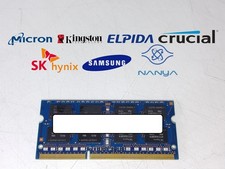
Major Brand 8 GB PC3L-12800 (DDR3-1600) 2Rx8 DDR3L Laptop Memory RAM
$10.99

Corsair CMK32GX4M2B3000C15 Vengeance LPX DDR4 3000mhz Memory Kit - 32GB (2x16GB)
$159.95

LOT OF 23 Ram Sticks-Corsair Vengeance CMZ8GX3M2A1600C9 4GB (4GBx23=92GB Total)
$129.99
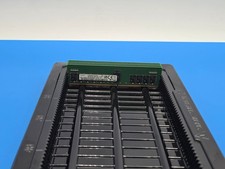
Lot of 4 - 16GB 2Rx8 DDR-4 2666V MHz ECC Reg Samsung M393A2K43DB2-CTD6Y Tested
$300.00

RAMAXEL Lenovo 32GB LPDDR5X CAMM2 7500MHz Laptop RAM | UNTESTED
$445.00
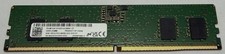
Micron MTC4C10163S1UC48BA1 8GB RAM DDR5 4800MHz
$87.00
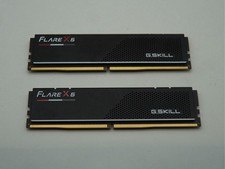
G.Skill Flare X5 32GB (2x16GB) (DDR5-6000 DDR5 RAM Memory Cl30-38-38-96 AMD EXPO
$419.95
SK Hynix 32GB (2x16GB) DDR4-3200MHz ECC UDIMM RAM PC4-3200AA KIT
$150.00
Corsair Vengence Pro RGB DDR4 3200 (4x16gb) DRAM Kit
$340.00



 Reply With Quote