

 Reply With Quote
You could try the nodma cheatcode, although even if you said the cd is ok cloop errors almost always mean a bad cd. Try burning it again at slow speed, say max 4x.


Hello,
i have a Notebook Samsung P10. It has a Installation of Windows XP and i have no access to a Folder, cause Windows says i dont have the permission.
So i booted the Notebook with Knoppix Live CD Version 4.02 and it started very well. I had access to the Folder and i saw the Files and also opening the files was o.k. So i changed the HDD (NTFS-Files-System) to write mode, but this crashes the machine.
So my idea was, to boot the notebook again and burn the data to cd.
But after this first boot, i can not boot the notebook again.
Knoppix brings me several times the following message:
Buffer I/O error on device hdc, logical block xxxxxxxxxxx
hdc: command error: status=0x51 {driveReady SeekComplete Error }
hdc: command error: error=0x51 { IllegalLengthIndication LastFailedSense=0x05 }
ide: failed opcode was: unknown
end_request: I/O error, dev hdc, sector xxxxxxxx
And two times i get the message:
cloop: Read error at pos 705829938 in file /cdrom/KNOPPIX/KNOPPIX, 4961 Bytes lost.
cloop: error -3 uncompressing block 28468 65536/0/4961/0 705829938-705834899
Buffer I/O error ond device cloop0, logical block 910989
cp: Lesen von ,,/usr/share/zoneinfo/Europe/Berlin": Eingabe-/Ausgabefehler
Then he continiuos booting..
Prozessor 0.....
ACPI Bios found,.....
PCMCIA found....
USB found.....
Firewire found......
Autoconfiguration devices......
Mouse is ......
Soundcard.....
AGP bridge....
Video is......
Monitor is....
Using Modes.....
Scanning for Harddisk....
Network Device eth0.....
Automounter started for: floppy cdrom
and then blink, blink, blink
hangs by booting, but is not crashed (Num-Lock-LED changes....)
Has anyone an idea what i can do to start knoppix again?
The cd is o.k. in my other PC it works well.
I used every bootoption, but no success.
Pleas help me.
You could try the nodma cheatcode, although even if you said the cd is ok cloop errors almost always mean a bad cd. Try burning it again at slow speed, say max 4x.
Hallo Markus.
vielen Dank für Deine schnelle Antwort. Ich habe die CD bereits neu gebrannt und mir auch noch eine Original Knoppix-CD ausgeliehen. Jedoch funktioniert nichts. Anscheinend hat Knoppix beim Verstellen der Folder-Berechtigung auf "Schreibbar" irgend einen Käse auf die Platte geschrieben, mit der Knoppix jetzt nicht mehr zurecht kommt.
Mittlerweile installiere ich MandriveLinux2006 auf diesem System und bis jetzt funktioniert alles bestens (trotz Partitionierungs-Änderung). Ich habe Zugriff auf die von mir gewünschten Dateien und versuche gerade die Dateien zu Brennen und danach zu verifizieren.
Anscheinend hat JEDE Linux-Distri Probleme mit Schreiben auf NTFS. So habe ich ein paar GB für FAT32 freigeschaufelt und damit kommt anscheinend jedes BS zurecht.
Also, so wies scheint, funktioniert es jetzt. Schade dass Knoppix anscheinend noch Probleme bereitet. Wäre natürlich sonst optimal wenn es ein von CD bootbares Betriebssystem geben würde, dass diese Probleme lösen würde (vor allem für Datenrettungsversuche).
Trotzdem vielen Dank für Eure Hilfe!
 Posting Permissions


Kingston 32GB 64GB 128GB 256GB USB 3.0 Flash Drive Thumb Memory Stick Pen lot
$285.90

SanDisk Ultra Luxe USB 3.1 Flash Drive – 5 Pack | Premium Metal USB Flash Drives
$39.99

Microsoft Windows 11 Pro 64-Bit USB Flash Drive
$24.99

Microsoft Windows 11 Pro 64bit - New Sealed – Flash USB 1 PC
$49.99

USB 3.0 Flash Drive 32GB 64GB 128GB Memory Stick Thumb Stick Lot Pack
$826.09

Sandisk 16GB 32GB 64GB 128GB Cruzer Blade Flash Drive Memory Stick USB Lot Pack
$88.90

LOT 10x SanDisk 32GB ULTRA USB 3.0 flash drive SDCZ48-032G 32 GB read 100 MB/s
$39.80

USB Type-A Flash Drive Metal Memory Stick High Speed USB Drive 128GB 256GB 512GB
$7.97
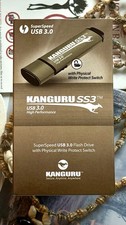
Kanguru KF3WP-64G USB Flash Drive with Write Protection Switch
$62.00

TESLA OEM Model S,3,X,Y USB Flash Drive for Dashcam 128GB READ DESCRIPTION BELOW
$21.00