-
Junior Member
registered user
problem adding "myconf=scan home=/dev/sda1" to iso
Well, actually I added "myconfig=scan home=/dev/sda1" but that wouldn't all fit on the title.
I'm trying to follow the instructions in these two threads:
http://www.knoppix.net/forum/viewtopic.php?t=15469
http://www.knoppix.net/forum/viewtop...er=asc&start=0
in order to make a CD that uses a home directory on a USB keychain drive. I am working with Knoppix 3.7 since the "unionfs" stuff in the more recent versions doesn't seem to work properly for me (takes forever, and often causes filesystem corruption -- but that's a separate topic).
I changed the second and third lines of the isolinux.cfg file to read as follows (first line is also included below for clarity):
Code:
DEFAULT linux24
APPEND ramdisk_size=100000 init=/etc/init lang=us apm=power-off vga=791 myconfig=scan home=/dev/sda1 initrd=minirt24.gz nomce quiet BOOT_IMAGE=knoppix
TIMEOUT 100
The original was:
Code:
DEFAULT linux24
APPEND ramdisk_size=100000 init=/etc/init lang=us apm=power-off vga=791 initrd=minirt24.gz nomce quiet BOOT_IMAGE=knoppix
TIMEOUT 300
In short, I added "myconfig=scan home=/dev/sda1" after the VGA parameter but before the INITRD parameter. (Sorry about the lines wrapping due to length, I know it's hard to read.)
I also edited the last line to make the file the same size as the original (a bunch of comment characters, put there for exactly this purpose). I then used the modified "isoinfo" posted by Fabianx (thanks!) in the second thread above to replace the one in the ISO image with my modified version.
This much obviously worked correctly -- I did file comparisons to make sure the file was correctly in place and nothing else had changed. However, when I boot the CD, I get an error message about the SDA1 drive not existing. It asks if I want to "retry (Y/n)", but no matter what I respond with, it keeps retrying in an apparent infinite loop. Yes, no, ctrl-C, carriagereturn, whatever -- it just keeps retrying and printing the error message.
My flash drive is completely empty -- no home directory info or scripts yet, since this is the first time I'm booting the modified CD.
Do I need to initialize the flash drive somehow, or am I going about this whole thing wrong?
Thanks,
Hairy
Similar Threads
-
By GCMartin in forum Hardware & Booting
Replies: 10
Last Post: 05-09-2010, 04:44 PM
-
Replies: 4
Last Post: 11-18-2006, 07:09 PM
-
Replies: 6
Last Post: 04-22-2005, 10:02 PM
-
By Pokec in forum General Support
Replies: 2
Last Post: 12-07-2003, 07:39 PM
-
By neitzel in forum Customising & Remastering
Replies: 1
Last Post: 07-16-2003, 06:44 PM
 Posting Permissions
- You may not post new threads
- You may not post replies
- You may not post attachments
- You may not edit your posts
-
Forum Rules


AMD Ryzen 7 9850X3D 8-Core 16-Thread 5.6GHz 120W AM5 CPU 100-100001973WOF
$435.99
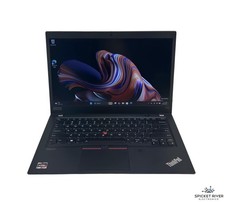
Lenovo ThinkPad T14S Gen 1 8-Core 4750U 1.70 GHz 512 GB SSD 16 GB RAM Win11Pro
$240.00

AMD Ryzen 7 PRO 8700GE 8-Core/16-Thread Up to 5.1GHz AM5 (FL1)
$189.00

Dell T7810 Workstation 8-Core 2.40GHz E5-2630 v3 No RAM GPU HDD OS
$259.98

(New) AMD Ryzen 7 5700X 8 Core 16 Thread AM4 Unlocked 3.4 GHz CPU OEM Tray
$174.99
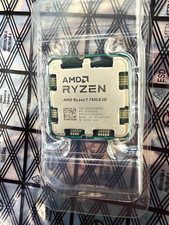
AMD Ryzen 7 7800X3D 8-Core Socket AM5 4.2GHz CPU 96MB L3 910
$260.00

Intel Core i9-9900K Coffee Lake 8-Core, 16-Thread, 3.6 GHz (LGA 1151)
$189.99
AMD - Ryzen 7 7800X3D 8-CORE 16-THREAD 4.2 GHz (5.0 GHz Max Boost) AM5 UNLOCKED
$300.00
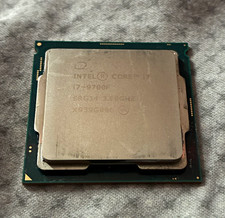
Intel Core i7-9700F 8-Core 3.00GHz LGA1151 CPU Processor SRG14
$65.00

Dell OptiPlex 5070 SFF i7-9700 (8-Core) 3.0GHz 16GB 256 SSD Windows 11
$250.00



 Reply With Quote