-
No .cmg files run anymore.
All .cmg files stopped running; result was dialog about adding lines to /tmp/app. Found no /tmp/app; created one and added prescribed lines. Same result. Reinstalled klik. Downloads are OK, but nothing runs. Nice quiet failure - no dialogs or errors. Tried running from a terminal; got error: "/tmp/app/ exosts but is not a directory". All a bit disappointing, especially since I can install directly from a Debian repository.
Best regards;
hotrodg (Hal)
After the complaint, figured I owe you an update. Created a /tmp/app directory and put app file in it. Tried to run a .cmg file. Result: complaint that /tmp/app was not writable. Changed permissions and tried again. Some apps now run. How did this happen? I did not change the klik installation, at least not intentionally. What the **** is going on? Is there a clear explanation of how this all works somewhere? As a programmer, I'm used to guesses and trial&error, but I'm getting weary...
Best,
Hal
-
Junior Member
registered user
hmmm... I don't really understand what could happen on your system, but the only reason I see why cmgs might stop working is when you run too many (more than 7 actually) at the same time.
Do mount command to see how much klik images are mounted. (and possibly kill some unneeded klik processes)
-
mount command looks ok - no cramfs line if no .cmg file is running; cramfs line present in a .cmg file is running. also, /etc/fstab contains the cramfs descriptor lines. Hope you saw my update. The .cmg files run now. The problem was apparently a missing writable /tmp/app directory. How it went missing I have no idea. One observation: Isn't this a weakness - having a (quasi) system directory that can be written (or possibly deleted) by a user process? In any case, everything looks ok now. Thanks & best regards. --hotrodg
Similar Threads
-
By arno. in forum Hdd Install / Debian / Apt
Replies: 3
Last Post: 11-26-2005, 10:46 AM
-
By GadgetMan in forum General Support
Replies: 2
Last Post: 11-18-2004, 11:04 PM
-
By Delbor in forum Networking
Replies: 0
Last Post: 12-19-2003, 12:41 AM
-
By fingers99 in forum Hdd Install / Debian / Apt
Replies: 6
Last Post: 10-25-2003, 12:36 AM
-
By Fleshgolem in forum Hdd Install / Debian / Apt
Replies: 4
Last Post: 07-27-2003, 08:57 AM
 Posting Permissions
- You may not post new threads
- You may not post replies
- You may not post attachments
- You may not edit your posts
-
Forum Rules


🔀 Juniper Networks EX2300-C-12P 12× Gigabit PoE+ • 2× 10G SFP+ Compact Switch ⚡
$109.99

Juniper EX2300 12-Port Gigabit PoE+ Managed Network Switch P/N: EX2300-C-12P
$149.99

Juniper Networks Mist Wireless Access Points, Model AP45
$59.99

Juniper Networks EX3400-24T 24-Port Ethernet Switch w/Power Cord
$174.99

Juniper QFX5120-48Y-AFO 48 x 1/10/25GB SFP28 + 8 x 40/100GB Switch w/Dual AC
$10499.99
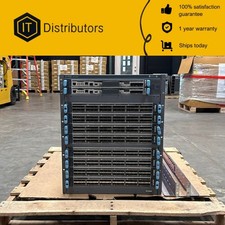
Juniper QFX10008-PREM/ QFX10008-PREMIUM / 90 Day Warranty / Ships Today
$7500.00

Juniper EX2300-C 12 Port Compact Gigabit Switch EX2300-C-12p Discounted Cosmetic
$79.86

Juniper EX2300-C-12P 12 Port Gigabit PoE+ 2x10G SFP+ Managed Compact Switch
$179.99

Juniper EX3400-24P 24-Port PoE+ GbE + 4-Port 1/10Gb SFP Switch
$245.00

Juniper EX2300-24P 24-port Gigabit RJ-45 PoE 4-port 10Gb SFP+ Network Switch
$89.99



 Reply With Quote