-
Oops, misunderstood that. First look at /boot/grub/menu.lst and see if it looks ok and contains lines looking something like this at the bottom:
<snip>
title Windows 2000
rootnoverify (hd0,0)
makeactive
chainloader +1
title Debian GNU/Linux, kernel 2.6.14.2-191105
root (hd1,0)
kernel /boot/vmlinuz-2.6.14.2-191105 root=/dev/hdb1 ro ramdisk_size=100000 \
lang=us hda=scsi hdb=scsi nomce vga=794 splash=silent
initrd /boot/initrd.splash
savedefault
boot
<snip>
Then install grub to the mbr. This assumes your box boots from hda first so change hda to your boot disk (sda?):
- boot cd
- sudo mount /mnt/hdd2
- sudo grub-install --recheck --no-floppy --root-directory=/mnt/hdd2 /dev/hda
Similar Threads
-
By benopdezolder in forum Hdd Install / Debian / Apt
Replies: 23
Last Post: 02-03-2009, 01:45 AM
-
By transistortoaster in forum Hardware & Booting
Replies: 7
Last Post: 04-30-2007, 09:58 AM
-
By Simonkex in forum General Support
Replies: 7
Last Post: 04-11-2005, 06:07 PM
-
By ktheking in forum Customising & Remastering
Replies: 6
Last Post: 01-02-2004, 09:35 PM
-
By A. Jorge Garcia in forum Hdd Install / Debian / Apt
Replies: 1
Last Post: 02-06-2003, 05:14 PM
 Posting Permissions
- You may not post new threads
- You may not post replies
- You may not post attachments
- You may not edit your posts
-
Forum Rules


Gigabyte 4U AI Server 10x Nvidia GPU 2x Xeon Gold 6150 36 Core 2.7GHz DDR4 RAM
$1499.00

Dell EMC PowerEdge R440 Xeon silver 4215 2.5GHz 16 GB ram 2x 550W PSU No HDD
$275.00

867959-B21 HPE ProLiant DL360 G10 CTO Server W/ 2x 865414-B21 1x 840140-001
$245.00

Dell PowerEdge R530 2x E5-2630v4 H330 iDRAC8 Port Card Riser No PSU/RAM/HDD
$99.99

Dell PowerEdge C4130 1U AI GPU Server | 2x E5-2690 v3 | 64gb Ram | 2x 1600W
$524.99

Dell Poweredge R730xd 12LFF 2*2660v4 4*1Gbe h730 2x 750W Server CTO
$308.00

Dell PowerEdge C4130 1U AI GPU Server | 2x E5-2680 v3 | 32gb Ram | 2x 1600W
$409.99

Dell Poweredge R630 2x Xeon E5-2680 v3 2.5ghz 24-Cores / 64gb / Raid / 2x 1Tb
$374.99
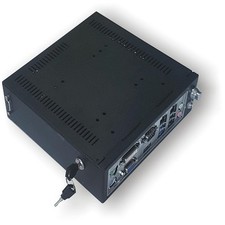
A Mini Windows Server w Xeon E3 Processor & (2) 500GB Hard Drive-Home/Industrial
$319.00

RDS CAL - Remote Desktop Services Windows Server 2019 50 User/Device Connections
$63.00



 Reply With Quote