-
Junior Member
registered user
I tried to edit the /etc/X11/XF86Config-4 file earlier, under monitor section>modes with "1280x1024_70.00". When I tried to save the changes I got an error, something to do with not enough space to save changes. 
Typing kxconfig (root) gave me the option of changing the resolution to 1280x1024, after starting new session....bingo!  Quick and simple, worked a treat, cheers. Didn't get much time to look around in kxconfig, but looked much more comprehensive than the right click desktop>configure option.
Thanks
Similar Threads
-
By nnigam in forum General Support
Replies: 0
Last Post: 02-09-2007, 07:55 PM
-
By nnigam in forum Laptops
Replies: 0
Last Post: 02-09-2007, 07:47 PM
-
By nnigam in forum Laptops
Replies: 0
Last Post: 02-08-2007, 08:19 PM
-
By nnigam in forum Laptops
Replies: 0
Last Post: 02-08-2007, 08:18 PM
-
By johniontheweb in forum Hardware & Booting
Replies: 0
Last Post: 01-16-2006, 04:11 PM
 Posting Permissions
- You may not post new threads
- You may not post replies
- You may not post attachments
- You may not edit your posts
-
Forum Rules


Samsung DVI to DVI Cable 6 ft Digital Video Interface Audio Video NEW
$30.89

SAMSUNG GALAXY BOOK 6 - 14" Intel Ultra 7 355 16GB RAM/512GB Win11 *BARELY USED
$850.00
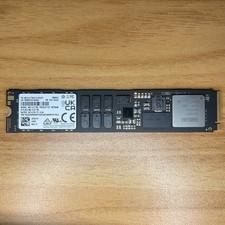
Samsung PM9A3 1.92TB M.2 NVME SSD (22110 Form Factor, PCIe 4.0 X4) MZ-1L21T90
$597.65

Samsung Galaxy View Tablet 18.4 SM-T670/677A Digitizer 100% Original Oem
$152.99

Kids Case for Samsung Galaxy Tab A9+/A9 plus 11 Inch 2023 Case, with Strap, Shoc
$27.99

Samsung JC95-01514A Cover-Side Roller T2 Compatible
$39.00

Samsung JC93-01078A Transfer Roller T2
$89.00

Samsung SCXSTP000, SCX-STP000 (Swingline Staple Cartridge - 3 Refills)
$57.99
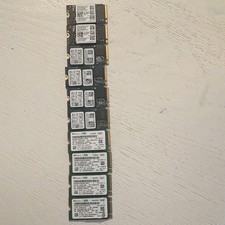
Samsung/SK Hynix/ Western Digital 256gb lot of 10.
$220.00

Samsung 24" S3 Essential IPS 100Hz Monitor | Sealed | Fast shipping
$55.00



 Reply With Quote