-
Senior Member
registered user
There are a couple of mouse cheatcodes, but they don't seem to apply to your situation.
In your place I would do <alt>+<ctrl>+<F2> that key combination should put you into a shell.
Then type 'dpkg-reconfigure xserver-xfree86" <enter> You should then get a chance to
reconfigure your entire XF86 configuration. You might have to run through the program a few times to get it set up right. Hope that helps.
Similar Threads
-
By zombi3 in forum General Support
Replies: 5
Last Post: 12-25-2003, 07:05 AM
-
By mstlyharmlss in forum General Support
Replies: 2
Last Post: 11-08-2003, 09:19 PM
-
By philski27 in forum General Support
Replies: 3
Last Post: 11-08-2003, 01:17 AM
-
By Enmity in forum Customising & Remastering
Replies: 6
Last Post: 11-07-2003, 10:37 AM
-
By Allowee in forum Hdd Install / Debian / Apt
Replies: 9
Last Post: 04-20-2003, 05:00 PM
 Posting Permissions
- You may not post new threads
- You may not post replies
- You may not post attachments
- You may not edit your posts
-
Forum Rules


Netac DDR4 32GB 16GB DDR4 3200MHz UDIMM C16 Desktop Internal Memory RAM Kit
$99.99
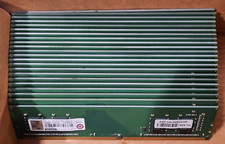
Lot of 88GB (22x4GB) ADVANTECH 1RX16 DDR4 PC4-2400U AQD-D4U4GN24-HP MEMORY RAM
$286.00

A-Tech 8GB DDR3 1600 PC3-12800 Laptop SODIMM 204-Pin Memory RAM PC3L DDR3L 1x 8G
$21.68

Major Brand 16GB (2x8GB) PC3-12800U DDR3-1600MHz DDR3-12800 DESKTOP RAM NON-ECC
$29.99
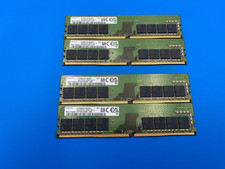
64GB Kit (4x16GB) - 16GB DDR-4 3200AA MHz UDIMM Samsung M378A2G43AB3-CWE Tested
$255.00
Samsung M393A2K43DB3 16GB (1x16GB) RAM DDR4 3200MHz M393A2K43DB3
$89.99

Crucial DDR3L 16GB 2 x 8GB 1600 MHz PC3L-12800 Laptop RAM Sodimm Memory 1.35V
$41.00

Samsung 16GB LPCAMM2 PC5 7500 DDR5 LPDDR5X CAMM2 M561K1LC4DM0-CCTGM RAM Memory
$189.00

Micron 32GB 1x32GB DDR5 5600 CL46 ECC Unbuffered SO-DIMM MTC20C2085S1TC56BD1
$399.00
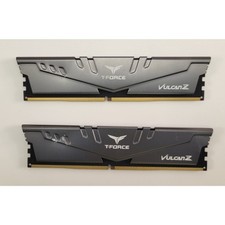
Team Group T-Force Vulcan 32GB (2x16GB) TLZGD416G3200HC16FBK - Tested
$149.95



 Reply With Quote