-
Knoppix And My Wifi Internet/Network Help ....
hey guys ! I'm new here ....
Well I finally got Knoppix live
Aww man its well nice..
One problem .. i cant connect to the internet.
Is there something i need to configure? what you guy think i need to do ?
Im running a 2.4mb connection wirelessly so if that makes a difference?
network card type thing is :
http://tinyurl.com/7nt8p
http://tinyurl.com/7lbcp
On another forum( non linux) someone said this "You will need to actually have the Wireless adapter plugged in, and run: /sbin/lsusb"
This doesn't mean to much to me because im brand new to linux lol
So if someone could say post a step-by-step guide of what i need to do ?
If any other info is requird just ask ...Thanks alot !
Phrazah
-
Administrator
Site Admin-
Re: Knoppix And My Wifi Internet/Network Help ....

Originally Posted by
phrazerm
Im running a 2.4mb connection wirelessly so if that makes a difference?
It makes a big difference, but at least you had the sense to tell us that you were trying to connect wirelesly and even what equipment you had. I'm amazed by how many people seeking support give no idea what their network equipment is. Unfortunately, wireless support is not great in Linux, many manufacturers refuse to release programming specs for their hardware or to even release Linux drivers. I don't know the status of the card that you are using. I would suggest:
- Reading the Wireless networking section of the wiki, found by following the Documentation link near the top of this page.
Trying to identify the chipset used in the wireless NIC; you might find that the hardware is supported even though we don't recognize the NIC manufacturer name.
Hope that someone does recognize the maker and posts also.
See if Knoppix seems to recognize the card at all. Of several wireless cards I have, recent versions of Knoppix finally started to recognize one of them and I can use that one for wireless connections with just a few setup instructions for the SSID and WEP key; the others are still unsuported. So a big step is to see how far Knoppix gets with your hardware.
Try running a wired connection to your router or access point.
If you still want to run wirelessly and Knoppix doesn't support your chip set, you can try the ndiswrapper approach in the wiki. This doesn't always seem to work, but sometimes it lets people use MS drivers when there are no Linux drivers for the device.
Although this costs a little cash, you may want to shop around and find a network card that is supported in Linux.
-
Does Knoppix know your hardware exists?
Is your hardware listed here - http://ndiswrapper.sourceforge.net/mediawiki/index.php/
If so, read what it says about it. For my Belkin Wireless, I used ndiswrapper to load up the drivers I had installed for Windows. After this I could set it up using wavelan and networkcardconfig (All of these are in the Knoppix menu under internet)
Rich
-
beuughhh! ndiswRAPE!
ok so i download all my windows driver and put them on my 'disgo' 256mb usb drive.
Several Inf . Ini files were on it so everything i need was ther.
The system reconised the usb device fine.
i opened ndiswrapper
i typed in the file location etc , it said blahblahblah... doesnt exsist or what not
(( do i have to change the "read/write" accessabilty of the device?
so what hav i done wrong/ what do i need to do ?
i love the look and feel of knoppix, but if i got at least a internet connection to my wireless network workin it would be smooth sailing from ther on.
so knoppix gurus, please help lol
-
I just tried Knoppix last weekend and my Dlink G card came alive imeadiately with out any effort on my part
Similar Threads
-
By leedsquietman in forum MS Windows & New to Linux
Replies: 2
Last Post: 01-05-2006, 03:56 PM
-
By bluemoon in forum Networking
Replies: 3
Last Post: 08-12-2005, 02:13 PM
-
By TimWhite in forum Hdd Install / Debian / Apt
Replies: 1
Last Post: 08-02-2004, 08:58 PM
-
By johnsandidge in forum Networking
Replies: 2
Last Post: 01-06-2004, 04:02 PM
-
By gill1109 in forum Networking
Replies: 2
Last Post: 07-28-2003, 05:20 AM
 Posting Permissions
- You may not post new threads
- You may not post replies
- You may not post attachments
- You may not edit your posts
-
Forum Rules


Samsung 96GB LPCAMM2 PC5 9600 FE1 E1 LPDDR5X CAMM2 M561K6LC3CL1-CCV DDR5 Memory
$2150.00
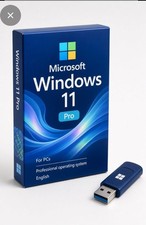
Microsoft Windows 11 Pro 64-Bit Drive Sealed with Product Key
$34.99

Samsung 32GB (1x32GB) PC4-17000 (DDR4-2133) LRDIMM Memory (M386A4G40DM0-CPB0Q)
$120.00
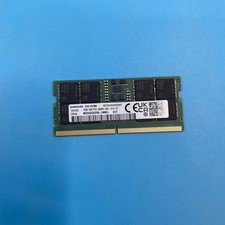
(LOT OF 12) *MIXED BRANDS* 16GB PC5-44800 DDR5-5600B 1Rx8 SODIMM Laptop RAM
$2160.00

USB 3.0 Flash Drive 32GB 64GB 128GB Memory Stick Thumb Stick Lot Pack
$826.09
SK Hynix 64GB PC4-2933Y Server Memory DDR4 RAM HMAA8GR7MJR4N-WM
$584.99
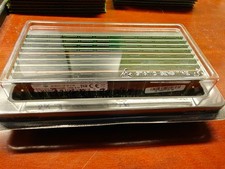
Lot of 8x 32GB PC4-2133P-LD0-10 RAM Memory
$900.00

HPE Samsung 16GB 1Rx4 PCR-2400T DDR4 RDIMM Memory RAM 809082-091 M393A2K40BB1
$74.99
SAMSUNG 32GB PC4-25600R DDR4-3200 2RX4 RDIMM SERVER MEMORY M393A4K40EB3-CWE
$304.99

P43330-0A1 HPE 32GB 2RX8 PC5-4800B DDR5 SERVER RAM P43328-B21 / HMCG88MEBRA107N
$1100.00



 Reply With Quote