-
Junior Member
registered user
Saving Config to Floppy
I'm using v3.2 and booting from CD. I'm running on an older HP Vectra with NTFS partitions, and therefore must use floppies (for several reasons) for any write functions.
I've tried saving my config files to both a separate floppy and to the boot floppy (created with rawrite2). With both, during boot, I get an error,
At the boot prompt I've tried both:
"knoppix myconfig=scan" and
"knoppix myconfig=/mnt/auto/floppy" and
"knoppix myconfig=/mnt/floppy" but I still get the error below.
Checking /mnt/for KNOPPIX configuration files...
Filesystem not autodetected, trying to mount /dev/ with AES256 encryption.
/dev/: Is a directory
Mount failed, retry? [Y/n]
What do I need to do to have my config restored from the floppy disk during boot. (And what is the /dev/ directory?)
Thanks in advance,
Andrew
-
Junior Member
registered user
Update
After hours and hours of reviewing posts and trying different combinations of cheat codes, I'm about ready to admit that it is impossible to load saved configs from a floppy to Knoppix running on CD. Which as neat and cool as it is, it makes Knoppix useless to me.
I'd really be interested if anyone has successfully accomplished loading configs from a floppy to Knoppix running on CD.
The closest I've seem to come is using "knoppix floppyconfig". It seems to be doing something, but then I'm prompted for a password. If I enter nothing or anything short of 20 characters then I'm prompted with something saying the password must be at least 20 characters. If I enter something 20 characters long then a message appears that says, "Mount: You must specify the filesystem type", but it gives me no prompt where to enter the type. It just goes back to the password prompt.
I've tried this with both ext2 and dos formatted floppy disks. I get the same problems with each.
I'd really enjoy seeing a solution to this. Knoppix running on CD and configs loaded from a floppy would be a great tool.
-
Junior Member
registered user
hi,
normally "knoppix floppyconf" is the right command for restoring from floppy, but I think one 3.2 release has got problems with the encryption. Which version do you have ? "knoppix myconf=scan" finds the "knoppix.sh" on other drives than floppy. All tried with version from 23.3.2003 and worked ok.
-
Junior Member
registered user
I downloaded the English v3.2 04-18-03, but it says "INIT Version 2.78-knoppix booting" during the boot process.
I just tried "knoppix floppyconf" and it just ingnored the floppy during boot. I tried "knoppix myconfig=floppyconf" and it said it was invalid and must start with /dev/ or /mnt/ or scan.
Thanks for the help with this. Any other suggestions to try?
I've got to run now. Will be back Sunday afternoon.
Thanks again,
Andrew
-
Junior Member
registered user
Your version seems to have problems with floppyconfig. See also http://www.knoppix.net/forum/viewtop...r=asc&start=15
bye
-
-
Junior Member
registered user
Thanks
Thanks thadry, but I just saw your note and last night I downloaded the new version of Knoppix 3.2 (5-3-03 I think). Anyway, I'm not having any problem with "knoppix floppyconf" now. It works like a charm. But I'm going to stick you solution in my notes, in case I have future problems.
Thanks again,
Andrew
-
floppyconf
I had problems with floppyconf till I tried my cheat codes and added floppyconf as well and had no problems .I have even tried with myconf=scan it works too .
It would be even better if I only had to type myconf=scan but my screen & refresh do not work unless they are set first ...
If anyone knows how to cure this please let us know ?
D.T. 
Similar Threads
-
By Leslie Simon in forum The Lounge
Replies: 2
Last Post: 05-24-2004, 01:38 PM
-
By extradudeguy in forum General Support
Replies: 3
Last Post: 12-14-2003, 11:33 PM
-
By jmsuthar in forum General Support
Replies: 3
Last Post: 08-27-2003, 03:18 PM
-
By LordHarshmage in forum General Support
Replies: 1
Last Post: 05-01-2003, 08:49 AM
-
By boehmb in forum General Support
Replies: 25
Last Post: 03-31-2003, 06:33 PM
 Posting Permissions
- You may not post new threads
- You may not post replies
- You may not post attachments
- You may not edit your posts
-
Forum Rules


16GB KIT (2x8GB) DDR3 Gamer Desktop RAM PC3 MIXED BRANDS VIPER VENGEANCE FURY
$10.00

Netac DDR4 32GB 16GB DDR4 3200MHz UDIMM C16 Desktop Internal Memory RAM Kit
$99.99
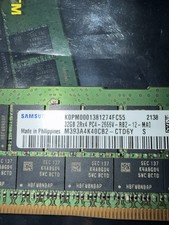
Samsung 128GB (4x32GB) DDR4 PC4-2666V ECC Server RAM 288-Pin M393A4K40CB2-CTD6Y
$699.99
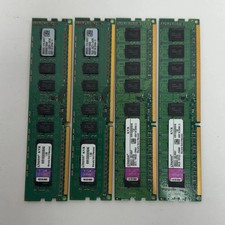
Kingston KVR1333D3E9S/4G 16GB (4×4GB) RAM DDR3 1333MHz KVR1333D3E9S/4G
$59.99

Major Brand 16GB (2x8GB) PC3-12800U DDR3-1600MHz DDR3-12800 DESKTOP RAM NON-ECC
$29.99

A-Tech 8GB DDR3 1600 PC3-12800 Laptop SODIMM 204-Pin Memory RAM PC3L DDR3L 1x 8G
$21.68
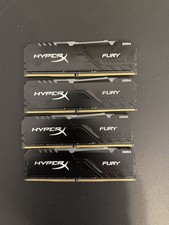
HyperX Fury RGB 64GB 4x16GB DDR4 3200 HP32D4U8D8HC-16XR Desktop RAM Tested
$201.75

DDR4 Laptop RAM 4GB 8GB 16GB 32GB 2400 2666 3200 Samsung Hynix
$66.00
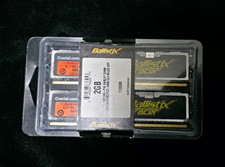
Crucial Ballistix Tracer 2GB (2x1GB) DDR2-800 PC2-6400 240-Pin DIMM
$145.00

Corsair Vengeance DDR3 8GB 16GB 32GB 1866MHz PC3-14900 Desktop RAM Memory DIMM
$85.00



 Reply With Quote