
Hi,
Looking at the specs of this Acer laptop, can we tell if it would run knoppix ?
http://www.laptopshop.co.uk/acer-tra...aptop-1-n2.htm


Hi,
Looking at the specs of this Acer laptop, can we tell if it would run knoppix ?
http://www.laptopshop.co.uk/acer-tra...aptop-1-n2.htm
Knoppix would probably run on it. Most of the hardware is generic enough to suggest that it is supported & will work. The display resolution might not be perfect since it uses 1280x800 and does not use the old standard resolutions of 800x600 or 1024x768 or 1280x1024. The wireless network chipset Acer InviLink 802.11b/g appears to use a broadcom chipset and broadcom based wireless devices will usually have to use ndiswrapper. See http://www.knoppix.net/forum/viewtop...=102730#102730 where I direct someone to use ndiswrapper. Check http://www.linux-on-laptops.com/acer.html and http://tuxmobil.org/acer.html see if you can figure out if other people have gotten similar acer models to work.
I should run Knoppix, but you might have issues making the wide screen display to work in wide screen mode and I certainly don't expect that you will get the built-in wifi working. Since you are paying for XP pro I am guessing that you will leave XP on the hard disk, which will give you problems writing to the hard disk since it will be NTFS partitioned. My advice would be to repartition as soon as you get it and make a smaller XP partition and use some of that nice big hard disk for either a FAT partition (if you only plan to run Knoppix from the CD or DVD) or even a Linux partition (in which case I would install Debian on the Linux part of the computer). Even with Linux installed a small FAT partition would give you a way to transfer files between the two operating systems (or you could use a USB flash drive for that).
---
Verifying of md5 checksum and burning a CD at slow speed are important.
it should be formatted in FAT32 from the get go. They have it partitioned from the factory with half being dedicated as "Acerdata" for recovery purposes so they don't have to spend the coin on real recovery media. Once you pull off anything you want to save you should be able to use the recovery space as your install partition for whichever flavor OS you decide to go with.
'Goon
Thanks for the suggestions. I'm planning to be able to multiboot XP with one installed linux distro and knoppix live CD.
 Posting Permissions


USB 3.0 Flash Drive 32GB 64GB 128GB Memory Stick Thumb Stick Lot Pack
$164.99

SanDisk Ultra Luxe USB 3.1 Flash Drive – 5 Pack | Premium Metal USB Flash Drives
$59.99

Windows 11 Pro Install/Recovery/Repair USB Flash Drive
$35.00

Wholesale 5/10/100PCS 1GB 2GB 4GB 8GB 16GB 32GB USB 2.0 Flash Drive Memory Stick
$378.00

Sandisk 16GB 32GB 64GB 128GB Cruzer Blade Flash Drive Memory Stick USB Lot Pack
$175.90
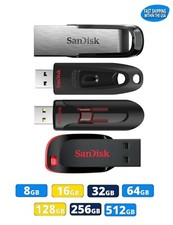
Sandisk Flash Drive 16GB 32GB 64GB 128GB 256GB 512GB Blade Glide Ultra Flair lot
$623.38

Kingston 32GB 64GB 128GB 256GB USB 3.0 Flash Drive Thumb Memory Stick Pen lot
$135.90

Sandisk 32GB 64GB 128GB 256GB Cruzer Glide Flash Drive USB 2.0 Memory Lot
$404.42

Microsoft Windows 11 Pro 64bit - New Sealed – Flash USB 1 PC
$49.99
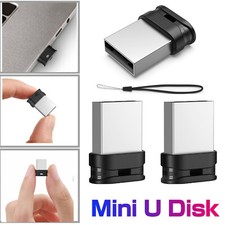
Super Slim mini USB Flash Drive Pen 32gb 64gb Lot Memory Sticks USB 2.0 Drives
$48.99

 Reply With Quote