


 Reply With Quote
if you use the cheatcode
it should boot without locking up.Code:knoppix nodhcp
then when you get into knoppix do
to get ipadres.Code:sudo pump -i eth0
if this does not work let us hear.
EDIT
you type that in a console
/EDIT


Hi!
When I try to boot Knoppix, it does everything ok until this message...
And then the cursor stops blinking and it freezes up...Network device eth1 detected, DHCP broadcasting for IP. _
Do you know what the problem is and how can I fix it?
"eth0" should be my Realtek PCI Ethernet card and it seems to be ok (LAN cable attached to it), and "eth1" is probably my on-board LAN nForce4 built-in Gbit MAC (Marvell 88E1111 PHY) that came with my motherboard (no LAN cable attached to it)...
I tried disabling it on the BIOS, but it still gets detected anyway! :P
Can someone please tell me what to do to be able to boot Knoppix normally?
if you use the cheatcode
it should boot without locking up.Code:knoppix nodhcp
then when you get into knoppix do
to get ipadres.Code:sudo pump -i eth0
if this does not work let us hear.
EDIT
you type that in a console
/EDIT
I'm sorry for the mistake, but I forgot something...
I also have a Wireless PCI card! So, the on-board Ethernet card is disabled correctly afterall... :P
Therefore, my configuration is this one...
Anyway, I did what you said ("sudo pump -i eth1") and it worked fine!eth0 - Gigabyte WPKG PCI WLAN Card
eth1 - Realtek RTL8139 Fast Ethernet NIC
eth2 - nForce4 built-in Gbit MAC (Marvell 88E1111 PHY)
Thanks man!
When I run KWiFiManager, it shows Interface eth0, so that's my wireless PCI card...
But when I start the Network card configuration tool (netcardconfig) and select:
> "eth0 Netzwerkkart_0" (small translation error here!!!)
> "Use DHCP broadcast?" (and click "Yes")
It shows this message and then it completelly locks up Knoppix like on the boot sequence...
When I boot normally, the 2 messages that appear are:Sending DHCP broadcast from device eth0
And then it locks up... So I though the problem was on the eth1 card, but it's in fact on eth0...Network device eth0 detected, DHCP broadcasting for IP.
Network device eth1 detected, DHCP broadcasting for IP._
It's some sort of problem when getting the IP address from the Wireless card, that shouldn't be happening...
Still... it's kind of annoying having to type that "knoppix nodhcp" command everytime I want to boot Knoppix...
Will this problem be fixed on next versions?
If you'd like, just tell me what I have to do and I can try to help you discover a solution for this!
 Posting Permissions


ATARI XF551 DISK DRIVE WITH AC POWER ADAPTER AND PARALLEL PORT ADAPTER, UNTESTED
$250.00
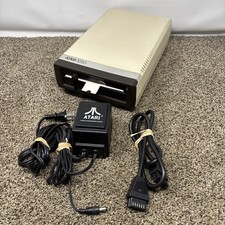
Atari 1050 Floppy Disk Drive Tested With All Cables Power And Data SIO Cable
$170.00

Atari 400 / 800 Computer Memory Module 16K RAM PCB CX853 - Works Perfectly
$18.95
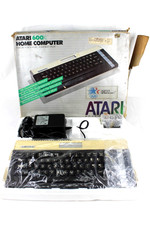
VTG Atari 600XL Home Computer System in Box ** Powers On ** Clean * Tested Works
$148.75

⭐️Atari RX8044 Joust Vintage Computer Game Cartridge⭐️Vintage 1983⭐️
$7.93

Fujinet 1.7.1 Atari 400 800 800XL 130XE 65XE XEGS Assembled, Tested, Working
$99.99
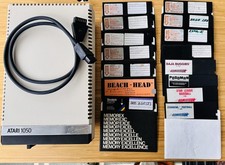
Vintage Atari 1050 Disk Drive w/ SIO Cable & 32 Games/Programs - UNTESTED
$67.76
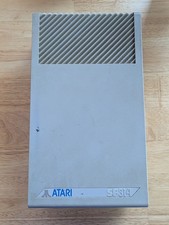
Vintage ATARI SF314 DS/DD 3.5" External Drive TESTED but can't read/write disks
$69.99

GreaseWeazle v4 board USB floppy drive adapter Retro All Formats
$35.00

Atari 400 Home Computer System includes Power Cord G2U
$159.99
