-
From commandline:
ln -s /lib/libssl.so.0.9.7a /lib/libssl.so.0.9.7
I know how to make a symlink between a file in one directory to another directory
that is essentially just the same what I did above, there is no difference whether the destination is in the same directory. About the existence of the target: if it does not exist, it will be created, if it exists, ln will fail and report that the file already exists.
If you want to override the possibly existing file, the syntax is:
ln -sf <source> <target>
which forces (-f) the symlink to be created even if the target file exists. This is dangerous since you might override some important files if you are not really sure what you are doing. So I suggest you don't use -f.
Symlinks are deleted like normal files, with rm. To see what files are symlinks:
ls -la
should show the symlinks like libssl.so.0.9.7 -> libssl.so.0.9.7a
Similar Threads
-
By markh1289 in forum General Support
Replies: 1
Last Post: 01-12-2006, 05:03 AM
-
By redss in forum General Support
Replies: 0
Last Post: 12-21-2004, 06:22 AM
-
By Cuddles in forum Hdd Install / Debian / Apt
Replies: 17
Last Post: 01-20-2004, 04:30 PM
-
By labrador in forum Customising & Remastering
Replies: 0
Last Post: 07-18-2003, 01:54 AM
-
By Mad_Max_FX in forum Hdd Install / Debian / Apt
Replies: 1
Last Post: 06-22-2003, 03:29 AM
 Posting Permissions
- You may not post new threads
- You may not post replies
- You may not post attachments
- You may not edit your posts
-
Forum Rules

Vintage IBM Model M Keyboard
$80.00
VINTAGE IBM ThinkPad 570 Type 2644 13" Laptop Intel Pentium READ
$122.18
Vintage Dell Latitude CPi A366XT Win 98SE w/USB Support 256MB 60GB HD FDD Serial
$109.99
Vintage IMSAI S-100 Computer CRT System w/ Boards Nonworking Parts/Repair
$2699.00

Tektronix Vintage Full-Size QWERTY Keyboard with Numeric Keypad 119-1989-001
$79.99
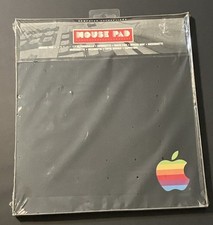
vintage Rainbow Apple Logo Mouse Pad-Sealed New
$99.00
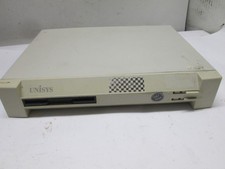
VINTAGE UNISYS Computer CWD4002-ZE RARE 486 DBA/2 Retro PC Intel Pentium USA 95
$95.00

Vintage Shuttle K48 Small Form Factor Pc FOR PARTS OR REPAIR
$100.00
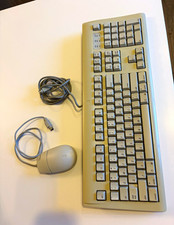
Vintage AppleDesign Keyboard M2980 & Mouse II M2706 ADB Cable Bundle Mac
$69.99
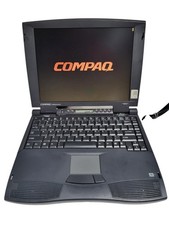
Compaq Presario 1640 Laptop HP 2940A Vintage Computer, Power Supply and mouse
$159.95



 Reply With Quote